Exit
  • Global community
    • Language:
      • Deutsch
      • English
      • Español
      • Français
      • Português
  • 日本語コミュニティ
  • 한국 커뮤니티
1

clipping light mask no longer red

Community Beginner ,
Feb 19, 2021 Feb 19, 2021

In camera raw you're able to press O and U to show blown out white sections in white and blown out dark sections in blue. That way you could tell if there is any detail in highlights and shadows.


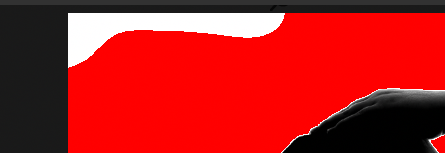
Since a few days i have the issue, when I paint more light into closely blown out sections to blow it out on purpose the mask turns white instead of red. That way I have a hard time to see if its actually blown out or not. Before it was always red when it was fully white with no details, but now it shows white and red mixed.. So, white where I painted and that is not good at all.

is there a way to turn that off? I want it red when its blown out white and not a white layer over the red mask to not see the difference ;(


attached image..
top left area shows white, even i added +1 exposure to blow it out.. in previous versions it was red and didnt show what i painted.

TOPICS
Windows
1.3K
Translate
Report
Community guidelines
Be kind and respectful, give credit to the original source of content, and search for duplicates before posting. Learn more
community guidelines
Community Beginner ,
Feb 19, 2021 Feb 19, 2021

highlight clipping warning
thats the word i was looking for 😉

Translate
Report
Community guidelines
Be kind and respectful, give credit to the original source of content, and search for duplicates before posting. Learn more
community guidelines
Advisor ,
Feb 19, 2021 Feb 19, 2021

Perhaps the white area is not totally blown out and only the red area is. I can see similar to this if I deliberately overexpose a sky area with an adjustment brush. Have you tried overexposing even more extremely to see if the white area eventually turns red?

Translate
Report
Community guidelines
Be kind and respectful, give credit to the original source of content, and search for duplicates before posting. Learn more
community guidelines
Community Beginner ,
Feb 19, 2021 Feb 19, 2021

@Erik Bloodaxe 
Was my first thought too, but I added several layers with +EV and the area around my brush turns red, when i paint more on it it turns white again. Just like it does show the area I painted on top over the red. Where before the red was priority.

Translate
Report
Community guidelines
Be kind and respectful, give credit to the original source of content, and search for duplicates before posting. Learn more
community guidelines
LEGEND ,
Feb 21, 2021 Feb 21, 2021

First, try disabling GPU in the preferences (Preformance tab). Any better?

Author “Color Management for Photographers" & "Photoshop CC Color Management/pluralsight"
Translate
Report
Community guidelines
Be kind and respectful, give credit to the original source of content, and search for duplicates before posting. Learn more
community guidelines
Community Beginner ,
Feb 23, 2021 Feb 23, 2021
LATEST

sadly no, makes no difference

Translate
Report
Community guidelines
Be kind and respectful, give credit to the original source of content, and search for duplicates before posting. Learn more
community guidelines