


Adobe Captivate 12 - Need Help Using Variables to Reveal Next Button
Hello! I'm a new user to Captivate having been a Storyline user for years. My new role is for a company where they are using Macs and have Adobe licenses, so Captivate was the easiest choice for us to use for eLearning creation.
I'm creating my first project in Captivate using v12, and have viewed tutorials for previous versions of Captivate where Variables were used to reveal the Next button on a slide after a user clicks all required objects on a slide.
Unfortunately, those steps are not working in Captivate 12.
On this slide in question, which I have named Table of Contents, I have used the Add Media Blocks function to add Images. The user needs to click on each image before advancing. Because I needed 5 images, I had to add two Media Blocks.
I will note that each image takes the user to a new slide when it's been clicked. Then the user clicks a button to return to the Table of Contents, and the intent is that after the user has clicked on all 5 images the Next button will then be shown so the user can advance.
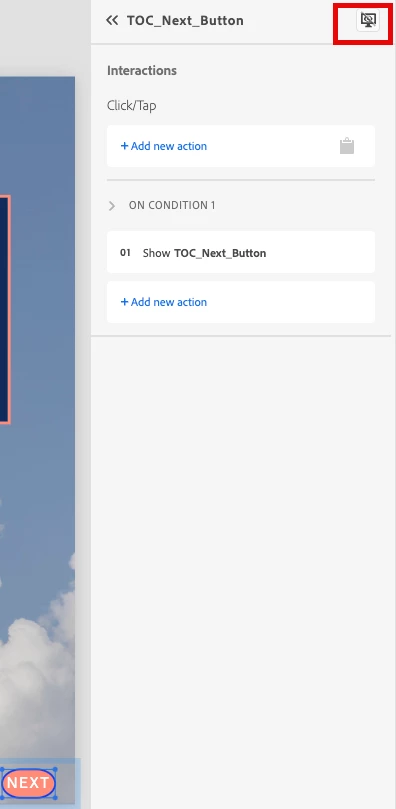
I've selected my Next button, then de-selected "Show During Publish" as seen in the pic below:
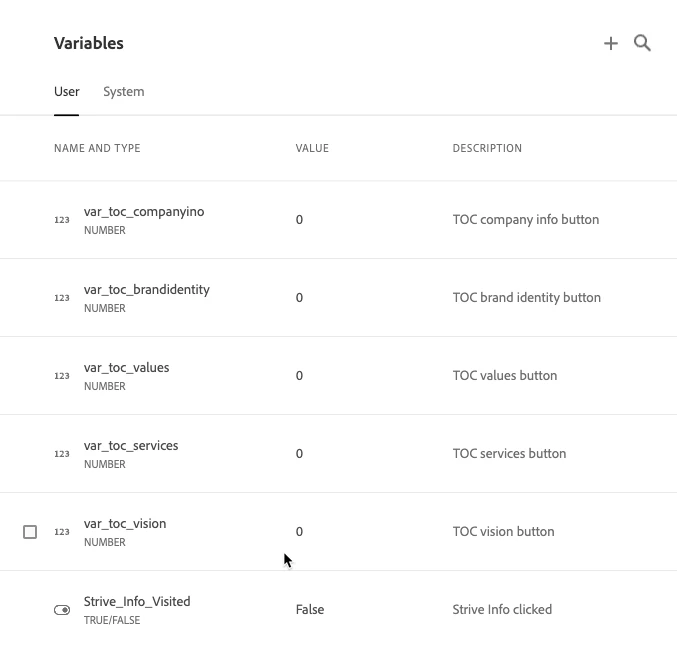
I then created a variable for all five of the images as seen below:
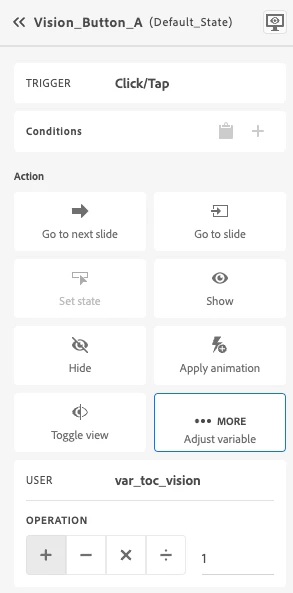
Then I've added the following interaction to each picture so the Variable has a 1 added to the value.
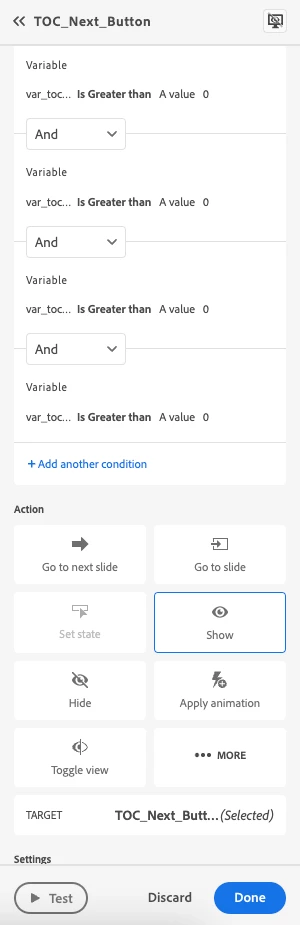
Then I created the following rule to show the Next button once all images had been clicked.
However, when I Preview the project the Next button does not show even after all images have been clicked.
Have I missed something? I have been pulling my hair out and watched so many tutorials on YouTube and feel like I've followed all the steps but it's not working for me.
Please help!
 AdChoices