margaretd6417944
New Participant
April 24, 2017
Answered

Adobe Captivate 8 Advanced Actions - Menu pages

  • April 24, 2017
  • 2 replies
  • 727 views

Hello.

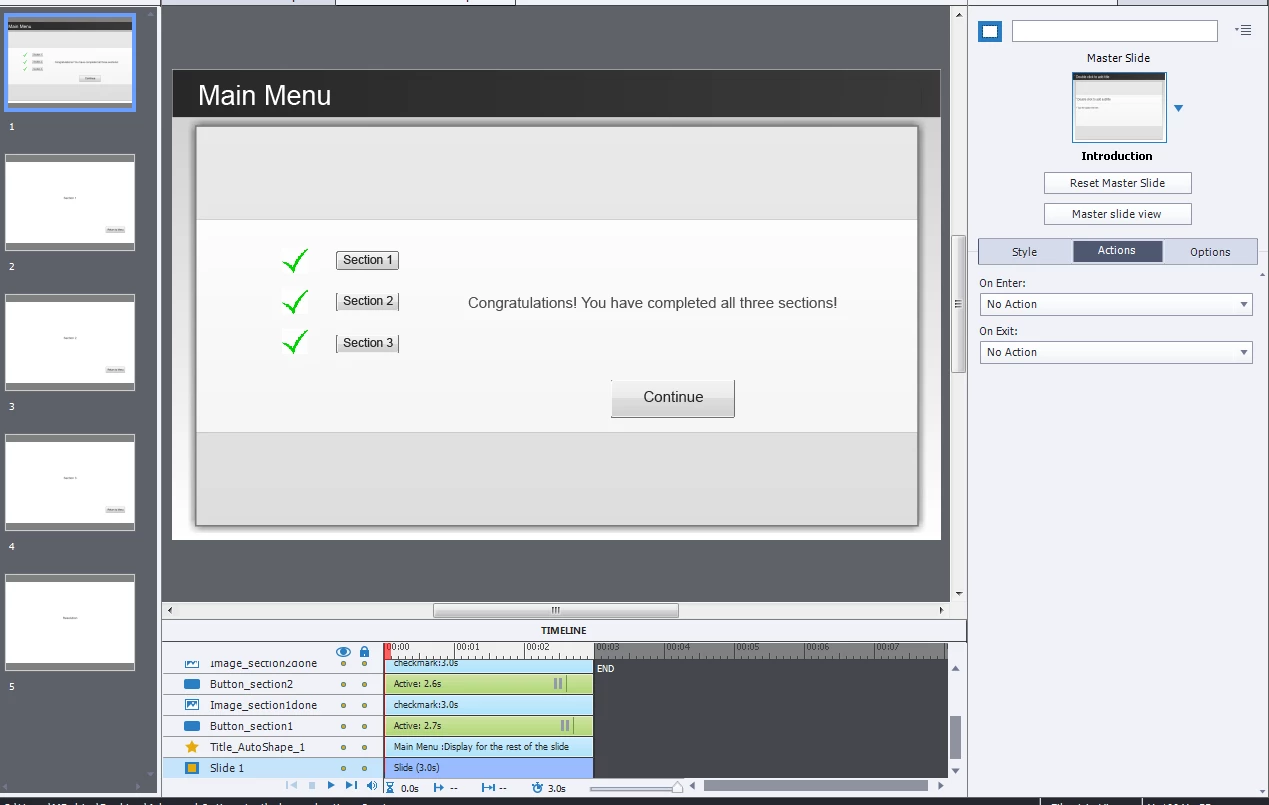
I have followed along with Rod Ward's terrific tutorial on creating advanced actions (http://www.infosemantics.com.au/adobe-captivate/template/03-dynamic-menu-page) and my test module is not functioning correctly.  The basic navigation works properly - clicking each button takes you to the proper slide and then clicking the "return" button brings you back to the Main Menu, however the feedback checkmarks do not appear when returning to Main Menu. In addition, the "Congratulations" caption and "Continue" button do not appear once all sections have been viewed and the TOC and navigation bar are not disabled.

The checkmarks, Congratulations caption and Continue button are all set with "Not visible in output" and I have set the On Enter actions for slides 2-4 to assign the appropriate items with "1."

I am wondering if it has something to do with the Timeline and pauses? Any help would be welcome - I'm sure I am missing something simple!

Here are screenshots:
    This topic has been closed for replies.
    Correct answer RodWard

    The most common error people make when creating these types of interactions is that they forget to set the On Slide Enter event of the menu slide to execute the Conditional Action.  That's usually why nothing is changing on the menu slide.

    2 replies

    RodWard
    RodWardCorrect answer
    Community Expert
    April 25, 2017

    The most common error people make when creating these types of interactions is that they forget to set the On Slide Enter event of the menu slide to execute the Conditional Action.  That's usually why nothing is changing on the menu slide.

    RodWard
    Community Expert
    April 25, 2017

    By the way Lieve.  Now that Captivate has Object States, I also use them for Menu slides.  You and I don't differ in that approach.  But the tutorial that Margaret is referring to was created well before Object States came out.

    I also use Shared Actions when they would genuinely save time. But in this particular interaction they wouldn't really add any benefit.

    Lilybiri
    Brainiac
    April 25, 2017

    Rod, there are always several ways of reaching the goal. I only tried to explain why I didn't really look at the advanced actions (because it is your approach that the OP wanted to use, just fine) but to warn about the chaotic placement of the pausing points.  Pretty common, not understanding pausing points, thought it could help to point at that with a link to an article.

    Lilybiri
    Brainiac
    April 24, 2017

    Rod will be able to help you more (my approach is different and I use shared actions + states), but you have to make sure that the pausing points are all at the same time, which is not the case on the screenshots: I see small differences. Here is some reading about pausing the timeline:

    Pausing Captivate's Timeline - Captivate blog

    margaretd6417944
    New Participant
    April 25, 2017

    Thank you for the additional information.

    Lilybiri
    Brainiac
    April 25, 2017

    Be sure to have the pausing points at the same location or you could have problems: the playhead could remain blocked in a part that is already inactive for some buttons.