When I open up advanced actions on the results tab, the little arrow you highlighted is greyed out and there are no actions listed there at all (though I do see that there is a Results script triggered on enter, this does not show in the advanced action pop-up window).
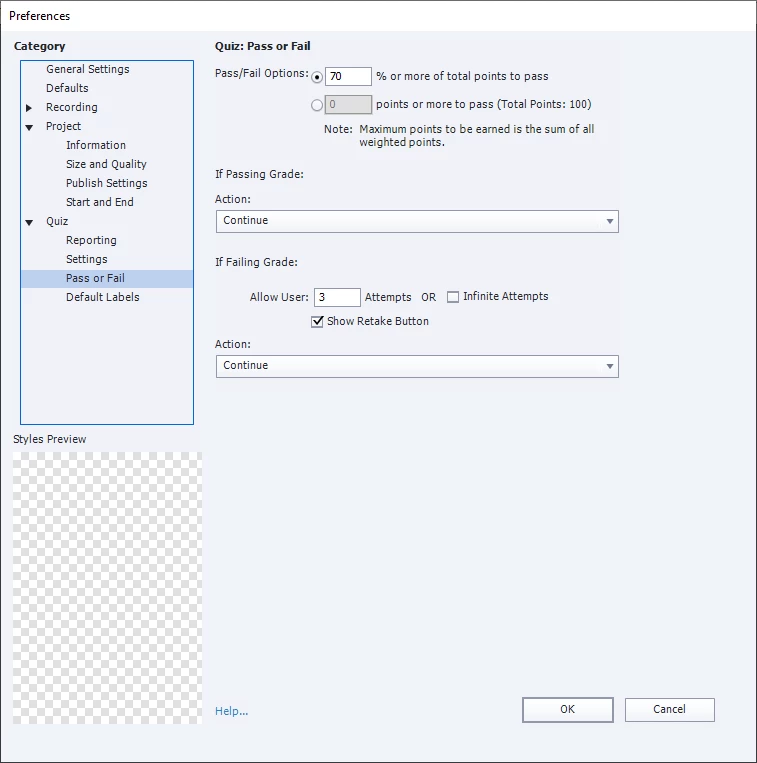
When I'm talking about the templates, I mean that I chose this slide out of the assets section. I'm using the business theme "test results" slide, which I inserted into the project then changed the colors and fonts to match the rest of my project. The asset I used is now greyed out when I look at it, so I think that applying the template slapped it over the master slide. It's one of the adobe slide assets (screenshot). I think the template IS what the shape with the advanced interaction is? There are two result possibilities, and on failure one image + text appears while on passing another image + text appears, which I was able to customize. This appears to work as intended, except that I get a failed result at 70%. The passed result only occurs at 80%+.
If the asset isn't the smart object, I am not sure what is. I am tempted to reset the master slide and see if that fixes my problem, but a little worried I'll mess it up further. I did not change the default quiz results messages in publish settings - default labels, I directedly edited the text/images on the slide itself.
Thanks again for your reply! Hope I'm covering everything you meant, I find Captivate confusing so it's definitely not on purpose if I didn't.
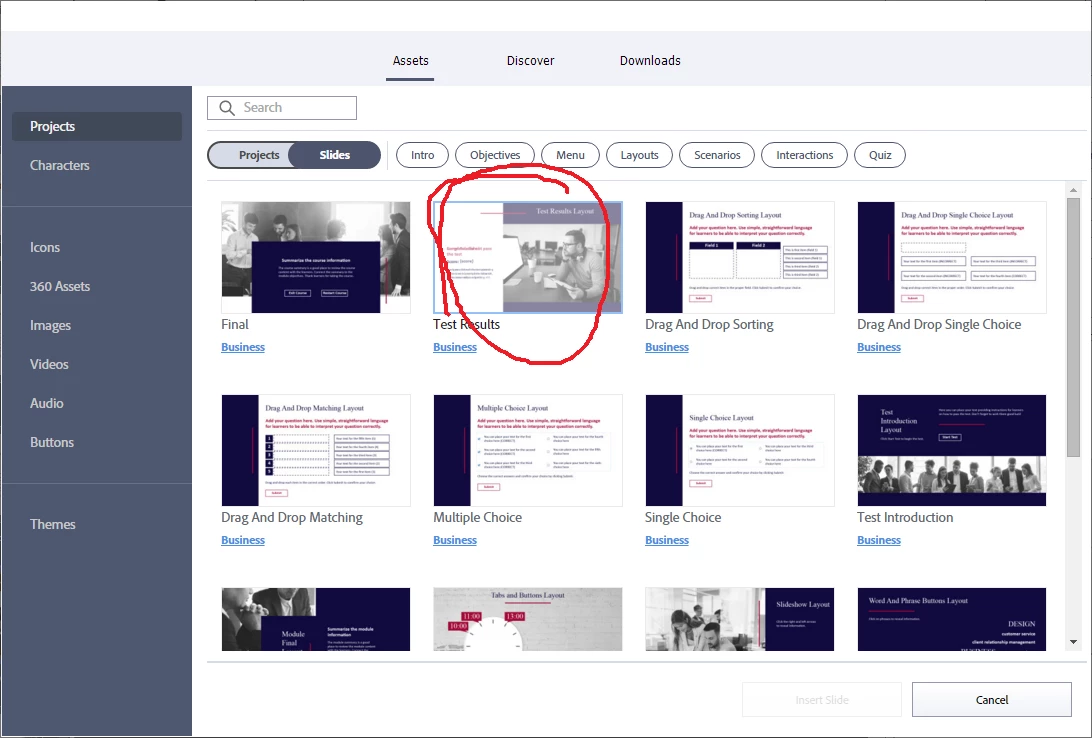
A new important 'detail'. You used a ready-to-go slide from the Assets panel. There is a serious problem for Results slides as I explained in this blog:
https://blog.lilybiri.com/quiz-slash-score-slides-in-quick-start-projects-part-1-non-responsive-projects
You will read that the only way to insert any results slide is to open the whole project. Is that what you did? You cannot insert any results slide, because a results slide depends on the used theme (master slides are part of a theme). I suppose that advanced action On Enter, which normally should appear under the lists of advanced actions, is the culprit. This explains also why you seem to be able to move that results slide. I did explore most of the Quick Start Projects and have multiple blogs. They could be a great asset IF they came at least with a minimum of documentation which is not the case. It is too late for me here in Belgium, because to test out that Results slide I need to open the full project.
Know that I had several consultancy jobs where I had to solve corrupted project because some of those ready-to-go slides were used and they had a multitude of themes. Can you check which themes are used in this project and if the quiz slides are using the same master slide as the results slide? The Advanced action may be on the master slide, but it should appear in the Advanced Actions dropdown list. The Preview button I showed will be activve only when an advanced action is open in the dialog box.
This is the advanced action, it is not based on a percentage but on the total score:
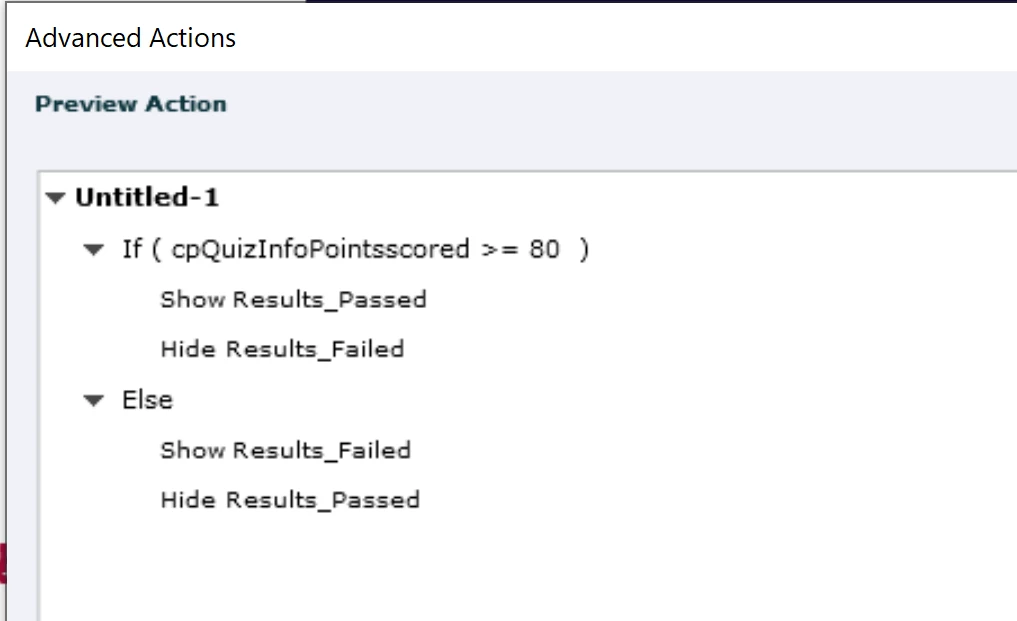
For a percentage the system variable should have been cpInfoPercentage, not cpQuizInfoPointsscored.
It may have been your moving that results slide (which I find very weird). Do you really not see that advanced action?



 AdChoices