Participating Frequently
February 15, 2023
Answered

Adobe Captivate quizzes not calculating scores correctly

  • February 15, 2023
  • 2 replies
  • 3369 views

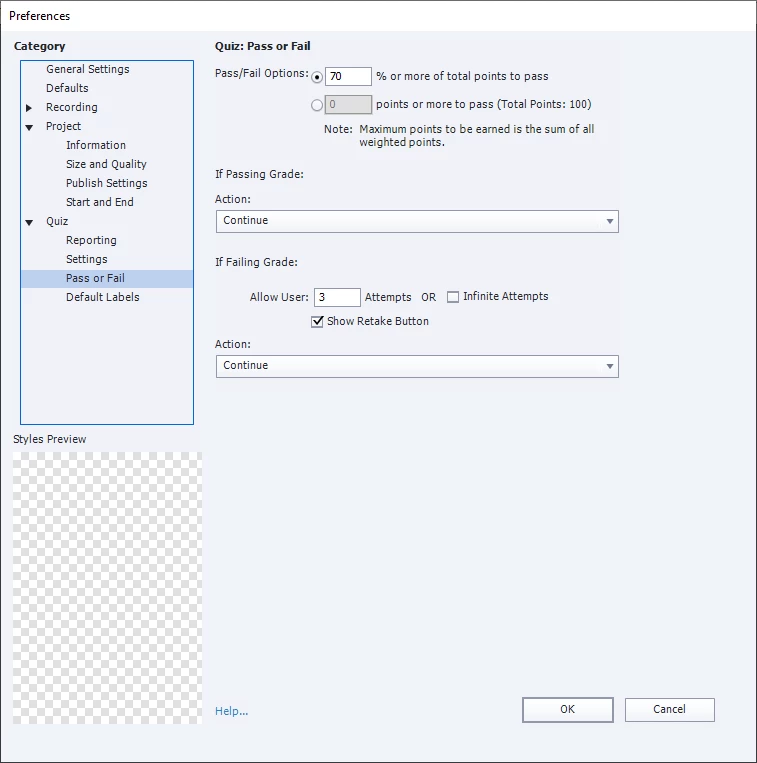
I'm working on my first SCORM e-learning module in captivate, it looks great but there's definitely been a learning curve. When it comes time for the final test/quiz I can't seem to get the correct pass/fail results. I want the learners to pass with 70%+, but it wouldn't work without 80%+ at first, even if in the quiz section of the "publish settings" I put 80%. I also tried choosing x points or more to pass, but that isn't working either.


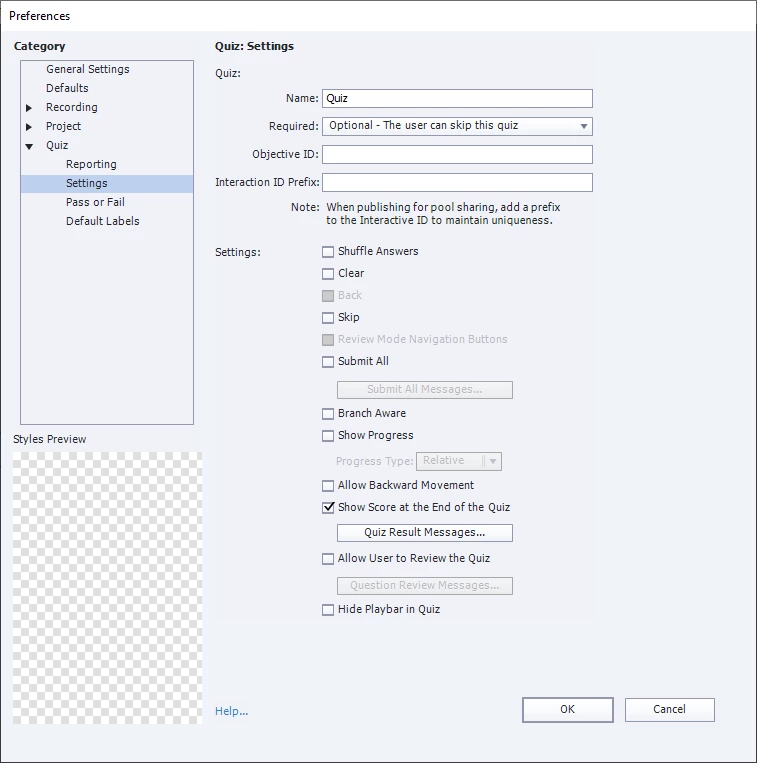
In the process of trying to fix this (deleting questions, adding new ones, etc), I seem to have made it worse and now I don't get quiz results at all-- the module skips the results and goes to the final thank-you slide even tho I did make a score slide and have the "show score at the end of the quiz" box checked in the quiz settings. Before the results box disappeared, the module started failing the tests even at 100% correct. I feel like there must be some obvious thing I'm missing. 


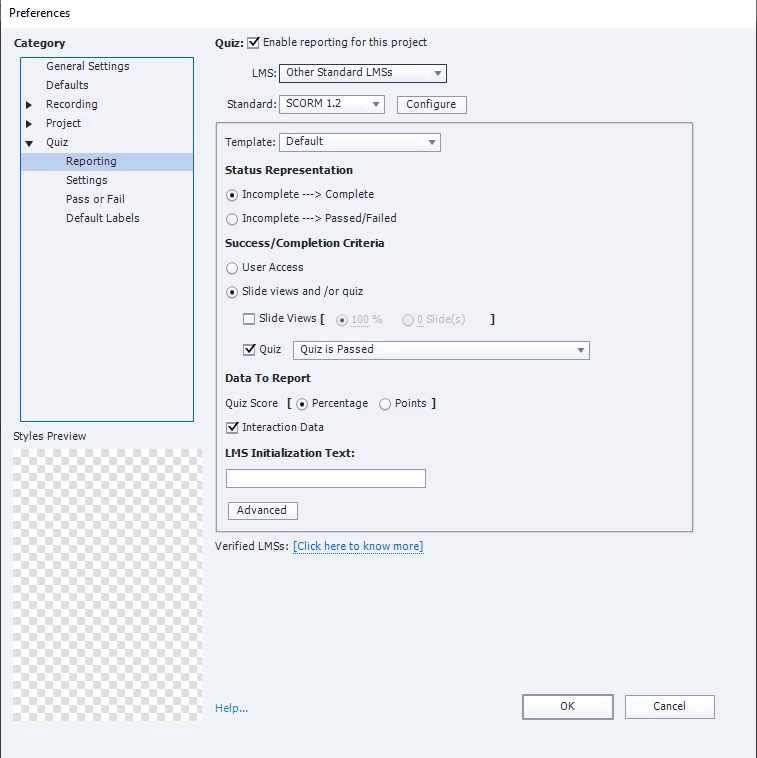
I attached screenshots of the settings I'm using, I'm assuming the problem is there?

This topic has been closed for replies.
Correct answer Lilybiri

When I open up advanced actions on the results tab, the little arrow you highlighted is greyed out and there are no actions listed there at all (though I do see that there is a Results script triggered on enter, this does not show in the advanced action pop-up window).

When I'm talking about the templates, I mean that I chose this slide out of the assets section. I'm using the business theme "test results" slide, which I inserted into the project then changed the colors and fonts to match the rest of my project. The asset I used is now greyed out when I look at it, so I think that applying the template slapped it over the master slide. It's one of the adobe slide assets (screenshot). I think the template IS what the shape with the advanced interaction is? There are two result possibilities, and on failure one image + text appears while on passing another image + text appears, which I was able to customize. This appears to work as intended, except that I get a failed result at 70%. The passed result only occurs at 80%+. 

If the asset isn't the smart object, I am not sure what is. I am tempted to reset the master slide and see if that fixes my problem, but a little worried I'll mess it up further. I did not change the default quiz results messages in publish settings - default labels, I directedly edited the text/images on the slide itself.


Thanks again for your reply! Hope I'm covering everything you meant, I find Captivate confusing so it's definitely not on purpose if I didn't.
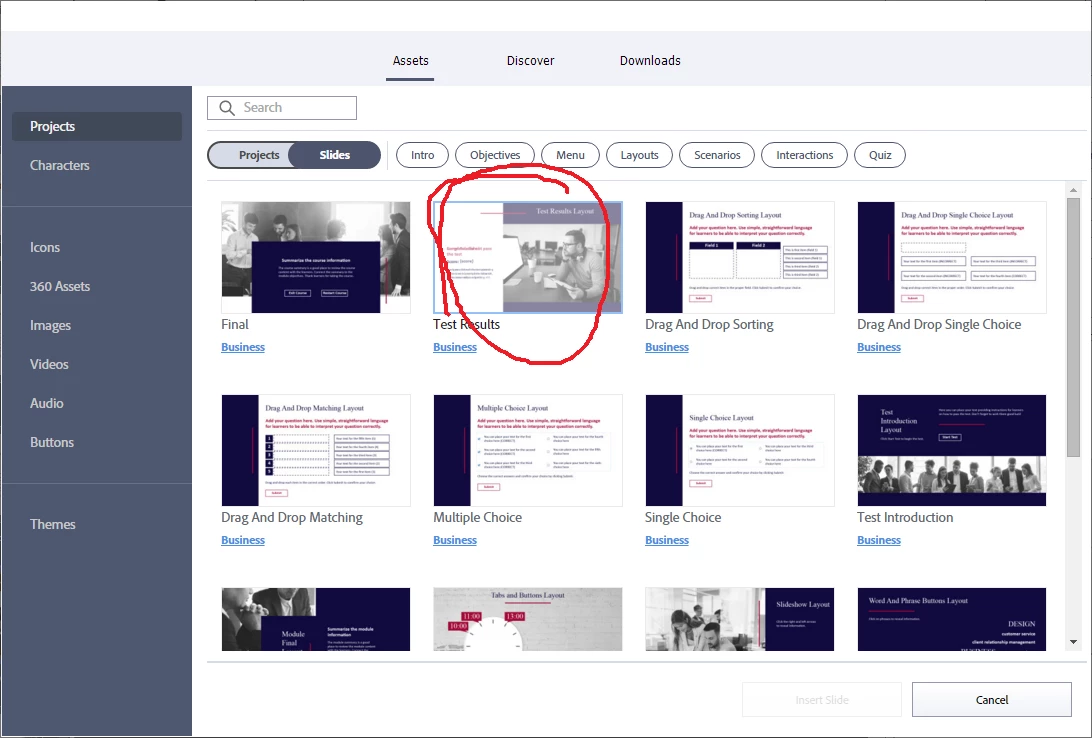

A new important 'detail'. You used a ready-to-go slide from the Assets panel. There is a serious problem for Results slides as I explained in this blog:

https://blog.lilybiri.com/quiz-slash-score-slides-in-quick-start-projects-part-1-non-responsive-projects

You will read that the only way to insert any results slide is to open the whole project. Is that what you did? You cannot insert any results slide, because a results slide depends on the used theme (master slides are part of a theme). I suppose that advanced action On Enter, which normally should appear under the lists of advanced actions, is the culprit. This explains also why you seem to be able to move that results slide. I did explore most of the Quick Start Projects and have multiple blogs. They could be a great asset IF they came at least with a minimum of documentation which is not the case. It is too late for me here in Belgium, because to test out that Results slide I need to open the full project. 

Know that I had several consultancy jobs where I had to solve corrupted project because some of those ready-to-go slides were used and they had a multitude of themes. Can you check which themes are used in this project and if the quiz slides are using the same master slide as the results slide? The Advanced action may be on the master slide, but it should appear in the Advanced Actions dropdown list. The Preview button I showed will be activve only when an advanced action is open in the dialog box.

This is the advanced action, it is not based on a percentage but on the total score:
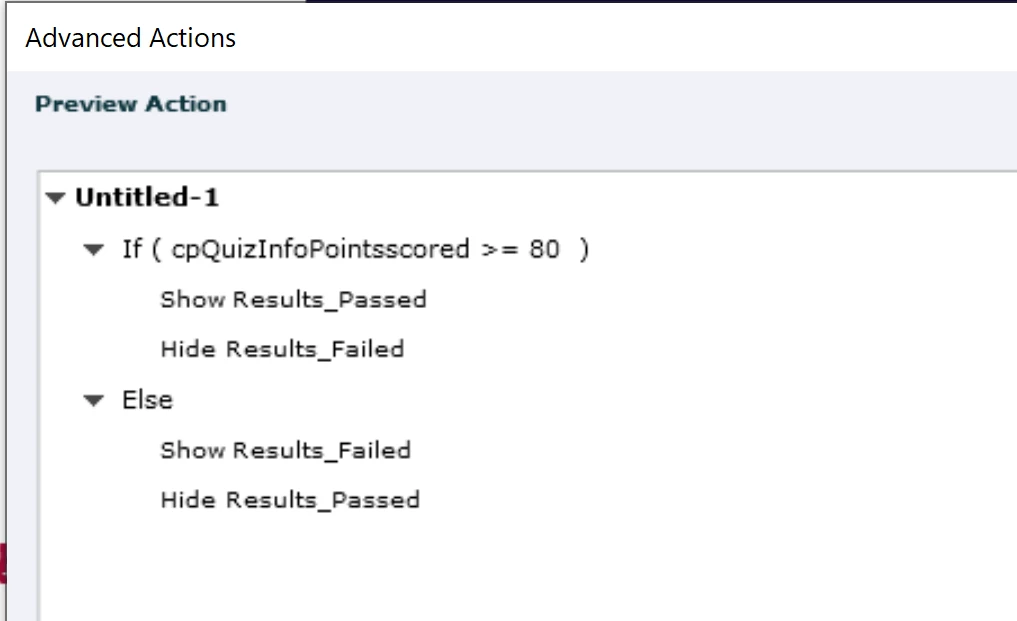
For a percentage the system variable should have been cpInfoPercentage, not cpQuizInfoPointsscored.

It may have been your moving that results slide (which I find very weird). Do you really not see that advanced action?


2 replies

pennycatAuthor
Participating Frequently
February 15, 2023

I did figure out that the reason the results didn't pop up is because I'd accidentally shuffled the results slide, but unfortunately it looks like the reporting is still incorrect and saying it's a failure at 70%. It is now passing the test at 80-100% once again. 


Lilybiri
Legend
February 15, 2023

You already checked Advanced Interaction to confirm the total score. However the Interaction IDs seem not to be present although the column is to small to see the full entries. Do you not report the interactions?

I am bit worried about your moving the Results slide, because by default it would have been inserted after the last scored slide or object, and wonder if you didn't inadvertently mess up the results slide. Did you delete any embedded object on that slide? An embedded object has no individual timeline. Some of them can be 'unchecked' in the setup, but you should not delete such an object. Especially the Continue button is very important. 


Do you have at least one slide after the results slide? What are the Pass/Fail actions in Quiz Preferences?


Some LMSs require also to specify the Pass score or percentage (to be preferred). Rod already asked to see the Reporting setup. 

Lilybiri
Legend
February 15, 2023

Found the "advanced action"! So I was trying to access it from the tabs at the top (project > advanced actions..) but I needed to click on the yellow folder by the "results" script instead from properties. I took the wrong route so that's why it was blank! Now I see it, and I see it does seem to think i need 80% to pass and it did want points rather than a percentage. 

So if I switch the system variable and number to 70... that should fix my problem. I am excited now, I hope this really does it! 


Indeed, you need to edit that action and test again. 

I will stop to add links to blogs, but some of those projects really need to be fixed. This is a typical example: the quiz master slides nor the results master slide were what is normally needed in a correctly set up Theme. As I mentioned I have explored those projects really a lot, and logged many bugs about them. Business is an example of a very bad Theme. By this I mean that the master slides for quizzes (which are mandatory for each theme) have not been edited to reflect the normal design of that project. Some of the Quick Start projects do a better job, but this one is really bad. Moreover I don't understand why they used this advanced action without at least offering a warning about its use. Most LMSs prefer percentage above score, which would make cpInfoPercentage a better choice, but the literal '80' is to me a real bug. It should have been cpQuizInfoQuizPassPoints in this case. Or when using cpInfoPercentage it should have been cpQuizInfoPassPercent. That would have made this action correct in any circumstance. Apparently, since they didn't use the results master slide, they lost the possibility to use the InBuilt features using the default Pass/Fail messages which can be customized under Quiz Preferences.

Sorry for this ranting, but a better start project would have saved both you and me a lot of frustration and time.


pennycatAuthor
Participating Frequently
February 15, 2023

Forgot to add, it's Captivate 2019. I've also checked the project > advanced interactions to see if there are things with points that shouldn't be there, but as far as I can tell it looks good.