


lashondrac51319316
Known Participant
October 5, 2017
Question

Advanced, Advanced Actions

  • October 5, 2017
  • 2 replies
  • 318 views

Hello everyone!

I am trying to create an advanced action that will enable, but also disable at the same time. I posted on here before, about this same slide but decided to change a few things.

This is the slide that I am using. Once you click on each picture, the picture will grey out and a box will appear.
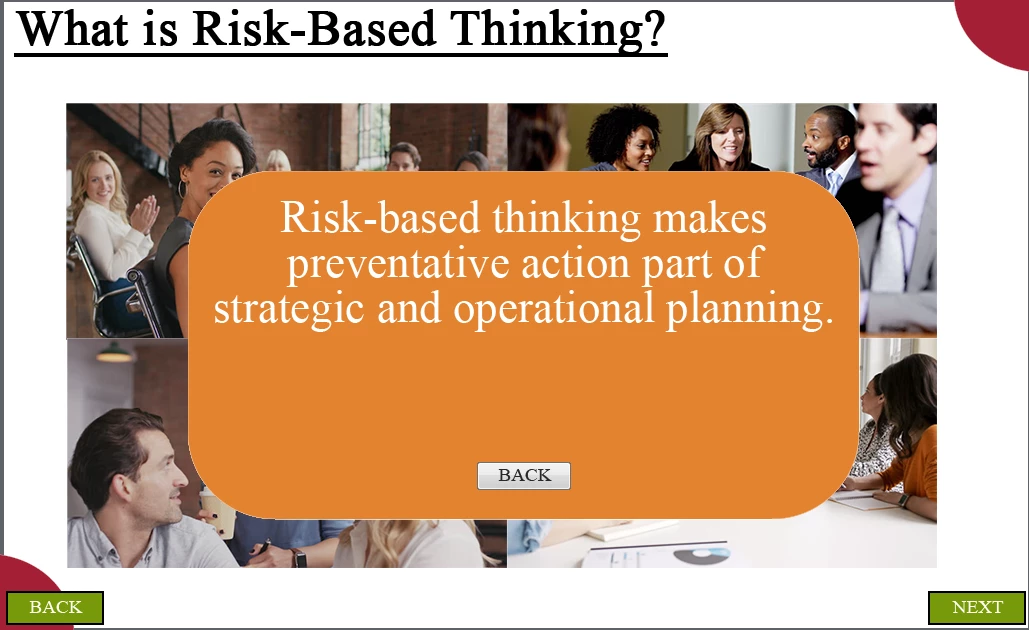
When this box is up, I don't want the learner to be able to click on another box. I want them to click the back button and then click on another box. I also don't want them to be able to click on the same box twice. Once it is clicked, it is disabled. I also don't want to show the next button until all items are clicked. I am using the same back button for all of the boxes that will be popping up.

Thanks!

This topic has been closed for replies.

2 replies

New Participant
October 6, 2017

New to Captivate so this suggestion is purely conceptual. Instead of trying to disable the interactive elements, what about including a "dummy button" along with, and under your feedback panel Group. It should be transparent and large enough to cover all of the clickable objects under it. You could just have it set a variable to zero when clicked.

Have not tried this, but typically thebtop most layered object would prevent a click through. Worth a try maybe.

Lilybiri
Braniac
October 6, 2017

That is not at all a good solution, because it is not foolproof at all. Many times an interactive object that is covered by a static objects remains active, can still be clicked. Moreover, especially for HTML5 output is a very BAD idea to have two interactive objects in exactly the same location, issues and problems are guaranteed in that case. The option to disable interactive objects is the only totally safe way to solve the question of the OP.

New Participant
October 6, 2017

thank you for the clarification.

Lilybiri
Braniac
October 5, 2017

It is not possible to disable a group of interactive objects (one of my feature requests). You will not be able to use shared actions neither in this caseµ. Since ou didn't tell which version you are using, will not post any screenshots, but write out the actions as text.

Create 4 user variables with a default value of 0, one for each of the images to be clicked.

For the Back button, the action is pretty simple:

   HIde Gr_Boxes                  group the popup boxes, you can use one command instead of several

   Enable One

   Enable Two

   Enable Three

   Enable Four

For the to be clicked images, you'll need a conditional action with 2 decisions

First decision is not conditional:

  Assign v_one with 1                  the variable associated with this image, has to be edited in the duplicates (you need 4 in total)

  Disable One

   Disable Two

  Disable Three

   Disable Four

   Show Box_one                 has to be edited in the duplicates

Second decision is conditional

   IF v_one is equal to 1  AND

        v_two is equal to 1  AND

         v_three is equal to 1  AND

         v_four is equal to 1

    Show Bt_Next