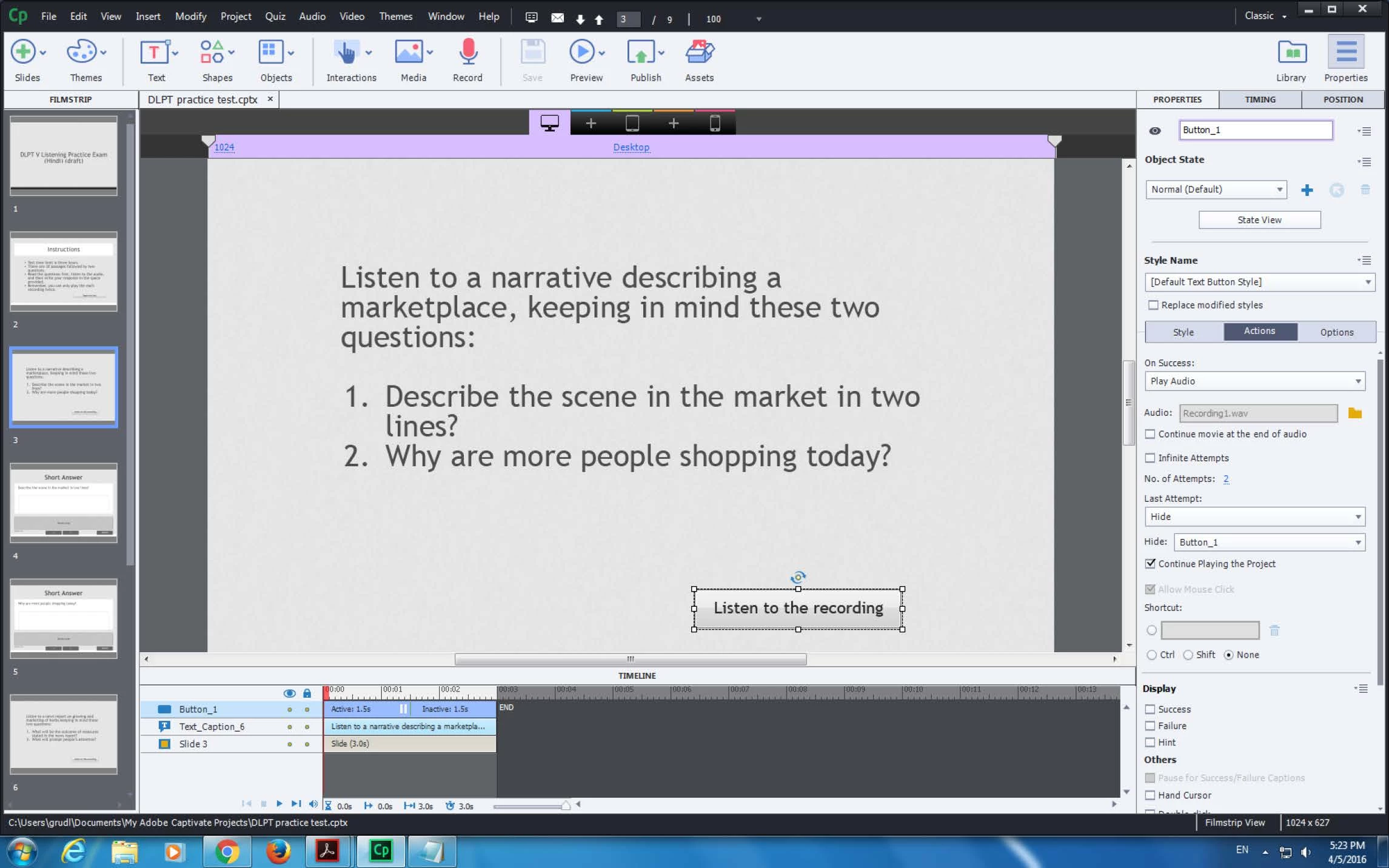
You seem to misunderstand 'attempts' for an interactive object, will try to clarify. It is not limiting the number of clicks ON the interactive object (here a button) but telling how many attempts can be 'failed', which means clicking OUTSIDE of the object. For your use case the Failure action will never happen, because the user always clicks on the button, never outside of it. Same with the Continue project which you left for the Failure action: never happens.
For the Success action you use the Play Audio command, with Continue project unchecked: this means that the user can click multiple times, the playhead is never released and the audio can be played as many times as you want. The solution is indeed to use a conditional advanced action (not a standard action because you want to allow 2 attempts, sorry David - TLCMediaDesign) and a counter variable. These are the steps:
- Define a user variable v_attempts with a default value of 2
- Create an advanced action to be triggered by the button that will look like this:
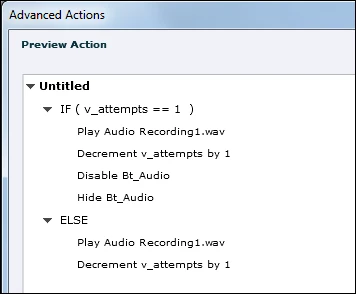
It is always safer to disable the button before hiding it. Or you could just keep the Disable. This action also allows you to show the attempts left in a text container:
- Before first click: v_counter = 2
- After first click: v_counter = 1
- After second click: v_counter = 0 and since there is no longer possible to click, it will remain = 0; this is important because CP is not very maths minded, doesn't see the difference between a negative and a positive number.
It is also very easy to change the number of attempts by just editing the default value. Think this will be one of the (easy) scripts in my future actions cookbook. Tnx for the question.



 AdChoices