


New Participant
August 19, 2022
Question

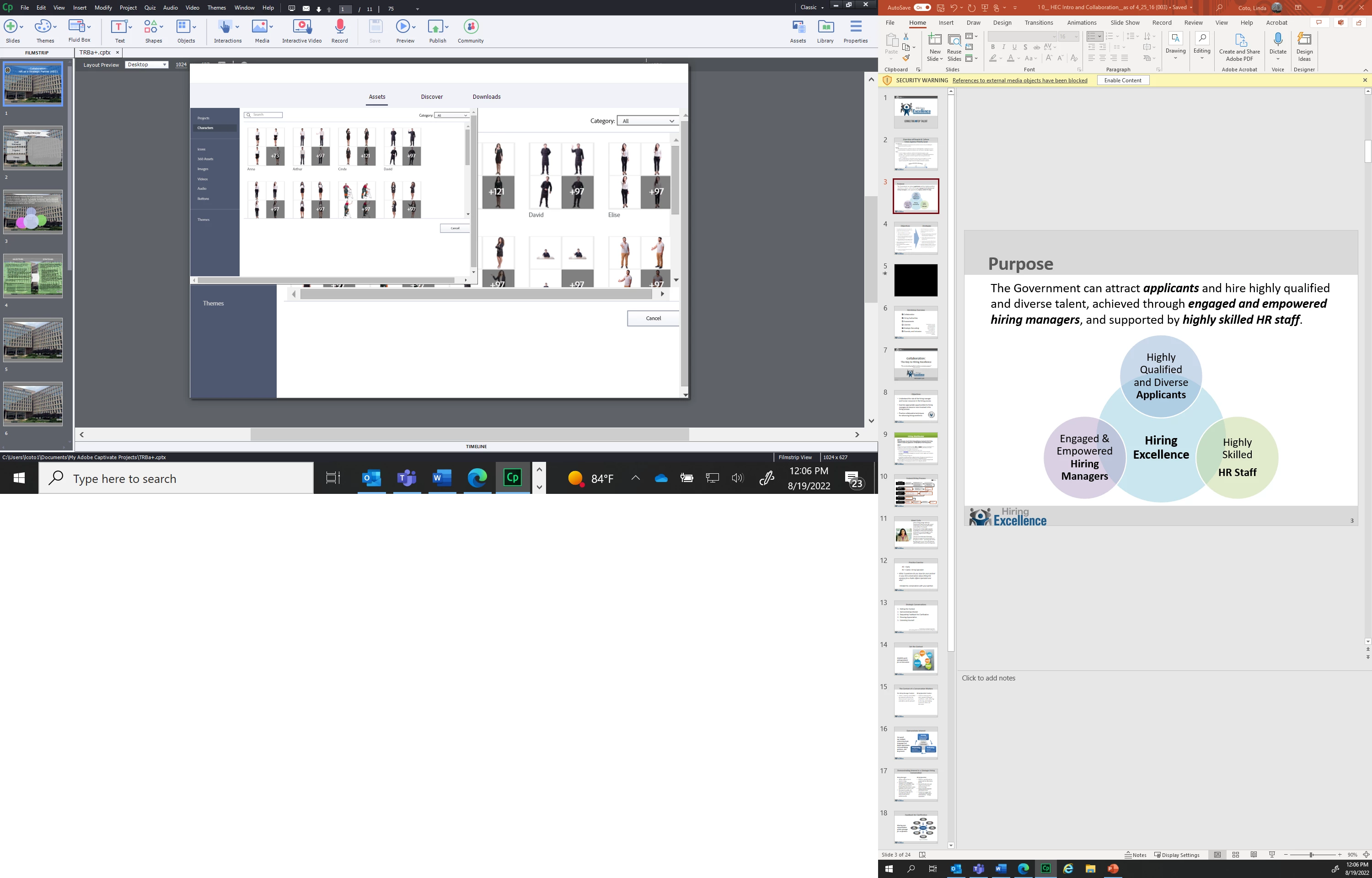
Asset screen in Captivate comes up duplicate
  • August 19, 2022
  • 2 replies
  • 162 views

My character screen comes up double.  I am not sure how to get rid of the duplicate so I can actually use the big screen.  The little box moves but it does not allow me to select a character.  This is very important!!

This topic has been closed for replies.

2 replies

New Participant
August 19, 2022

I cannot seem to answer directly to Lilybiri so here is what I believe is my version.  We are indeed on Windows 10.  The information: 11.8.0.586 Captivate_2019_x64_LS21.  I sure hope this can be fixed because I really need assets.

Lilybiri
Brainiac
August 19, 2022

You didn't need to upgrade to 11.8. I kept Win10 to be able to continue using 11.5 which seems more stable. However try the usual troubleshooting scenarios (not sure it will help, sorry):

  • Clear the cache (Preferences, General settings).
  • Close Captivate. Find the subfolder 'utils' under the installation folder and run 'CleanPreferencesWin.bat' file. It will clean eventual corruption in Captivate.

More in:

http://blog.lilybiri.com/tips-for-troubleshooting


All characters need to be downloaded, but the dialog box is part of Captivate.

You seem to have a screen with a very high resolution. Just bit of intuition here: could you try to lower the resolution, and/or change the Display resolution percentage? 


Lilybiri
Brainiac
August 19, 2022

Weird problem. You are on Windows (guess it is Win10), but can you tell which  Captivate version you are using? Please the full version number as mentioned under Help, About Captivate.