


Participating Frequently
December 31, 2021
Question

Branching Scenario quiz with interactive conversation/dialogue. Is this possible?

  • December 31, 2021
  • 2 replies
  • 3086 views

Here is a branching scenario that I have been tasked with building out in Captivate. I haven't been able to find any instruction on how to create a quiz in this flowchart style, where the user chooses a response and that choice dictates where they go next in the dialogue/quiz. Is something like this even possible?


I found these examples that I believe were created using Storyline. So it seems that the concept has been done before. Does anyone have any recommendations on how to achieve this in Captivate?
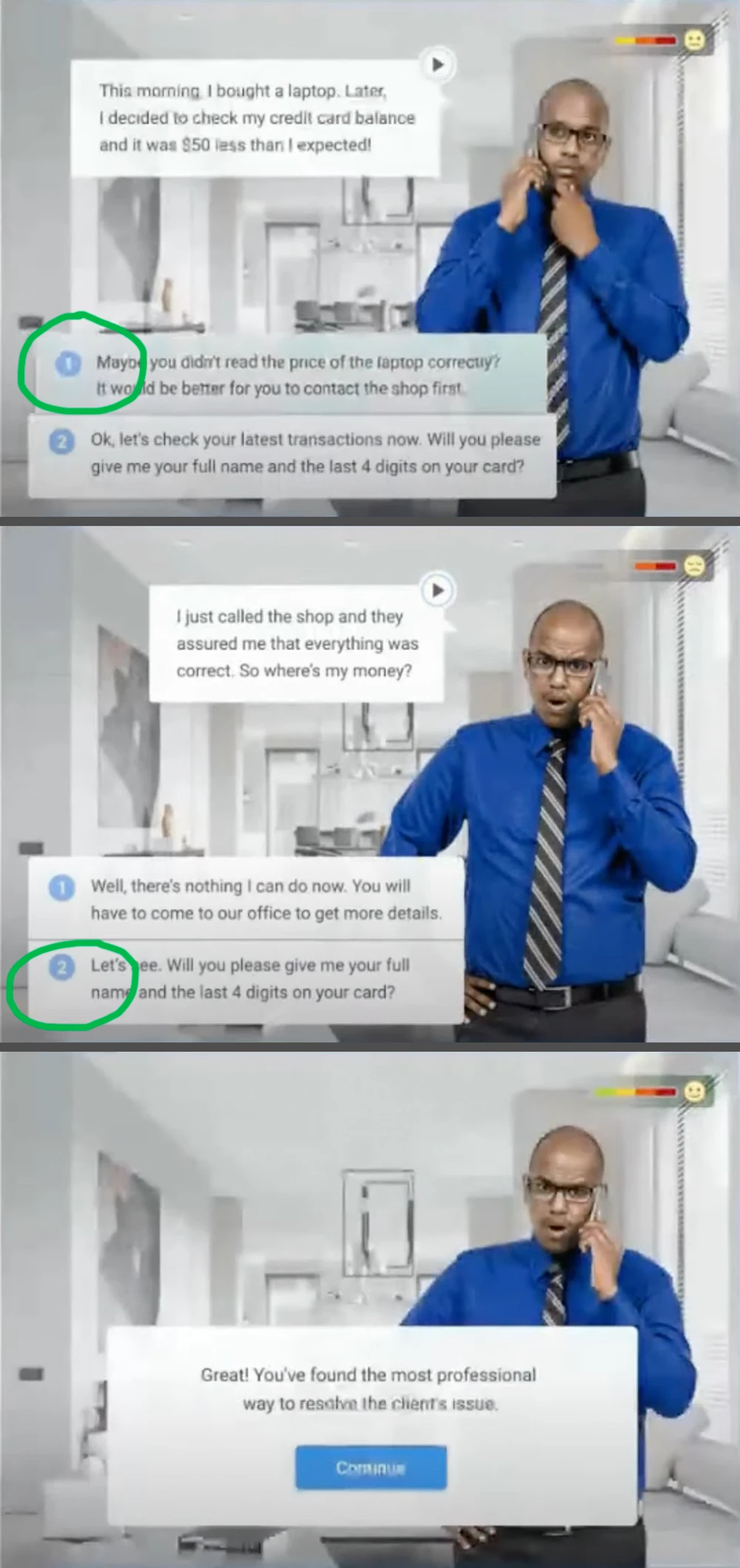
 

Thanks in advance!

Kat V

This topic has been closed for replies.

2 replies

Lilybiri
Legend
January 1, 2022

Any eLearning authoring tool can do this, if you know the tool. Sorry, but the screenshot of the flowchart is too small to read to give proper instructions.

Something very important is missing in your question: do you need to transfer the results to the gradebook of a LMS or not? This looks more like scenario-based learning, not like a real quiz where you need to transfer the score to a LMS.  

There are many ways to set this up. I would create custom master slides to start with, either based on the default quiz slide (MCQ) or as a start for custom question slides. The last type gives you more control but take more work.

For the branching you can use:

  • In case of quiz master slide based question, the Success or Last Attempt event. 
  • For custom question slides: use shapes as text container and convert them to interactive objects. You can use its Success event to trigger the actions.

You can assign advanced or shared actions. In this use case I would personally prefer shared actions, because they allow reusing with different parameters.

katvsvAuthor
Participating Frequently
January 1, 2022

The flowchart is the google doc link at the beginning of my post. Sorry for any confusion! You'll have to zoom in to see the details. If you have any problems accessing that link, I have attached a PDF version here (see Branch Mockup.pdf attached).


Yes, I will be reporting to an LMS!

Lilybiri
Legend
January 2, 2022

This course will be uploaded to a software called Workday.


For a little more background, I am building a training course with 6 separate "modules" in it. Each module contains some quiz questions. I have attached a PDF that shows slides from modules 3 through 4 of my course for a visual reference. It seems like I can't keep the questions and scoring seperate for each module though--Captivate is only letting me have one score slide at the end of the project.


So I am not sure how to set individual preferences for a specific quiz, like this flowchart branching scenario.


Thank you for all of your help, by the way! I only learned how to use Captivate about a month ago, so I am incredibly new to this whole world of eLearning and course building. It's a lot to wrap my head around.


You didn't have to tell me that you are completely new to Captivate, but I didn't know that you are even new to eLearning. Why do you accept a job in that case without any background to both eLearning and the very powerful tool 'Captivate'? Sorry for that remark, I am used to be labeled as 'condescending' but I am just expressing my frustration. Would you ever board a plane where the pilot tells you he doesn't understand the technical language used in flying nor had any training? Curse me if you want.


Rod also tells his worries about the LMS, but I wonder if he did see the flowchart at the start of this thread. Due to the situation you probably are not able to talk with the client about some worrying requirements like the fact that you only would need negative scores for answers esteemed to be 'wrong'.  That is the reason I also pointed out that you need to know a lot more about the LMS features.


As for developing that flowchart in Captivate, this can be done by any one with basic skills in Captivate. You don't need to be an expert at all. However my intuition told me that you didn't understand what I offered as tips. You really need basic skills to be able to develop the necessary custom forced navigation based on the ànswers, combined with Branch aware. Not at all difficult, especially if you take the advice to use T/F questions after styling the quizzing master slide. However you need to discuss with your client, based on testing in the LMS or getting more information about its features, about what is possible or where you need a workaround. Such a discussion means that you need ... sorry for repeating ... basic skills.


As for the slides posted, they seem just like PPT, not like an eLearning course at all. That is my decades of experience as trainer, professor and coach which is now appearing, not my Captivate expertise.


Here is a link to a blog with an embedded Captivate tutorial which is using a branched scenario setup to get to conclusions. It was not meant to transfer a 'score' to a LMS, it was in Survey (not graded) style:

http://blog.lilybiri.com/using-cpquizinfoanswerchoice-for-survey-conversion-from-swf-to-html


Participating Frequently
December 31, 2021

Use actions with calls to diferents slide for each decision. You can view the structure with Branching panel (Window > Branching View)