



Buttons: Click them without pausing the project or jumping to the next slide.
So I have a button issue.
I have built a slide with content that blends in step by step, while a voice speaks and explains the stuff blended in. On exit, the slide pauses. The project has a playbar.
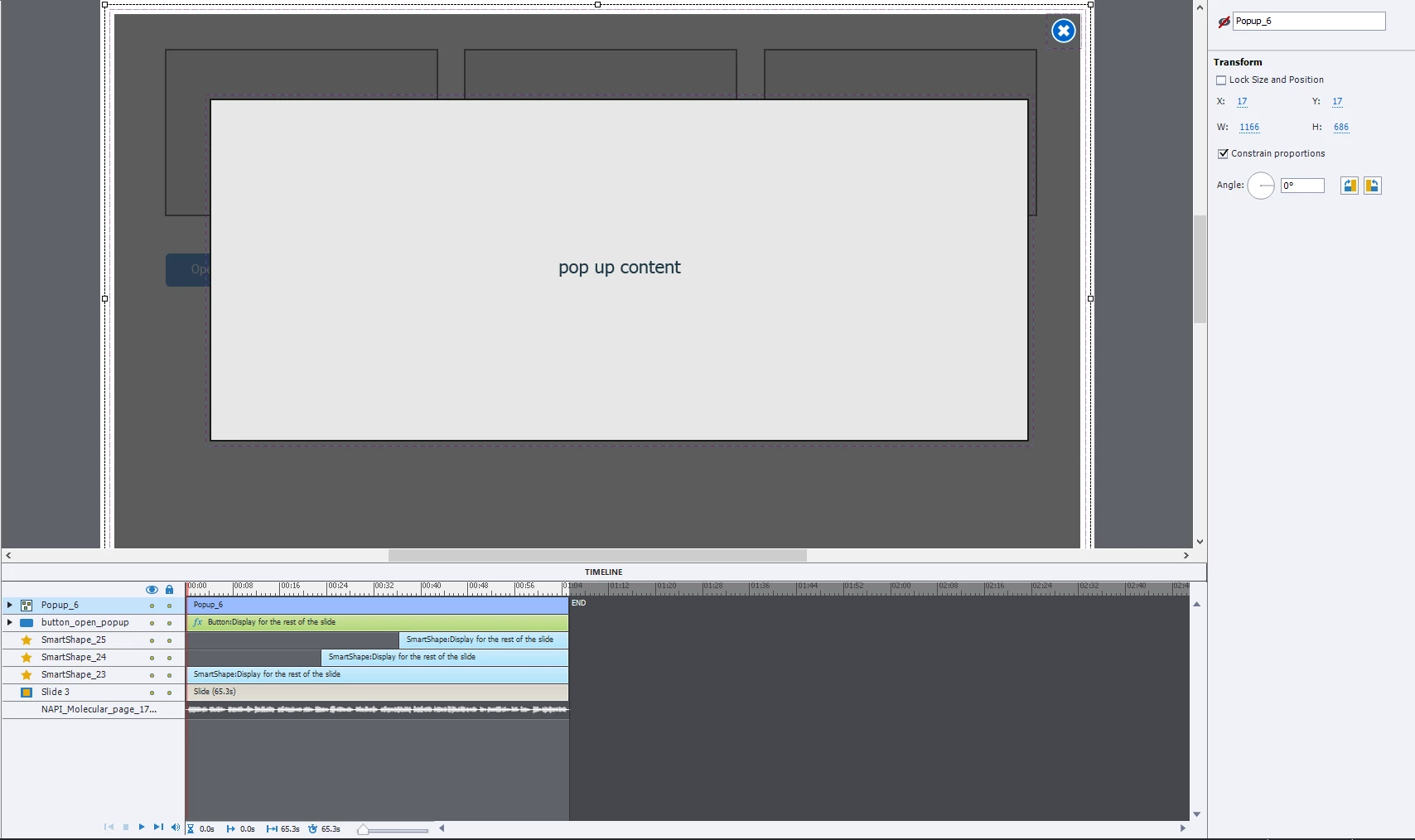
I have a pop up with information in it (the pop up can be closed through a close button inside the pop up). So I built a button for blending in the pop up. This button appears at the beginning of the timeline and stays until the end. Because I want the users to be able to get the info in the pop up whenever they want to, while the audio/slide is still running.
So my problem is, that no matter what, at some point the click on the buttons will always cause the users to jump onto the next slide.
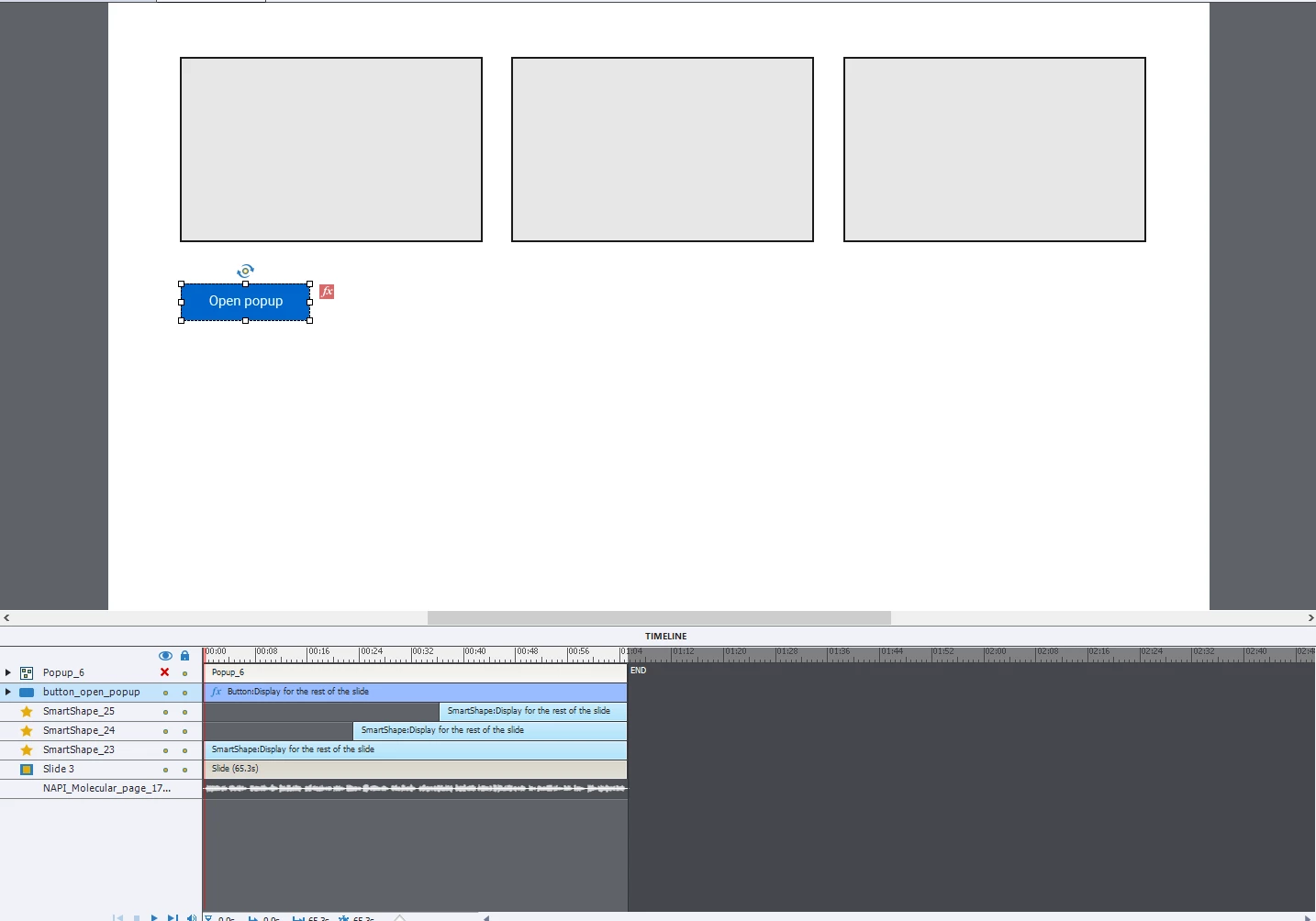

the function on the open button you see is alpha from-to, to make it look more smooth when landing on the slide.
tried it without the function too, but this is not the problem it seems.
Scenario 1:
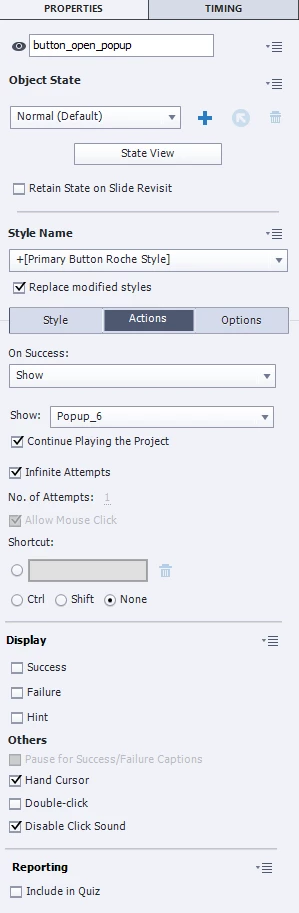
I move the pause of the buttons on the timeline to the very end of the slide and tick "keep playing the project" (properties>actions). So while the slide is running and the button is clicked, all is good. But if the user decides to click it, when the slide is at the end, the button makes the user jump to the next slide.
Scenario 2:
I untick "continue playing the project", which makes the project/animations stop as soon as the button is clicked. the audio still runs. It's absolutely user-unfriendly to make the users click the play button on the playbar to make the project/blend ins running again. Most of them wouldn't even understand. So this is no option.
Scenario 3:
I untick "pause after" for the popup button and exit popup button (under timing), so the pause on the object in the timeline disappears. I also tick "keep playing the project" (properties>actions) because I don't want Scenario 2 to happen. This works fine until the slide is at the end and pauses. So if the users decide to wait with clicking on the button until they have seen & listened everything, or to click it again at the end, the button makes them jump onto the next slide.
Is there some trick I can work around this issue?
 AdChoices