


Inspiring
April 26, 2017
Question

Captivate 10: Mobile formatting differs (more spacing than seen in program)

  • April 26, 2017
  • 1 reply
  • 1015 views

Hello!

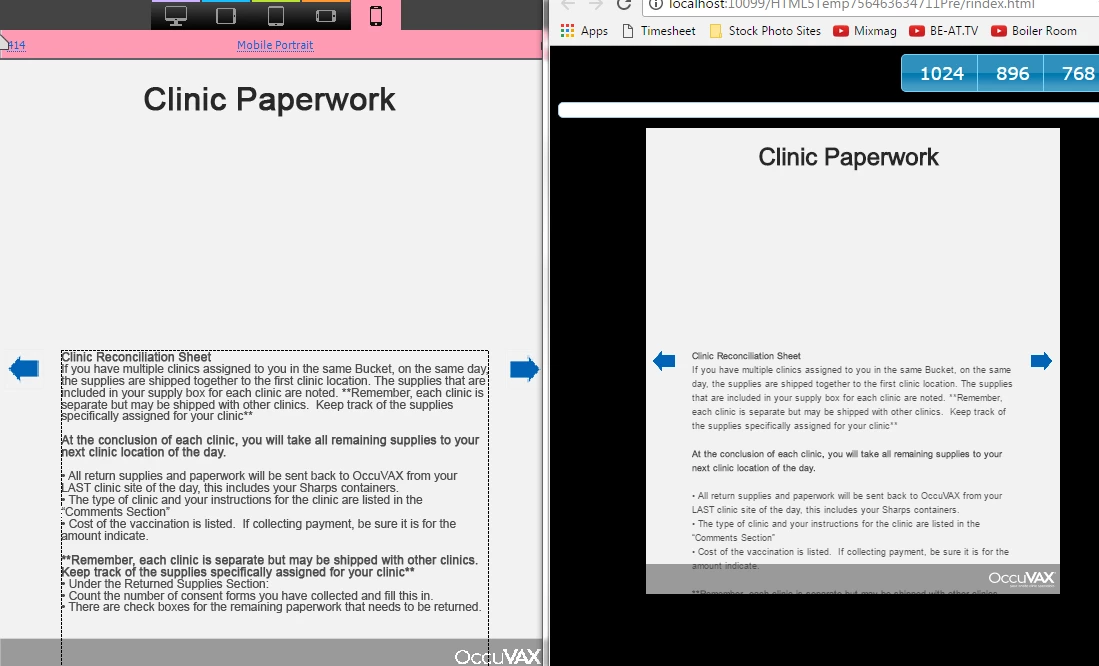
I am curious how I can adjust the text spacing of my previewed project to properly match what I am making in my captivate project. The mobile view seems to add a lot more spacing.
This topic has been closed for replies.

1 reply

JustJace-O3TSGk
Participating Frequently
April 26, 2017

Check a more extreme example:

Lilybiri
Brainiac
April 26, 2017

Which font are you using and which browser? This is a Preview, did you try to publish, upload to a webserver and test on real devices?

JaceInmanAuthor
Inspiring
April 27, 2017

Hi,

Can you also mention if this text was pasted or typed in, in addition to Lieve's concerns?

Thanks,

Mohana


I have been using normal text boxes. I created this document from new, so no theme. What do you mean by "position properties"?

Text is typed in (for most of the project). If that's the cause of an issue, that's extremely silly and should definitely be fixed.