


Inspiring
April 26, 2017
Question

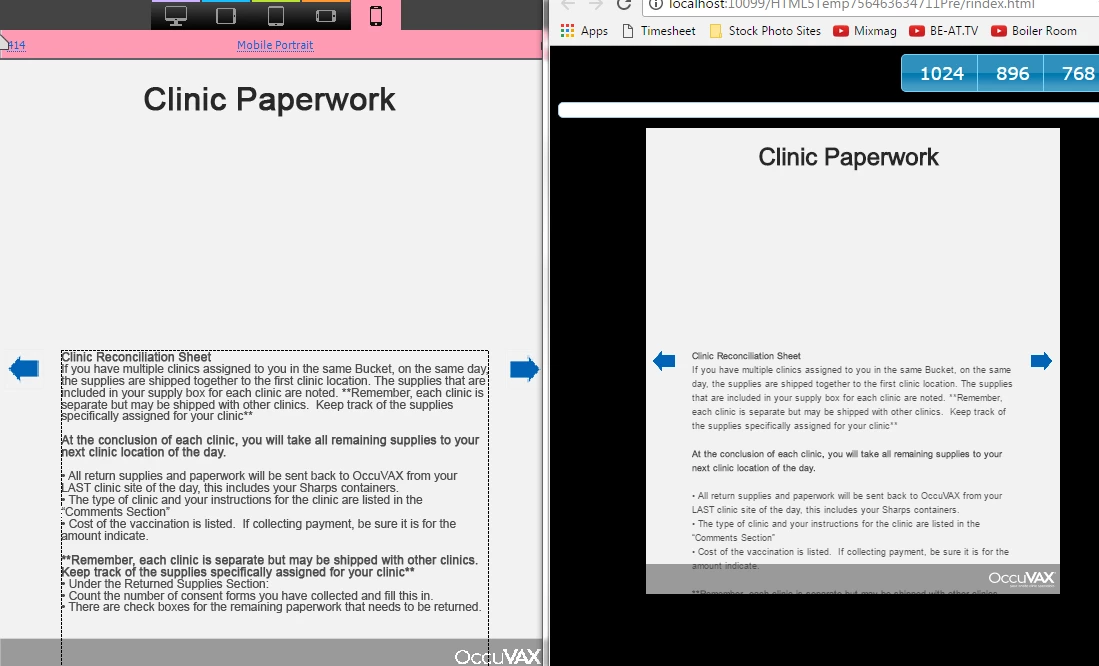
Captivate 10: Mobile formatting differs (more spacing than seen in program)

  • April 26, 2017
  • 1 reply
  • 1015 views

Hello!

I am curious how I can adjust the text spacing of my previewed project to properly match what I am making in my captivate project. The mobile view seems to add a lot more spacing.
This topic has been closed for replies.

1 reply

JustJace-O3TSGk
Participating Frequently
April 26, 2017

Check a more extreme example:

Lilybiri
Brainiac
April 26, 2017

Which font are you using and which browser? This is a Preview, did you try to publish, upload to a webserver and test on real devices?

Lilybiri
Brainiac
April 27, 2017

I have been using normal text boxes. I created this document from new, so no theme. What do you mean by "position properties"?

Text is typed in (for most of the project). If that's the cause of an issue, that's extremely silly and should definitely be fixed.


Sorry, but every Captivate project is based on a Theme, it is impossible to have 'no theme'. Check the used theme under the Themes button, please.

Text containers can be shape or captions. I suspect you mean Text Captions, not shapes?

The Position and size of any object in a responsive project is set up in the Position Properties panel. It can be done relative to the borders, in % or pixels. It can be done relative to other objects as well. With Breakpoint work flow it has to be done for every breakpoint view you want to configure.

Mohana was asking about pasting from another app, because it is not a good practice to use formatted text from an app like Word since that will bring in a lot of extra code. You should style any text in Captivate directly, not in another application. Same advice as is valid for any desktop publisher application (InDesign, Quark Xpress).