


Inspiring
May 16, 2017
Answered

Captivate 10 - Red Recording Window does not display

  • May 16, 2017
  • 1 reply
  • 7299 views

My new co-worker installed the new Captivate 10 and cannot get the red recording window to display.  None of the rest of us on the team now want to install the upgrade unless we know this can be fixed.  We are all on Captivate 9. 

If anyone knows a fix, please let us know.  Thanks,
This topic has been closed for replies.
Correct answer Lilybiri

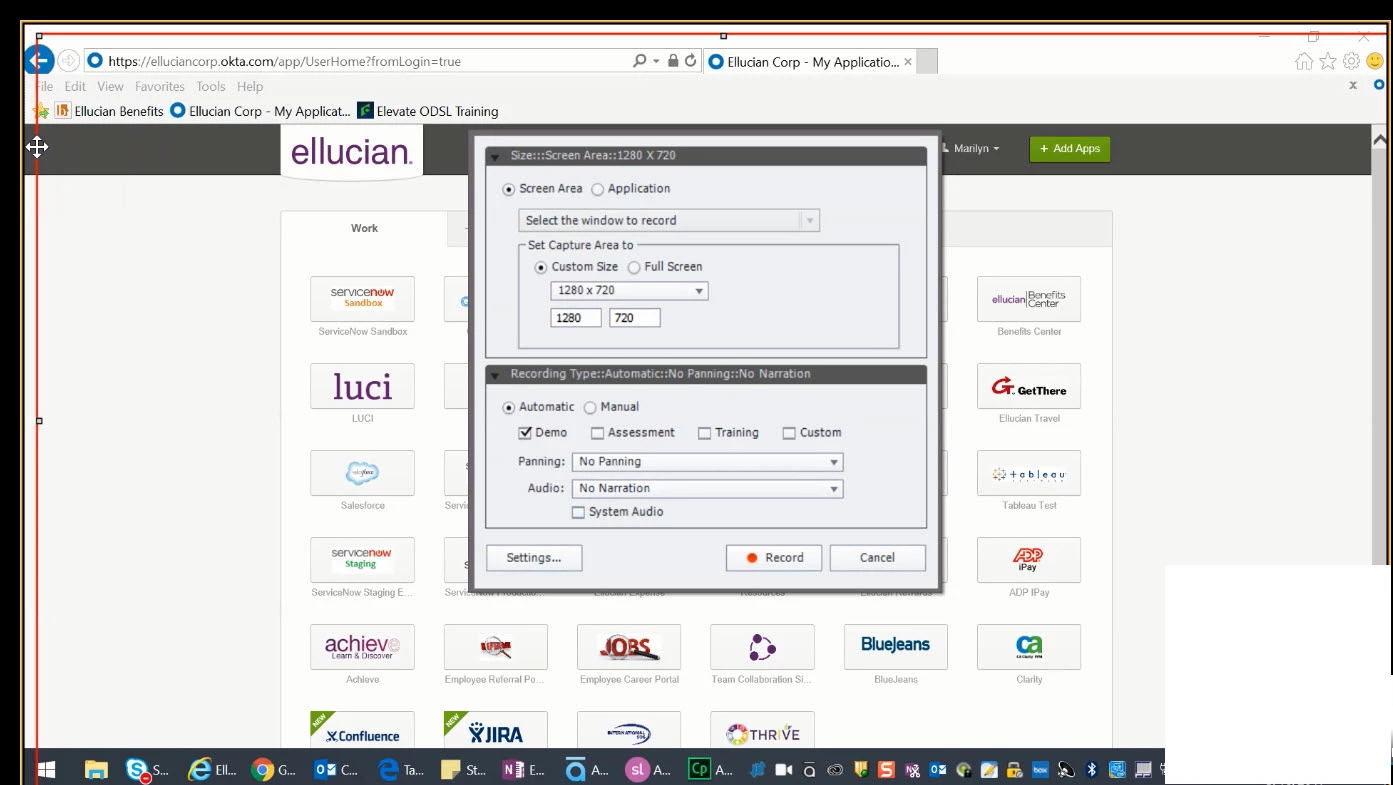
Ok - here is the issue -- Her monitor is set to a resolution 1920 x 1080.  She is trying to record using the Captivate standard recording setting of 1280 x 720.  When she selects that, she loses the red recording window. 

If she starts another project and using the Captivate recording setting of 1024 x 627 then the red box displays appropriately.  If she starts another project using the bigger recording size of 1280 x 720 we lose it again or only get the left and top margins as shown in the screenshot but the what actually gets recorded is just the right size although we don't have a way of knowing what is in / out.  We are using Windows 10.


What is the display setting? Win10 tends to set it higher than 100%. Try to set it to 100%.

1 reply

Lilybiri
Brainiac
May 16, 2017

For a Video Demo or a Software Simulation? Are you using a retina screen? Can you show the setup for recording?

Inspiring
May 16, 2017

Hi Lilybiri,

She is using a Software simulation.  Not a retina screen. I did check her settings yesterday and had her take a picture for you. 

Lilybiri
Brainiac
May 16, 2017

She is running as an administrator.  Here is another screenshot from her screen.  We have all the same settings except that she is on Captivate 10 and I am on Captivate 9.  Here is another screenshot of when you go to record.

Her screen resolution is set to 1920 x 1080, the recording window is 1280 x 720. She went online and went through most of the suggestions, including disconnecting from the monitor that allowed me to extend my screen.  That did not work. 

We could not find the preference folder to delete.  I know that worked in the past to fix the problem  but can't find in Captivate 10. 


I'm missing the setting about what will be recorded...

Preferences have not moved at all. Easiest way to clear Preferences is to run the CleanPreferences.... file appropriate for your OS, which you can find in the subfolder 'utils' under the installation folder of Captivate. CP has to be closed while doing that.