


Participating Frequently
September 27, 2019
Question

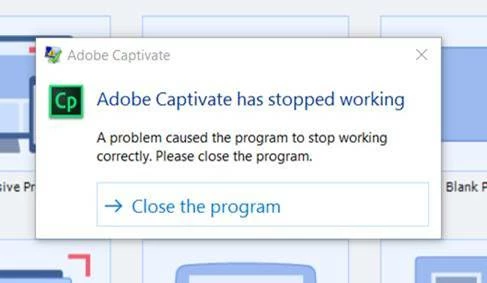
Captivate 2019 crash on file open

  • September 27, 2019
  • 3 replies
  • 719 views

Our company has a huge log of captivate files from a previous versions. According to the wiki these files should all be forward-compatible. Captivate loads up fine, but I can't open any files without a crash. Any thoughts?
    This topic has been closed for replies.

    3 replies

    Participating Frequently
    September 30, 2019

    One other point: I have a licensed version of Cp 9 and the trial version of Cp 2019. Neither are working to open any cptx files, both crash immediately upon file open attempt.

    RodWard
    Community Expert
    Community Expert
    October 1, 2019
    This may be a different issue entirely. Cp 2019 should be able to open Cp9 files. I have done that many times when upgrading older projects. Can you start a new project with either Captivate version? What are the settings you currently see in Preferences for Default Locations? Are the settings pointing to folders on your local hard drive?
    Participating Frequently
    October 1, 2019
    Thanks for the help @RodWard. My Preferences in both versions are set to the local hard drive. Cp 2019 will not launch any projects, old or new. Just crashes. I have a service ticket in with Adobe and hope to report back here with a success story.
    Lilybiri
    Legend
    September 29, 2019

    As Rod points out, only updates over two versions may be functional, but even in that case will need some editing and checking. Please check the version used for those old files.

    Which version of CP2019 are you using?

    Participating Frequently
    September 30, 2019
    Thanks @LilyBiri, I am using the most recent Trial version of 2019.
    RodWard
    Community Expert
    Community Expert
    September 29, 2019

    When you say that the Captivate source files are from a 'previous version', do you know which specific version that is?


    If these files are .cp rather than .cptx then they must be from Captivate 4 or earlier.  And if that is the case, then you will not be able to open them with any Captivate version later than Cp6.


    If the files are indeed .cptx, then they still might be too far back in the history of Captivate to be compatible with newer versions that have changed a lot of the structure and coding that lies underneath the surface.


    If they are too old for Cp 2019 to open, you may need to get hold of an older trial version/s of Captivate and use that to open and update the files.  Eventually you may be able to open them with Cp 2019.  However, be advised that you mayed to do quite a lot of upgrade work on the files before you will be able to publish them out to HTML5. 


    Take a look a this post: http://www.infosemantics.com.au/adobe-captivate/convert-swf-courses-to-html5


    So, what version are the originals? 

    Participating Frequently
    September 30, 2019
    Thanks @RodWard, I believe a lot of the files were made in Captivate 8 or 9, and all are cptx files. Is there a way to check the Cap version in the metadata?
    Inspiring
    September 30, 2019
    You can check what's given as 'generatorVersion' in 'project.txt', which can be found in the roots of the published package. Not sure if that works for considerably older versions too, though. On newer Captivate versions there's also the system variable 'CaptivateVersion', which you could just read out on run time in the browser's console.