Pkoel
Inspiring
August 19, 2019
Answered

Captivate 2019 Responsive Project Back ground Image will not resize

  • August 19, 2019
  • 1 reply
  • 1677 views

Hello All,

  I am using Captivate 2019 11.5.1.499. I created a responsive project and want to change the background image of one of the slides. The image size is large, but no matter how I try to edit the image, it is always imported at a size of 352x627 and is centered on the back of the slide. this leaves a lot of white space on either side. I have created different versions of the image, but when it is imported, it always reverts to 352x627. I am not using fluid boxes. Any ideas why this is happening?

Cheers,

Peter

    This topic has been closed for replies.
    Correct answer Lilybiri

    Hello All,

      I was experimenting with custom background images and got something close to what I wanted:
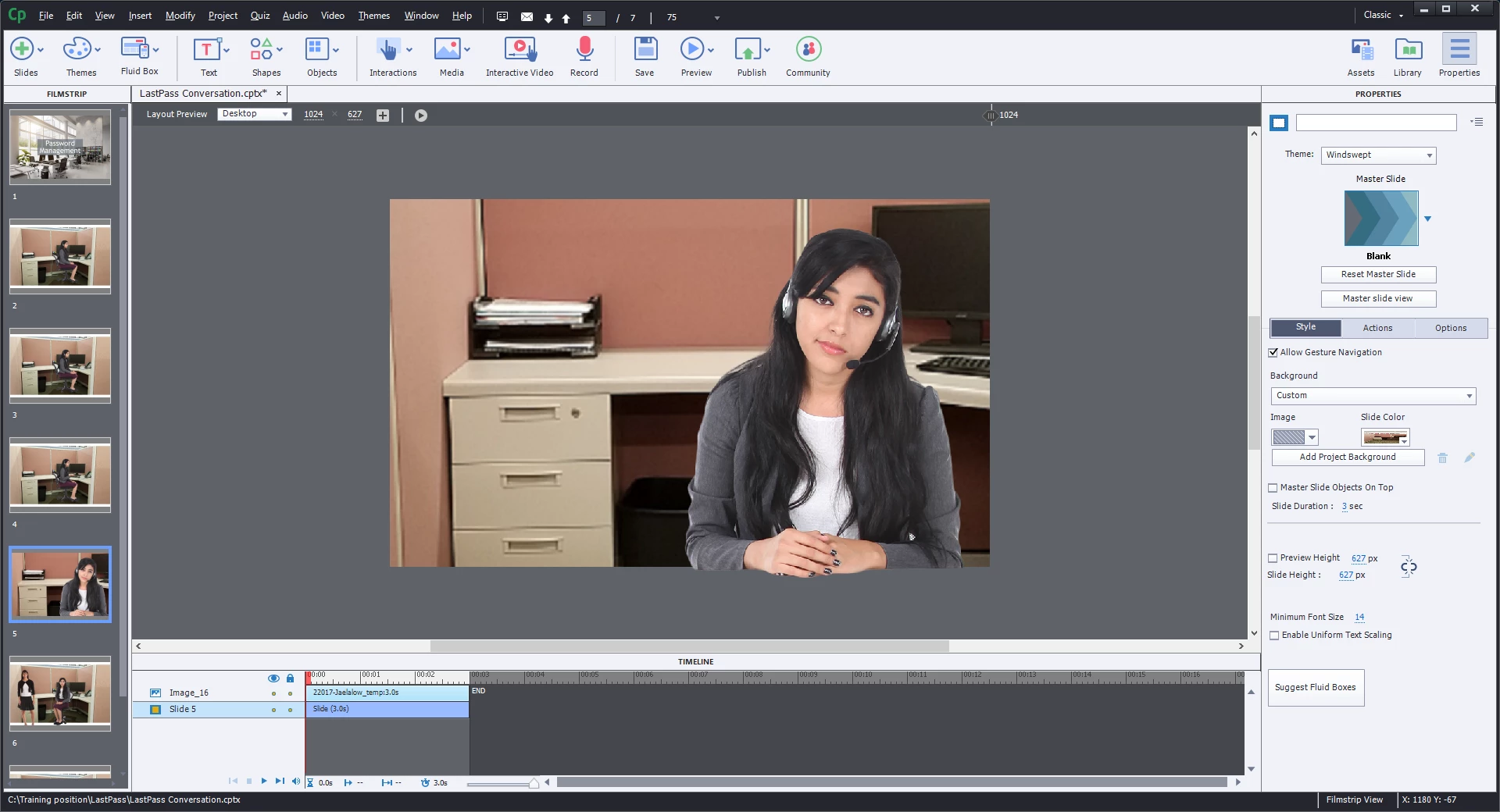
    I do not yet understand why I had to use custom background versus project background. This probably goes hand-in-hand with my lack of use for backgrounds.

    Peter


    Background in any slide can be:

    • Project background, look at the Main master slide for that background. Often the Blank master slide has no individual background, but you are using the Windswept theme, which is an exception because the Blank master slide has its own background, which is indicated for slides based on it as
    • Master slide background; apparently you don't use any master slide, only the blank one, for which you switch to the Project background
    • Custom background which overrides the Master slide background which is used by default.

    There is only one Project background, Each master slide can have a background. If you want to override the master slide background, you can use a Custom background.

    Position Properties can be opened like all panels from the Window menu.

    You are very new to Captivate correct? If you need different background images, why do you not use master slides? I see several slides in the Filmstrip with the same background image.Seems strange that you use the Blank master slide over and over again, because that one is meant for PPT import and software simulations.


    1 reply

    Lilybiri
    Brainiac
    August 19, 2019

    You are not using Fluid Boxes, which means you do use Breakpoints since it is a responsive project.

    Can you show the position properties of the image?

    Pkoel
    PkoelAuthor
    Inspiring
    August 19, 2019

    Hello,

      Thanks for the prompt reply. Here is the first image:

    Here are the image properties in Captivate, note the size of the image after import:

    Here are the image properties in Windows with the image size:

    I am unable to find position properties for a slide's background image. Can you provide instructions?

    Sincerely,

    Peter

    Pkoel
    PkoelAuthor
    Inspiring
    August 19, 2019

    Hello,

      Thank you for your reply. I deleted the background image and imported it again. I was unable to un-check fit to screen during the import. I am also unable to find the position properties you mention.

    On the import, the image size is correct; but then reduced during the import process. Is this a result of my using a responsive project versus a blank project?

    I appreciate your suggestions!

    Sincerely,

    Peter


    Hello All,

      I was experimenting with custom background images and got something close to what I wanted:

    I do not yet understand why I had to use custom background versus project background. This probably goes hand-in-hand with my lack of use for backgrounds.

    Peter
