



MeeraJason
Participating Frequently
May 1, 2019
Answered

Captivate 9 - Click Box - slide to move to next slide when User clicks correct answer

  • May 1, 2019
  • 2 replies
  • 1208 views

I have an exercise on one slide.

This contains 4 questions.

If the User clicks the wrong answer, they get a failure text (Try again).

If the User clicks the correct answer, they get a success text (Correct!).

When the User clicks the correct answer, I would like the User to see this Success text displayed before the slide then automatically moves onto the next slide.

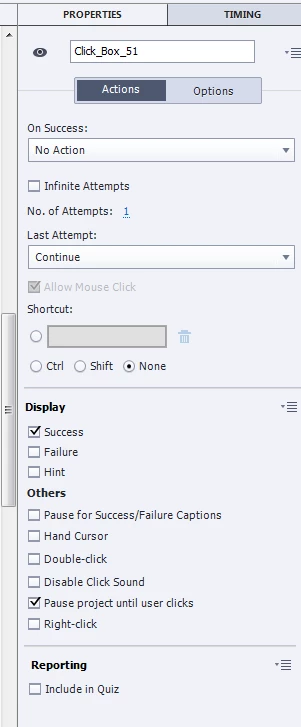
I have used the following settings but the slide is failing to move to the next slide:
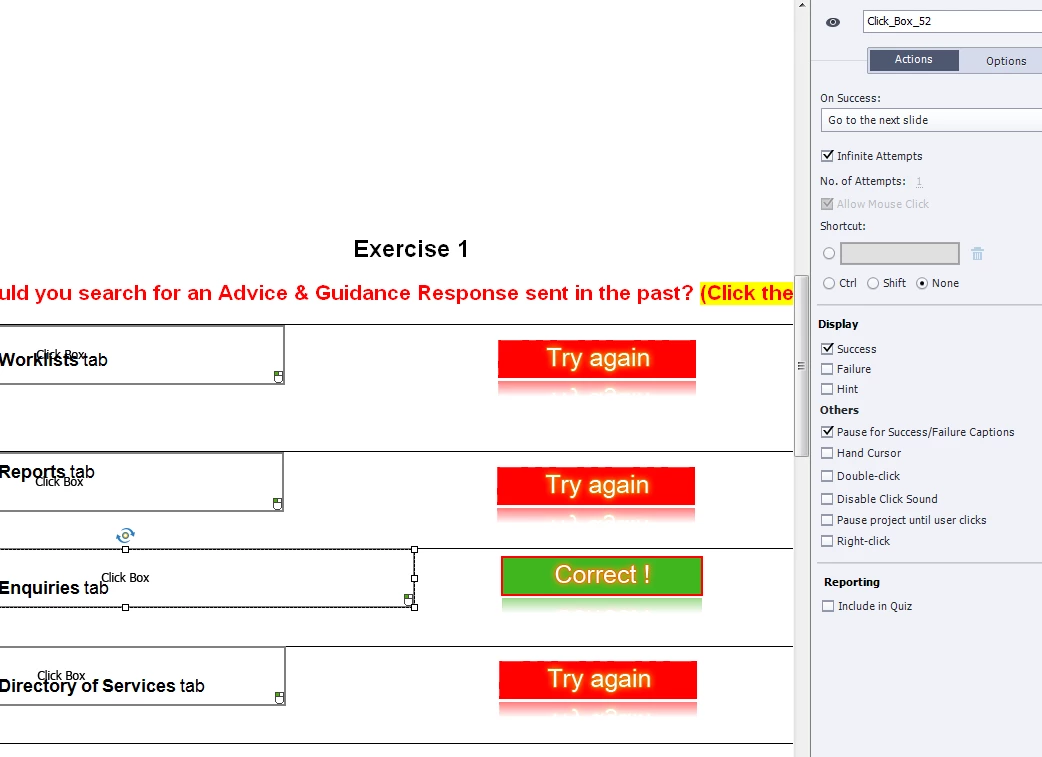
Any help most welcomed please.

Thanks.
    This topic has been closed for replies.
    Correct answer RodWard

    I've now unticked the Infinite Attempts tickbox but the problem persists.


    From what I can see, this should work.  But you say it does not.

    Something doesn't look right about that first Click Box.  In your screenshot it is not showing the two small vertical lines that indicate where the pause point is.  Perhaps the object is corrupted. I would try removing the Click Box and inserting a new one to see if that fixes the issue.

    If it doesn't, there may be some other configuration in your project that is preventing the normal Go to Next Slide action.

    2 replies

    MeeraJason
    Participating Frequently
    May 1, 2019

    Another question please:

    Is there any way for the next slide only to come on screen quicker than it does now please?

    Once the User clicks the correct answer, I've timed it to take approximately 5 seconds.

    Lilybiri
    Legend
    May 1, 2019

    Check the duration of the feedback message in the Timng Properties. Default is 3 seconds, not 5 seconds. After that time the navigation to the next slide will happen.

    Known Participant
    May 16, 2019

    I have a similar issue.  I try to use Advanced Action Option with no next button to advance.  Correct answers all have detailed positive feedback. They add to what is learned if used to emphasize a related teaching point (I've also used the basic correct answer with click anywhere to continue in the feedback.

    I want my learners to have time to consider the feedback. The system advances too quickly, so quickly sometimes they make the feedback unless. I tried making the timeline longer and it has helped but it is not reliable.

    Getting these just right can take considerable time to get just right and I am not confident they are reliable. I am dealing with content that will  be used by top management - this has to be right. Any insights or a list to the process steps very welcome.

    MeeraJason
    Participating Frequently
    May 1, 2019

    Timeline, if it helps, is attached below.

    Lilybiri
    Legend
    May 1, 2019

    What are the Success actions for the wrong click boxes? They are also set to Infinite attempts.

    MeeraJason
    Participating Frequently
    May 1, 2019

    I've now unticked the Infinite Attempts tickbox but the problem persists.