



Captivate 9 - Import Audio Background Cannot Save/Close Dialog Box
When I attempt to import an audio file to the background,
the file loads, the window opens to review and edit the recording,
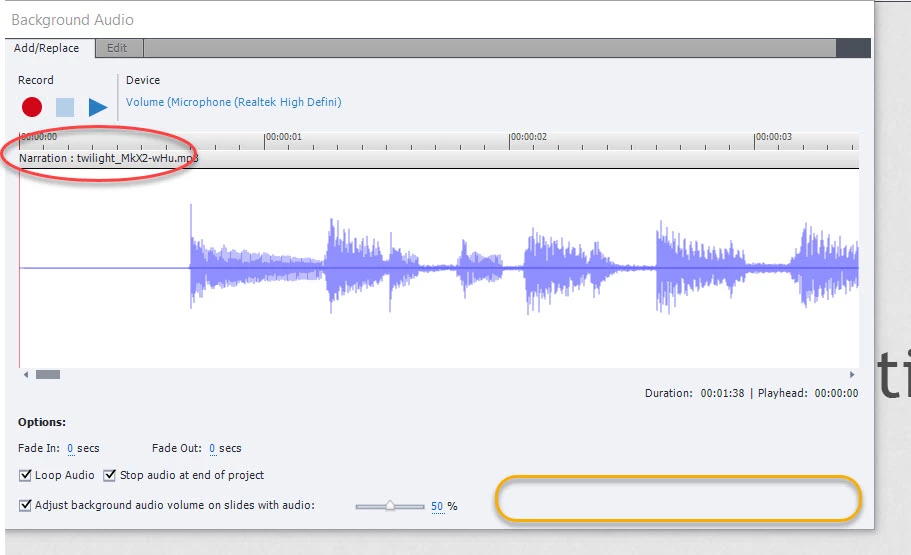
the issue is that there is no Save or Cancel command button as indicated in the YELLOW box at the bottom right of the screenshot.
I have to use Task Manager to close the window and re-boot the app.
NOTE: I have been able to perform this function successfully for many months, on many projects, for some random reason, it is not working now.
This is true for all project types: Blank, Video, Software Simulation.
I cannot figure out why the imported file displays in the window as Narration: (name of file) As shown in the RED CIRCLE below:
I appreciate any and all assistance. This is a really tough issue given my project deadlines 😞
 AdChoices