julief19411874
Inspiring
September 27, 2016
Answered

Captivate 9 slide advances automatically even with custom playbar

  • September 27, 2016
  • 1 reply
  • 1044 views

Hello!

All of a sudden, my course advances automatically, even with my customized play bar. This never happen before with my previous modules.

I'm sure I forgot to check or uncheck something, but I can't seem to figure out.


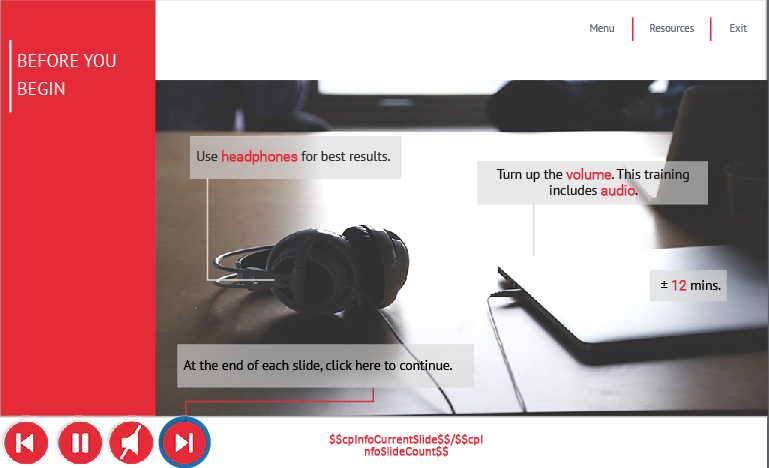
I'm attaching screen shots of the timeline as well as the slide.

 

2016-09-27_14-55-31 2016-09-27_14-55-58

Playbar buttons are set to Rest of the project.

Not sure what I have done wrong, as my other modules are set up the same way, and are working fine. - Meaning that I have to click on the Next button to advance to the next screen. It doesn't automatically advance to the next slide.


Many thanks,


Julie

    This topic has been closed for replies.
    Correct answer Lilybiri

    I don't see any pausing point in the buttons. Normally I would expect a pausing point for the Next button (eventually also for the Back button at the same time, if one of these buttons can ever be hidden

    1 reply

    Lilybiri
    LilybiriCorrect answer
    Legend
    September 27, 2016

    I don't see any pausing point in the buttons. Normally I would expect a pausing point for the Next button (eventually also for the Back button at the same time, if one of these buttons can ever be hidden

    julief19411874
    Inspiring
    September 27, 2016

    So, how do I add a pausing point? I'm very surprised at this since my other modules work fine. Again, I must have done something...

    Lilybiri
    Legend
    September 27, 2016

    Since those are buttons timed for the rest of the project, look in the Timing Properties panel. Be careful: the timing you'll set there will be valid for each slide.