


Captivate Classic - importing PowerPoint slides, text rotating after preview/publish
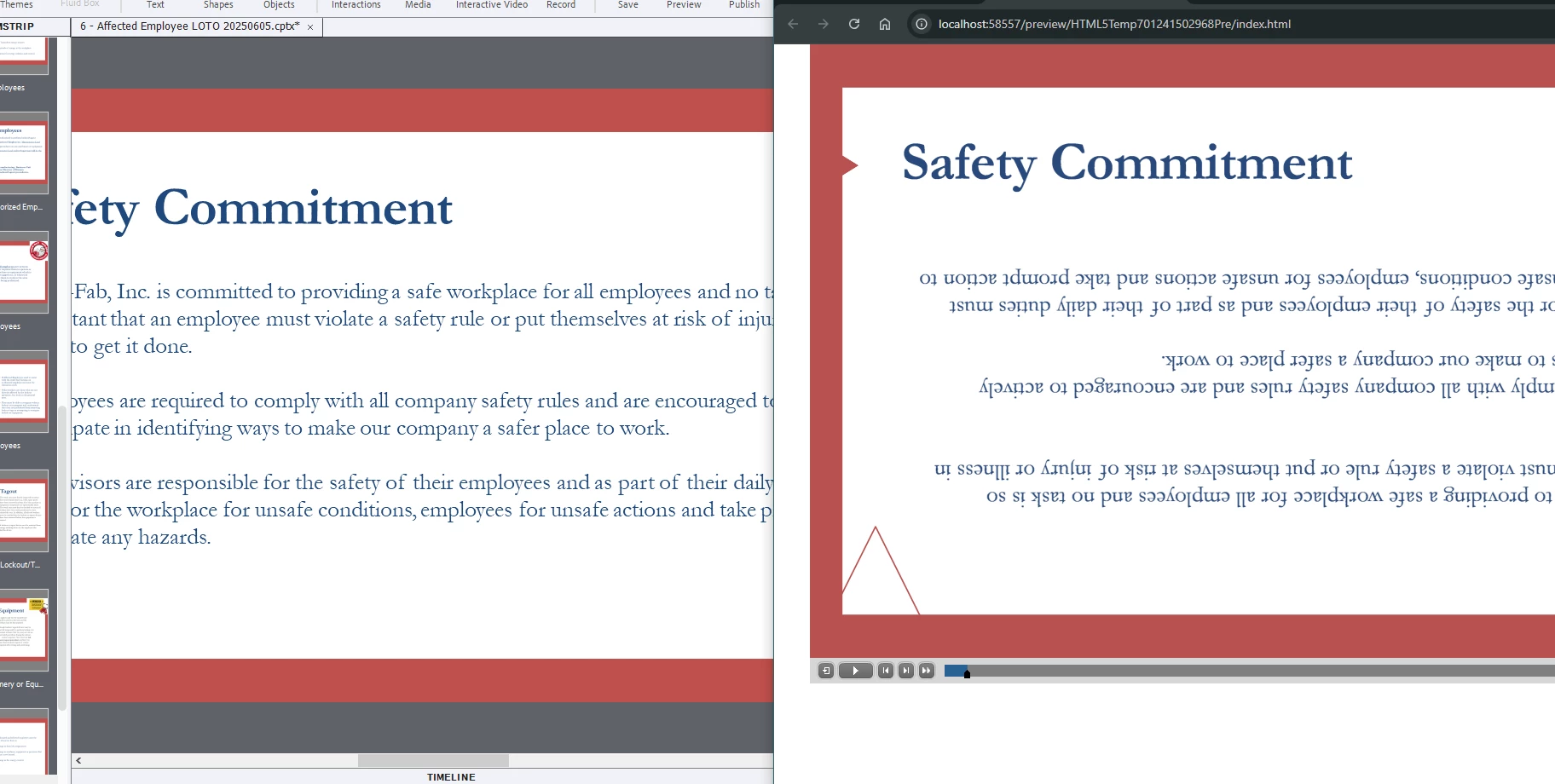
Converting old PowerPoint courses into HTML5 format for upload into our new LMS, just trying to get the courses usable until we're sure the LMS is configured properly. The slides import just fine into Classic, they look accurate in the Captivate interface, but as soon as I preview or publish the course to my computer, on some of the slides it rotates some of the text boxes upside down. Usually it's only one text box in the entire presentation. I cannot figure out how to stop it from doing this. I tried rotating the textbox in PowerPoint to see if it would flip it back around to upright, but no, it's stays upside down.
Left side of image is the course open in Captivate Classic looking correct, right side is preview of the same course in a browser with the text box rotated.
What am I doing wrong here?
 AdChoices