


Participating Frequently
January 30, 2020
Question

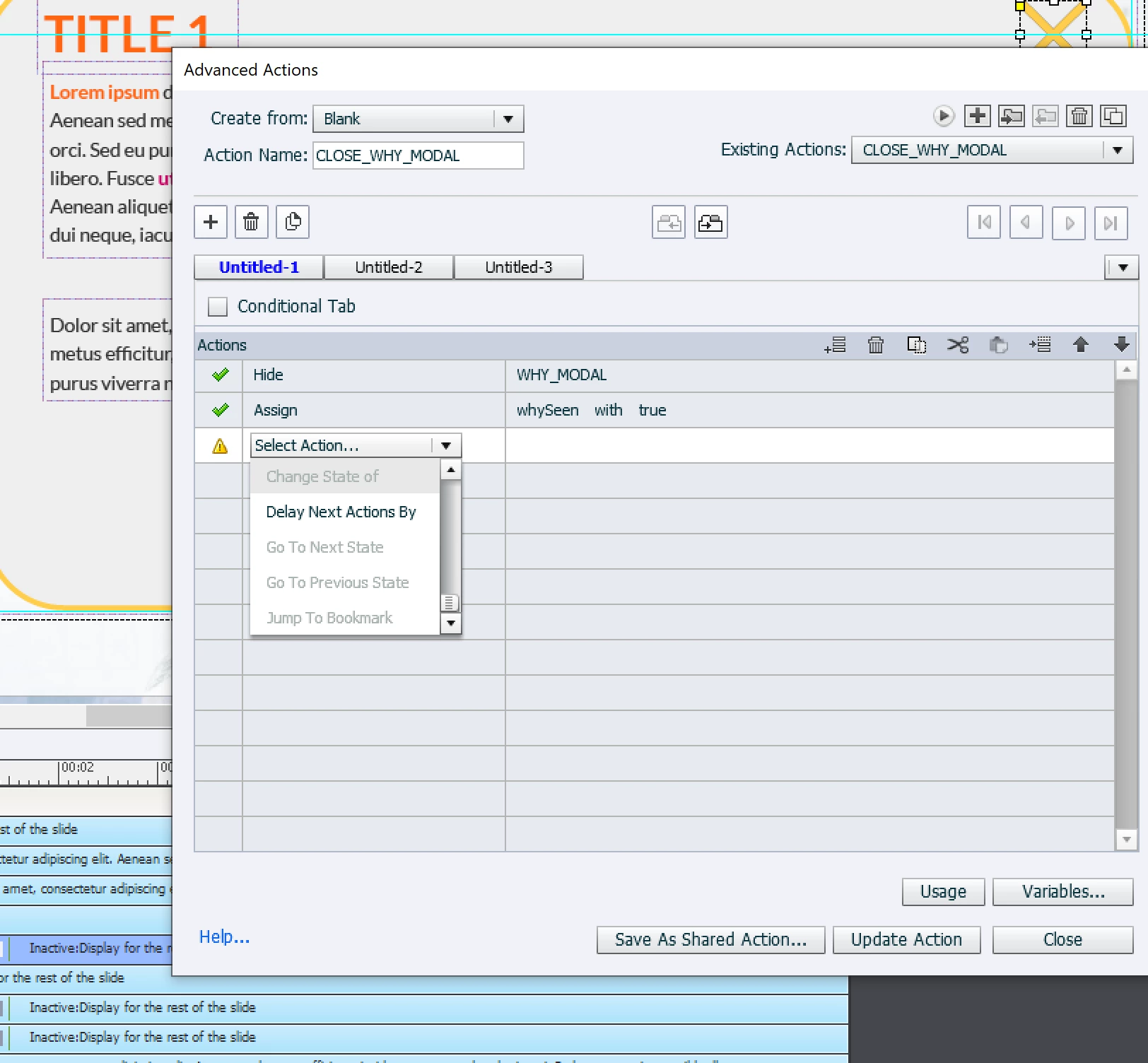
Change State of is grayed out on Advanced Actions Page

  • January 30, 2020
  • 2 replies
  • 1433 views

I am trying to imitate layer function of storyline by using groups. So I want to display a modal, when the click on the button. To close the modal, I also use X button(shape). I want to close the modal + change the state of button that is clicked for opening this modal.  But as you can see it is grayed out.
 

This topic has been closed for replies.

2 replies

Participant
January 26, 2021

I have the same problem. I have just created over 27 hotspots with a custom visited state. However, I cannot select the Change state action for any of these objects (image buttons).

Lilybiri
Legend
January 26, 2021

Did you read the thread? Are you sure that you talk about a 'custom' state because there is an InBuilt Visited state which appears when the interactive object has been clicked at least once. Maybe insert a screenshot of the Object State panel to check?

Participant
April 5, 2023

we read the thread, none of this stuff works it is still greyed out. Could you perhaps provide some screen captures of a step by step? Thanks! 

Lilybiri
Legend
January 30, 2020

If it is grayed out, you don't have custom states for that button, nor a Visited InBuilt state. You cannot change to the InBuilt Rollover nor Down state.

http://blog.lilybiri.com/about-state-commands-and-a-progress-bar

TLCMediaDesign
Inspiring
January 31, 2020

I would think that there aren't any objects with states at all.