Participant
April 27, 2020
Question

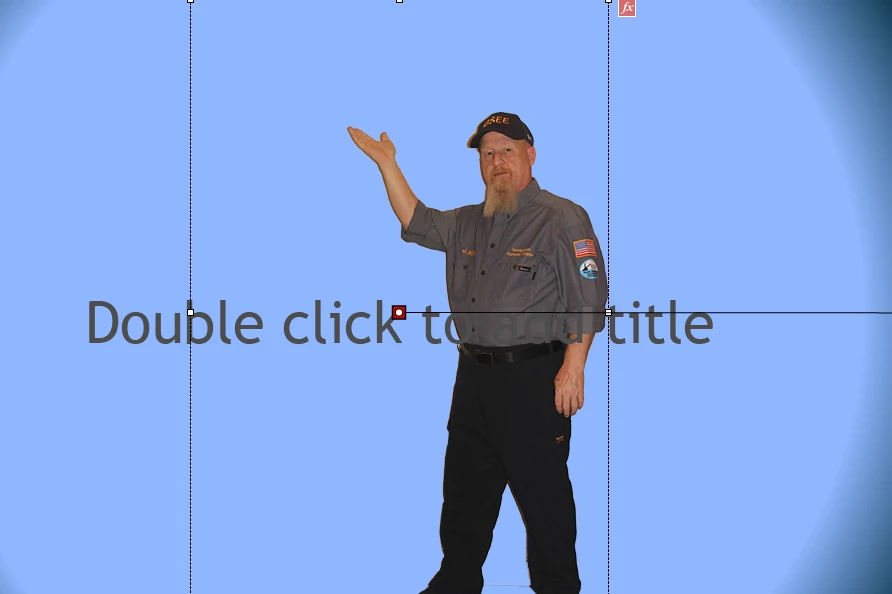
Character images entered into a project slide

  • April 27, 2020
  • 1 reply
  • 1219 views

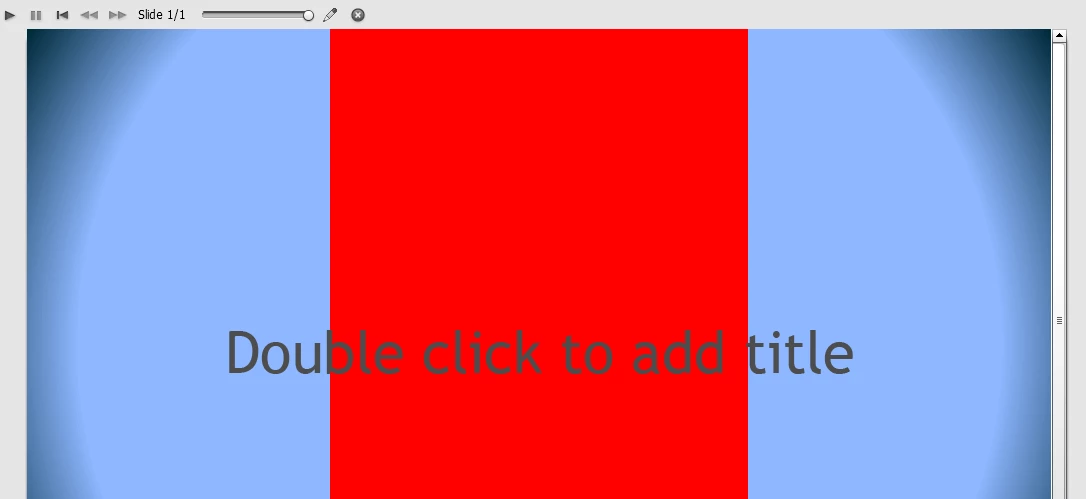
I'm developing in Captivate 9.  Rather than use the provided Captivate images I"m using my own.  They have been edited in Photoshop to duplicate images found in Captivate characters but when I preview the  slide the image is completely covered in red.  It worked as advertised prior to my computer being re-imaged but doesn't now.  Any ideas to help resolve this? 
 

    This topic has been closed for replies.

    1 reply

    Lilybiri
    Legend
    April 27, 2020

    Graphics problem. Can you check the graphics card driver: are there updates?How big is the file size of that character? Which format do you use?

    Participant
    April 27, 2020

    Unfortunately, it's a government computer and I'm limited on certain things and not sure how to check the graphics card or if I even have permissions to do so.  I've used PNG (7 MB) and JPG (3 MB).  Either way I get the same thing.  It worked fine a couple of weeks ago.  So I'm wondering now if the graphics card may be going bad. 


    sabre123
    Participating Frequently
    April 27, 2020

    7 MB PNG and 3 MB JPEG files are way too large. Check the resolution and the file dimensions on them in PS and optimize accordingly. I've not seen huge files display as a red box before, but just as a general rule, you should not be using files that are that large.