


donaldl73021579
New Participant
April 14, 2016
Answered

Click Box not opening URL, only in Preview

  • April 14, 2016
  • 2 replies
  • 511 views

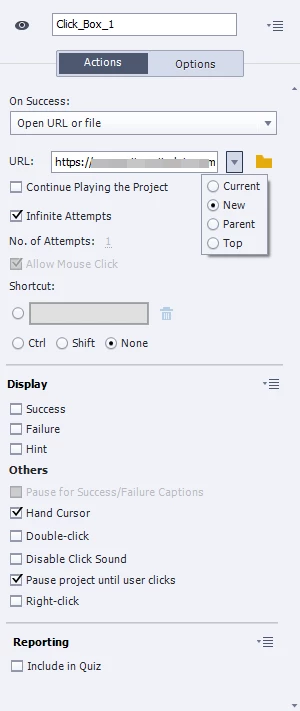
I have set my click Boxes to Open in a New Window, but they only work in Preview Mode.  When I publish to SWF they don't open and the project remains static.  I have turned pop-up blocker off in both IE and Chrome.  HELP!!!!
This topic has been closed for replies.
Correct answer Captiv8r

Thanks, Rick.  But, unfortunately, DriveKey is not a choice in my C-Drive


LOL you are being too literal. You need to navigate to the folder where you are testing the content from. So where you see "DriveKey" in that video, you choose the folder where YOUR SWF is placed.

Cheers... Rick

2 replies

BDuckWorks
Inspiring
April 14, 2016

You said "when I publish to SWF," are you testing the SWFs on a webserver, or opening the HTML/SWF files locally?

In this case, I believe you're testing browser functionality that won't be triggered if the files are opened directly in a browser with FILE:/// vs. via a HTTP:// URL from a web server.

donaldl73021579
New Participant
April 14, 2016

I am opening the swf via html launch file from my local/c drive.

Captiv8r
Brainiac
April 14, 2016

The Flash Player typically blocks access to these links until you massage the settings.

Click here to see a demonstration of how to make this work

Cheers... Rick

Lilybiri
Brainiac
April 14, 2016

It is a 'https', a protected site: are you sure it can be opened by any means?

donaldl73021579
New Participant
April 14, 2016

Yes, in fact it opens in preview mode, just not after it has been published as SWF.