


Gray Susan
Inspiring
September 26, 2013
Answered

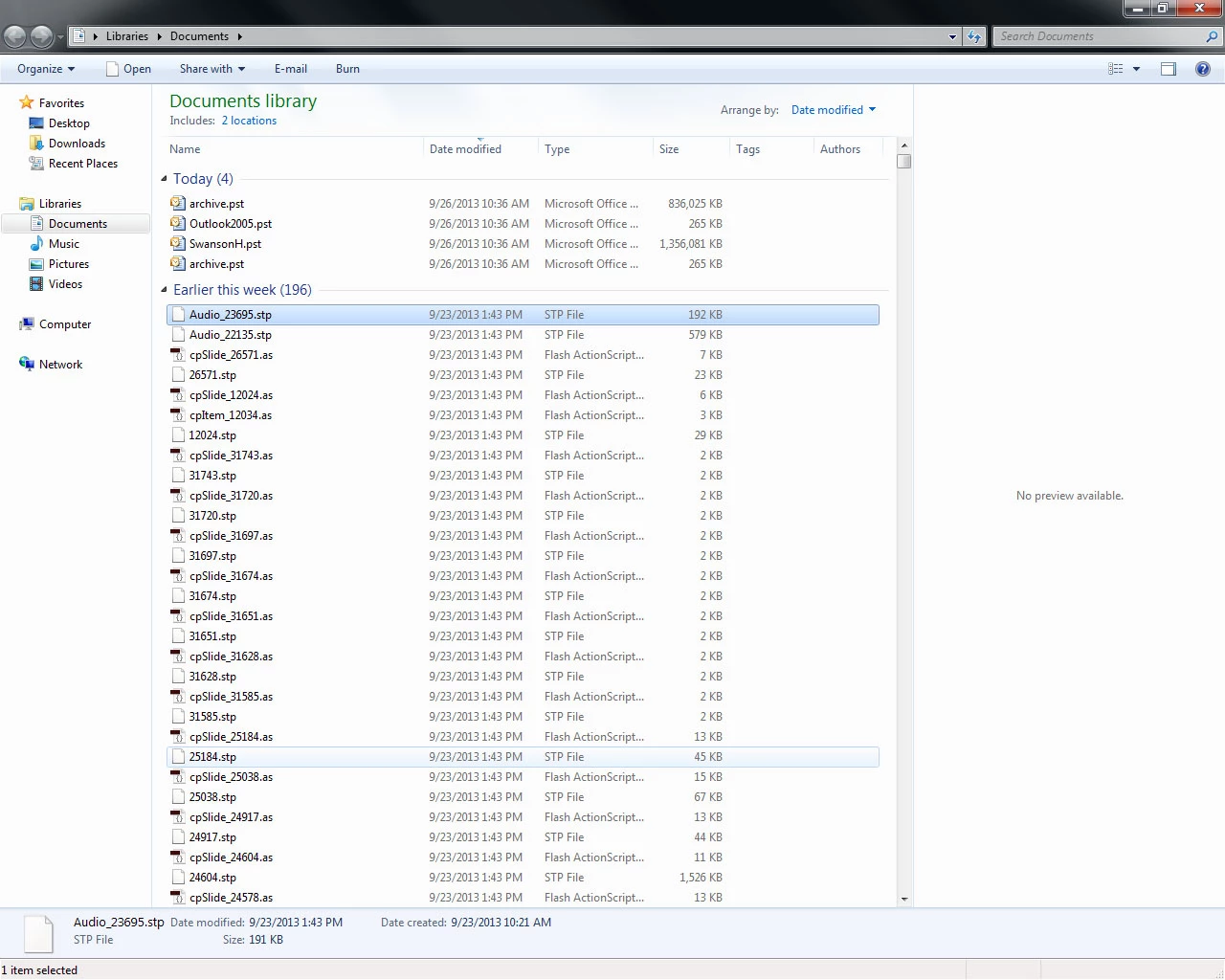
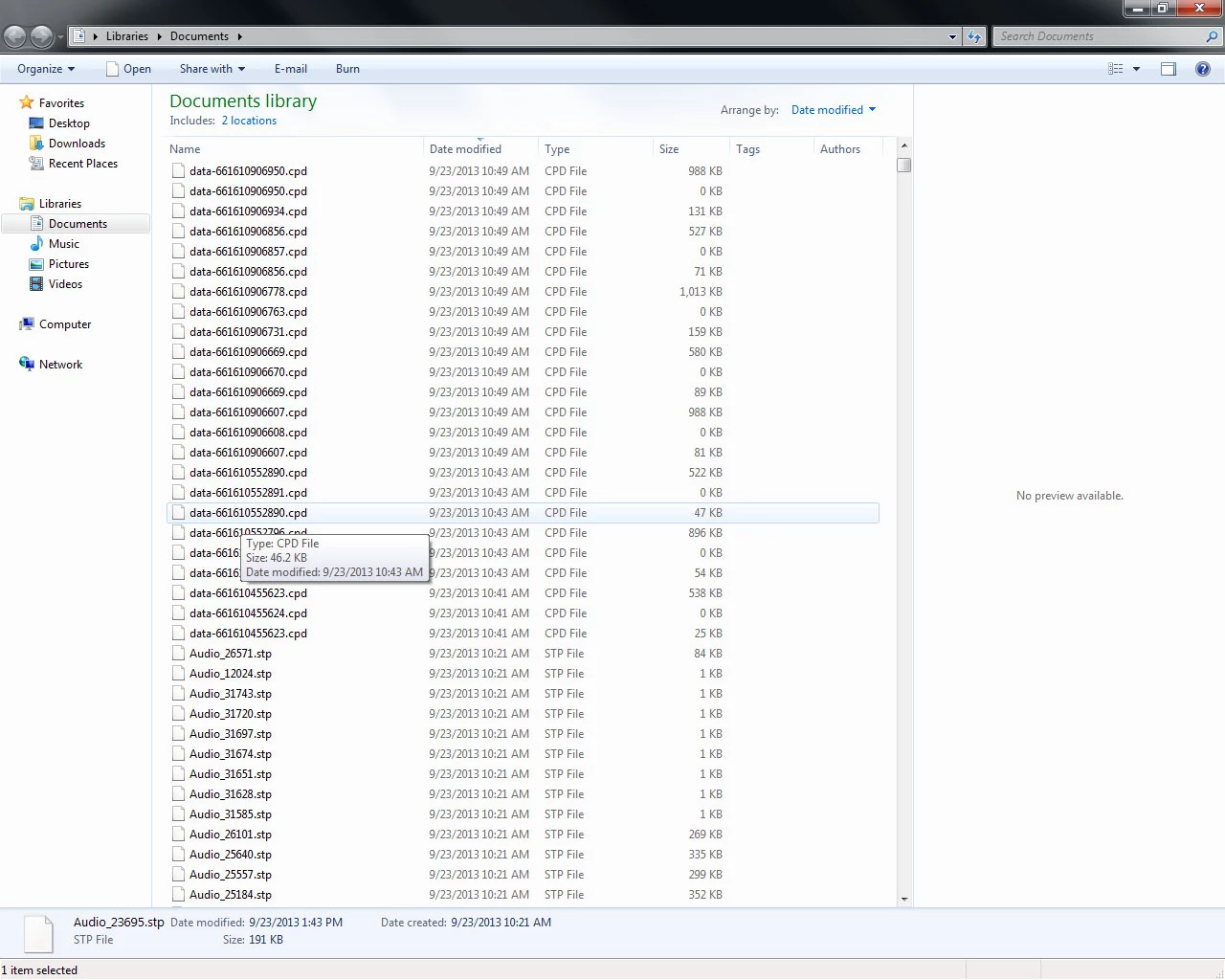
CP7 associated files appearing in My Documents

  • September 26, 2013
  • 2 replies
  • 624 views

I have a coworker who has a project saved to a file but has files that seem to be Captivate files being written to his My Documents folder.  His Captivate continuously crashes and we just discovered all these files and wonder if that is causing it and why are these files appearing here?

September must be the month for Captivate to act oddly but that is another post.

Thanks for any help

Susan

    This topic has been closed for replies.
    Correct answer Lilybiri

    Susan, check in Preferences the path that is chosen, both for Captivate files and for the Cache files in the General settings. You have to be sure that cache and normal cptx files are not in the same location, because then when emptying the cache all files will disappear.

    I'm not sure those are cached files, but if they are, normally they are stored in a folder with strange long names starting with CPD and then a long string with numbers and letters. If this is not the case, I have some suspicion that the cptx-file that is in reality a zipped folder with that kind of files, has been unzipped for an unknown reason? I know this can happen because when I send a file or a template, some OS do see the cptx (or cptl) as a zipped folder and propose immediately to unzip it. Could you check that with your coworker? Is there some setting that will unzip automatically zipped folders?

    Lilybiri

    2 replies

    Lilybiri
    LilybiriCorrect answer
    Legend
    September 26, 2013

    Susan, check in Preferences the path that is chosen, both for Captivate files and for the Cache files in the General settings. You have to be sure that cache and normal cptx files are not in the same location, because then when emptying the cache all files will disappear.

    I'm not sure those are cached files, but if they are, normally they are stored in a folder with strange long names starting with CPD and then a long string with numbers and letters. If this is not the case, I have some suspicion that the cptx-file that is in reality a zipped folder with that kind of files, has been unzipped for an unknown reason? I know this can happen because when I send a file or a template, some OS do see the cptx (or cptl) as a zipped folder and propose immediately to unzip it. Could you check that with your coworker? Is there some setting that will unzip automatically zipped folders?

    Lilybiri

    Legend
    September 26, 2013

    These are the cache files.

    You can read about their advantages and steps to clear the cache here.

    http://helpx.adobe.com/captivate/using/projects-project-preferences.html#recover_damaged_projects

    Sreekanth

    Gray Susan
    Inspiring
    September 26, 2013

    These files are in the My Documents folder not the cached files folder.

    Susan Wright (Equilady)Remember, the mighty oak was just a nut that held its ground.

    http://www.equilady.com

    RodWard
    Community Expert
    Community Expert
    September 27, 2013

    Are you on a corporate network using roaming user profiles or some type of virtualization where all your docs are on a LAN server rather than your hard drive?