Inspiring
November 17, 2016
Answered

custom playbar HTML5: why are images blurred??

  • November 17, 2016
  • 2 replies
  • 474 views

Hello there!

I´ve been quite succesfully creating a customized playbar for HTML5 publish, but in the end the images seem to be blurred and slightly transparent:

The upper two icons are from the published version, the lower ones are the original PNG files, as I created them in Photoshop. Obviously the images in the published version look different.

I didn´t find anything in the playbarScript.js and playbarStyle.css, but a lot of "strange" numbers in the corresponding .ini-file, such as:

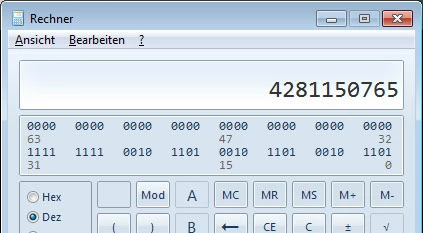
PlayBarButtonIconColor=4281150765

PlayBarButtonIconAlpha=100

Where and how can I make sure that the icons in the published version keep sharp and bright?

This topic has been closed for replies.
Correct answer Contentbee

To all readers: In the meantime I´ve solved this problem.

These are the facts:

I´ve been quite succesfully creating a customized playbar for HTML5 publish, but in the end the images seem to be blurred and slightly transparent:

And here it is!

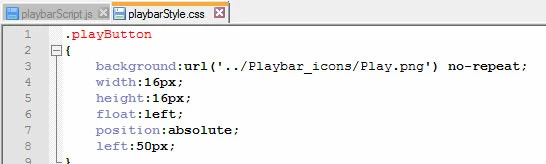
The blur effect is a result of up-/downscaling of the images. In the corresponding css-file you´ll find several sizes, e.g.:

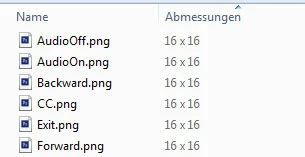
This must be the same size as the images really have:

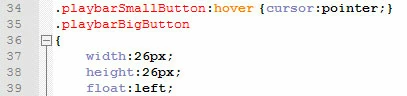
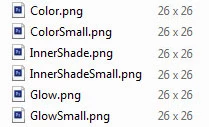
For the hover effect my playbar uses other images in a different size:

If images size is always the same, there will be no scaling and therefore no blur effect :-)

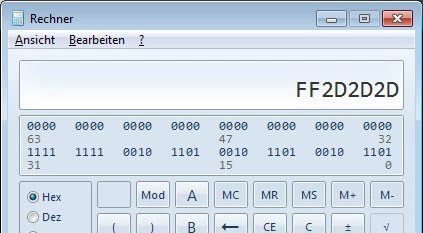
For the numbers in the corresponding .ini-file, such as: PlayBarButtonIconColor=4281150765 I discovered that these are decimal written color codes. To get the HEX-Code just just change it using the calculator:

Note: The first two digits of the HEX code define the alpha (in this example FF=Alpha 255 = no transparency)

The color codes from the .ini- file seem to deliver the settings which can be adjusted in Captivate using the skin editor.

2 replies

ContentbeeAuthorCorrect answer
Inspiring
November 29, 2016

To all readers: In the meantime I´ve solved this problem.

These are the facts:

I´ve been quite succesfully creating a customized playbar for HTML5 publish, but in the end the images seem to be blurred and slightly transparent:

And here it is!

The blur effect is a result of up-/downscaling of the images. In the corresponding css-file you´ll find several sizes, e.g.:

This must be the same size as the images really have:

For the hover effect my playbar uses other images in a different size:

If images size is always the same, there will be no scaling and therefore no blur effect :-)

For the numbers in the corresponding .ini-file, such as: PlayBarButtonIconColor=4281150765 I discovered that these are decimal written color codes. To get the HEX-Code just just change it using the calculator:

Note: The first two digits of the HEX code define the alpha (in this example FF=Alpha 255 = no transparency)

The color codes from the .ini- file seem to deliver the settings which can be adjusted in Captivate using the skin editor.

Inspiring
November 21, 2016

PS: In the meantime I discovered that the blur effect only shows in Firefox and IE, but not in Chrome. Is this some kind of browser specification? If yes, is there a possibility to disable it somewhere in the scripts or whereever?

Lilybiri
Brainiac
November 21, 2016

You do not have Transitions on those buttons? Are those shape buttons, only on the slide or shown for the rest of the project?

Inspiring
November 21, 2016

No, these are not in the project, not on any of the slides!

If created a custom playbar using one of the playbar folders in Captivate (de_DE\Gallery\Playbars\HTML\CoolBlue). I´ve changed the image files into my own design, e.g. instead of the button for Closed Captions with the letters "CC" I used a speech bubble. I did not make any changes in the playbarScript.js and playbarStyle.css.

Additionally I´ve created a customized Flash file and new ini-file so I can select my skin in Captivate.