


Question
Display Issue | Captivate 8 not displaying correctly after Windows 10 Upgrade
Since I upgraded to Windows 10, I’ve been having resolution and sizing problems with Adobe Captivate 8. For example, a lot of the text and icons in Adobe Captivate look really small and are hard to see.
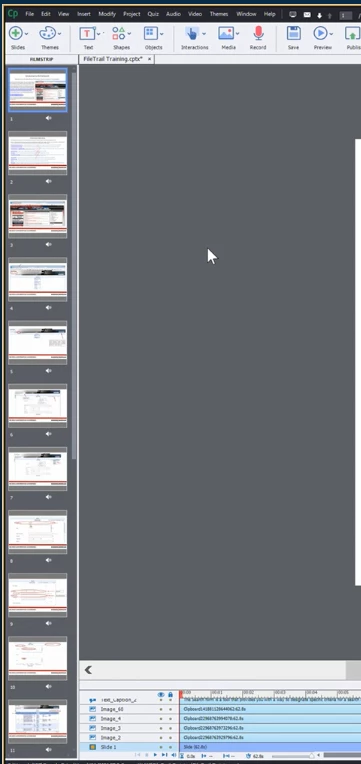
I have lowered my display resolution on my laptop and changed the properties for Captivate so that display scaling on high DPI settings is disabled. These things both seemed to help a little bit with Adobe Captivate, but the text/icons are still pretty small and the imagery is blurrier. I've also updated my driver. No other applications on my computer seem to have been affected with this display issue. Any help or suggestions would be greatly appreciated!
 AdChoices