Per your suggestion Ron & Lilybiri, I tried out my script on a brand new file to see if I could elimnate the extra shapes/variables. Same results 😞
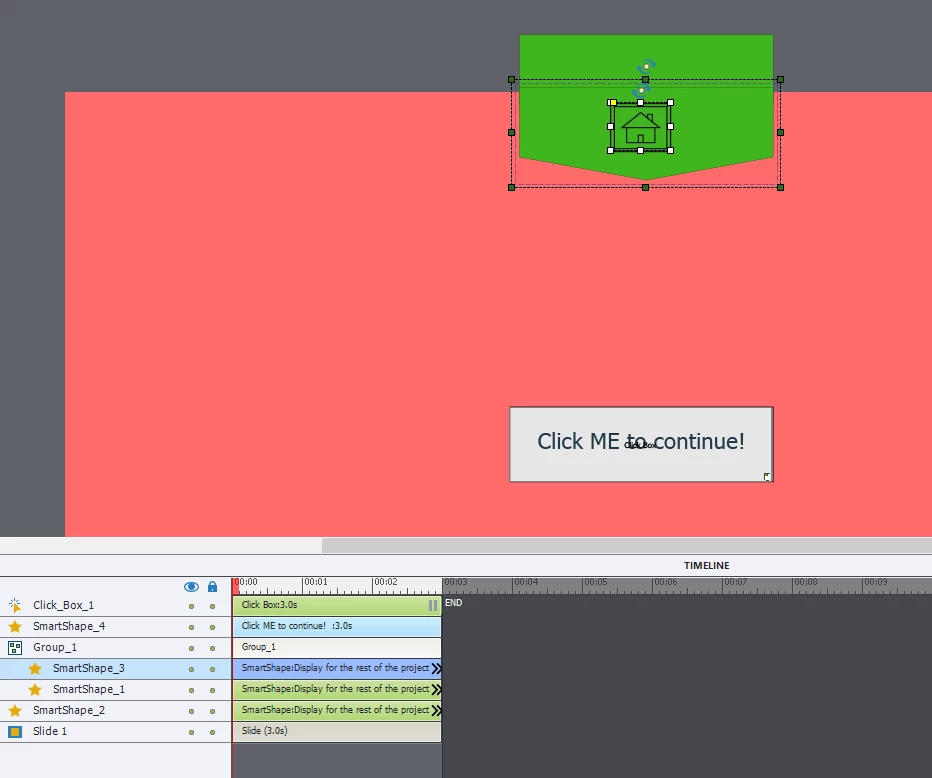
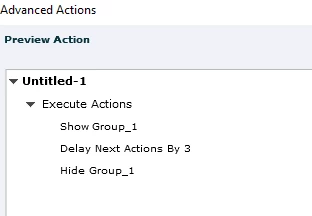
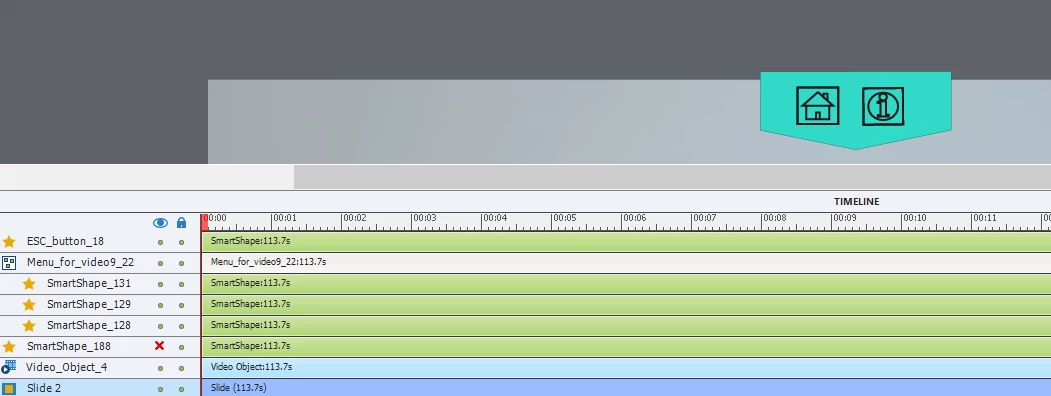
ON ENTER: Script show main_menu shows and hides Group1 for 3 seconds.
IF CLICKING SMARTSHAPE 1 or SMARTSHAPE 2: Scipt toggles between showing and hiding Group1
SMARTSHAPE 3: jumps to a new slide
SMARTSHAPE4:: just a box with click box to continue
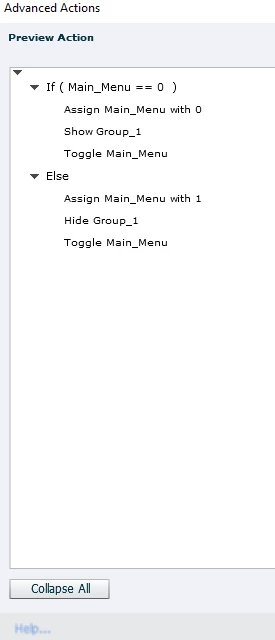
Like Lilybiri, I don't really understand the logic of the script you are showing here.
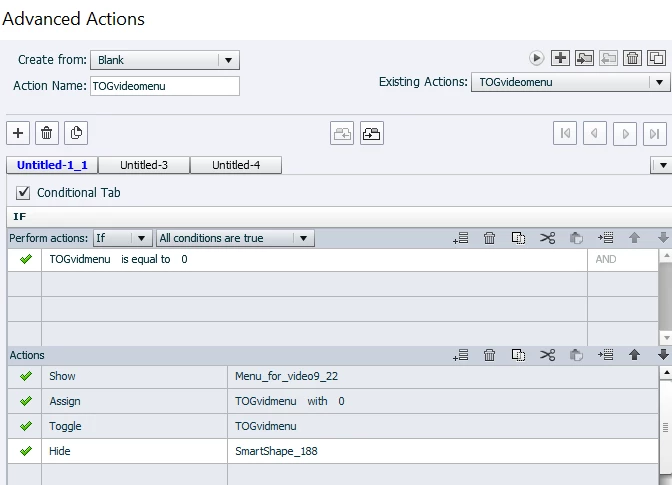
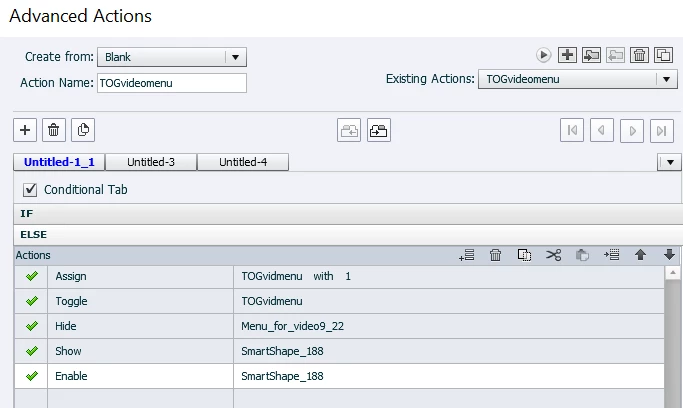
You have a variable called Main_Menu that is initialised by default with 0. Your Conditional Action checks the value of this variable and, if it is still set to 0 at that point, then the first line in your script assigns the Main_Menu variable to 0? That's the same value it already has. Why do that?
The second line of your script SHOWs the Group1 items and then the third action line Toggles the value of Main_Menu variable, which means that it should then be set to the opposite of 0 (i.e a value of 1). If your first action line assigned the Main_Menu variable to 1, then you wouldn't need to toggle the variable with the third action line.
The ELSE actions are essentially a mirror of the first lot. Again you are assigning the variable with the value it already has, doing another action to Hide the group, and then toggling the same variable.
You need to set up a Smart Shape on one of the early slides in the project and time it for REST of PROJECT so that it is visible on all slides thereafter. Then insert this Main_Menu variable into this Smart Shape so that you can always see the current value of the variable as soon as you enter a slide. Click around in slides doing as you have been mentioning above. My guess is that you will see the Main_Menu variable is not always set to 0 when you enter each slide. Sometimes it will be set to 1 when entering a slide. But when it is set to one, the first click on the button will only change the value back to 0 and then the second click will show your menu group as you wanted.




 AdChoices