



Drag and Drop Slide Not Resetting
Hello all!
I have seen posts in here about Drag & Drop slides not resetting but I haven't seen an issue similar to mine so I'm hoping someone out there may have a suggestion. I have been trying to create remediation with a D&D slide and followed along with a great video by Paul Wilson that does exactly what I want. However, when Paul tests his project, makes the user 'error', does the remediation and returns to the D&D slide, (at 12:42 in the video), his interaction is reset. My test project works perfectly until that point. I test the project, make the user 'error' until I force the remediation button and do the review, but when I return to the D&D slide the interaction is still completed. Further, the project just continues on and goes to the next slide.
I'm fairly sure I followed the steps as Paul does in the video - it's not a complicated process - but then again I'm also sure I'm missing something silly, as otherwise it should work.
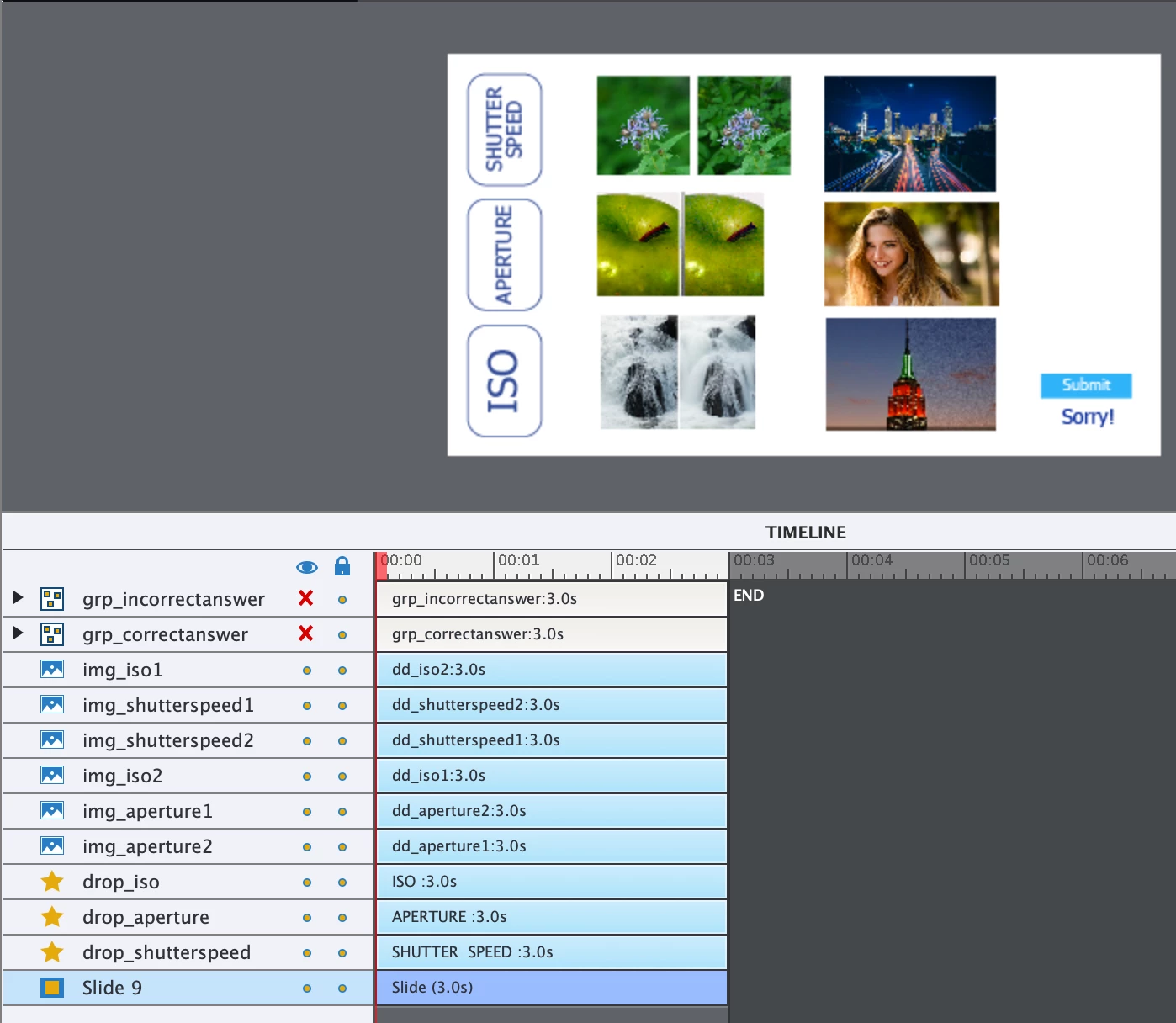
Here is my D&D slide with the timeline:
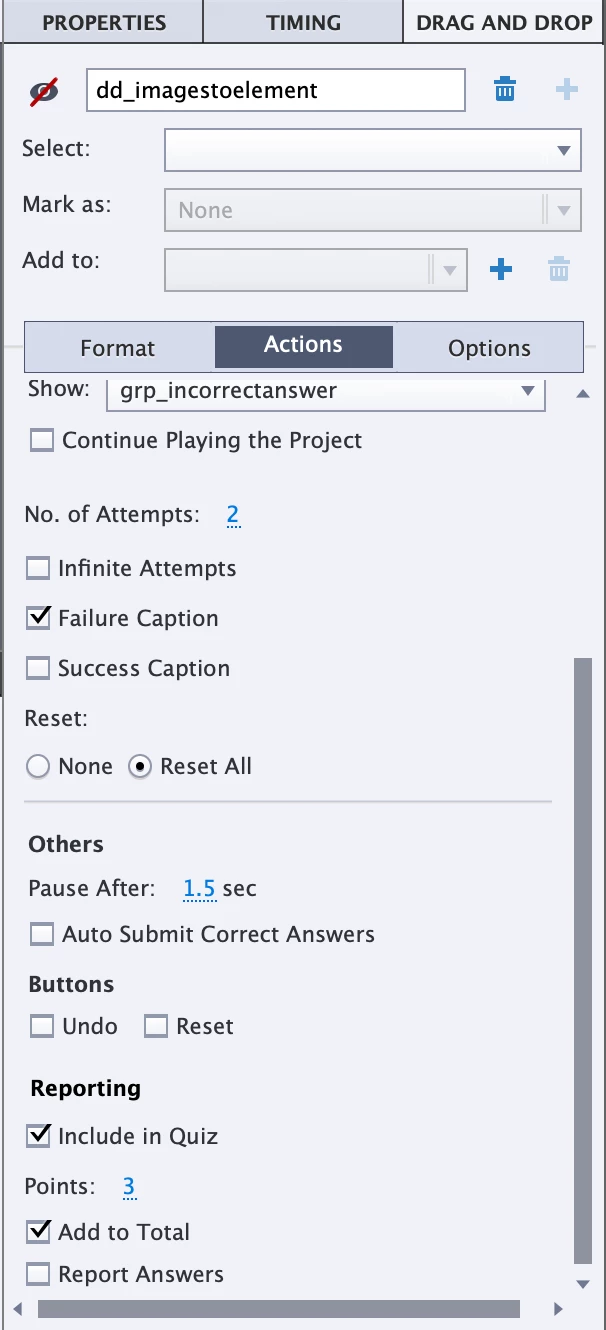
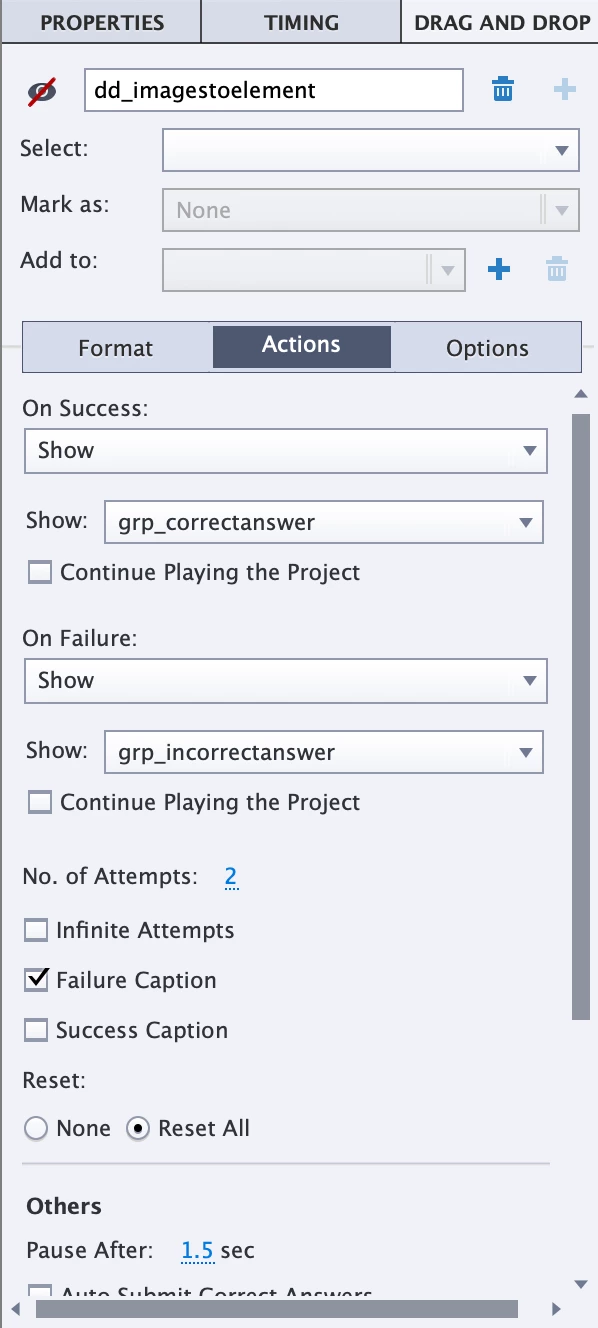
Here is the D&D panel:
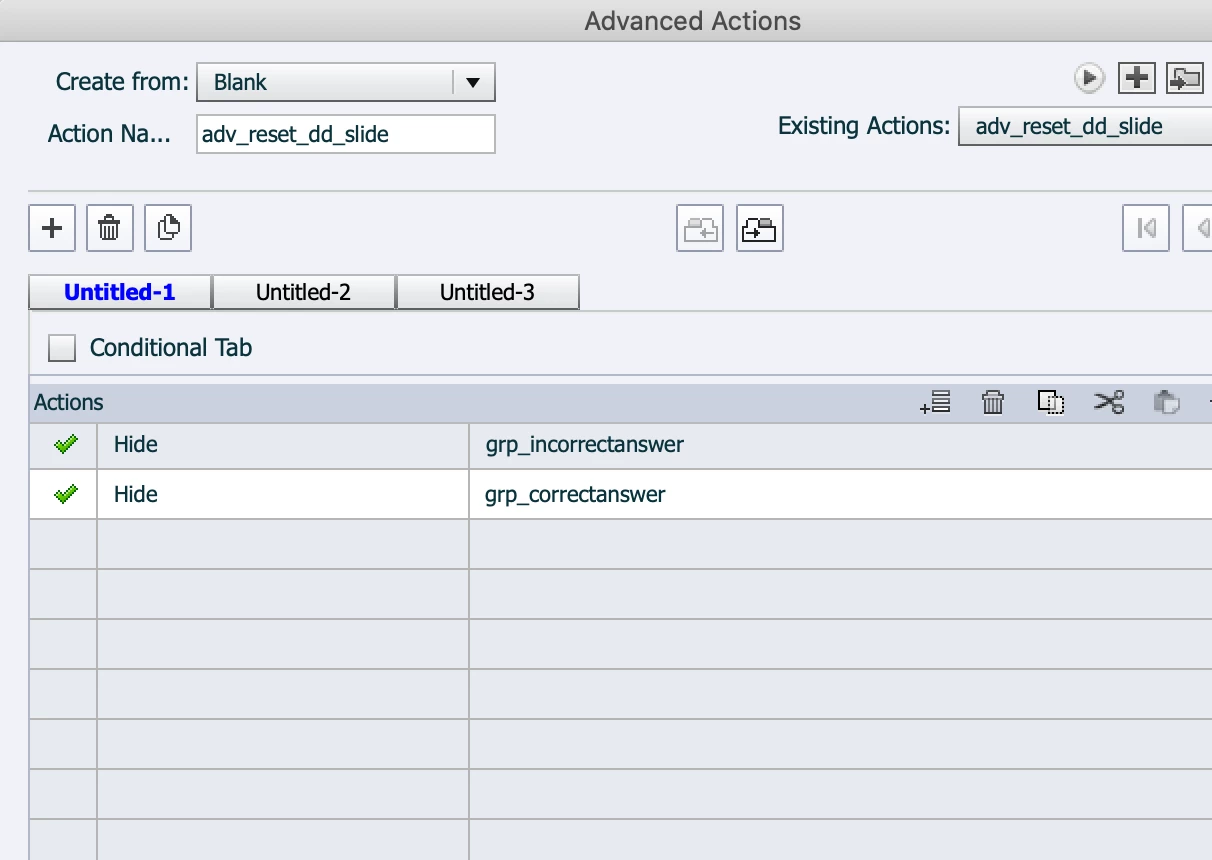
And the simple advanced interaction - as done by Paul - to hide the custom messages for continue and return to content for review on enter for the D&D slide:
If anyone has any ideas of why my interaction isn't getting reset, I'd appreciate hearing them. The two things that came to mind for me was that I'd forgotten to check 'reset all' or that I'd forgotten to uncheck 'continue playing the project' but I didn't. The timing and pause are default (as they are in Paul's video), so I'm a bit at a loss.
Thanks in advance for any suggestions out there!
samamara
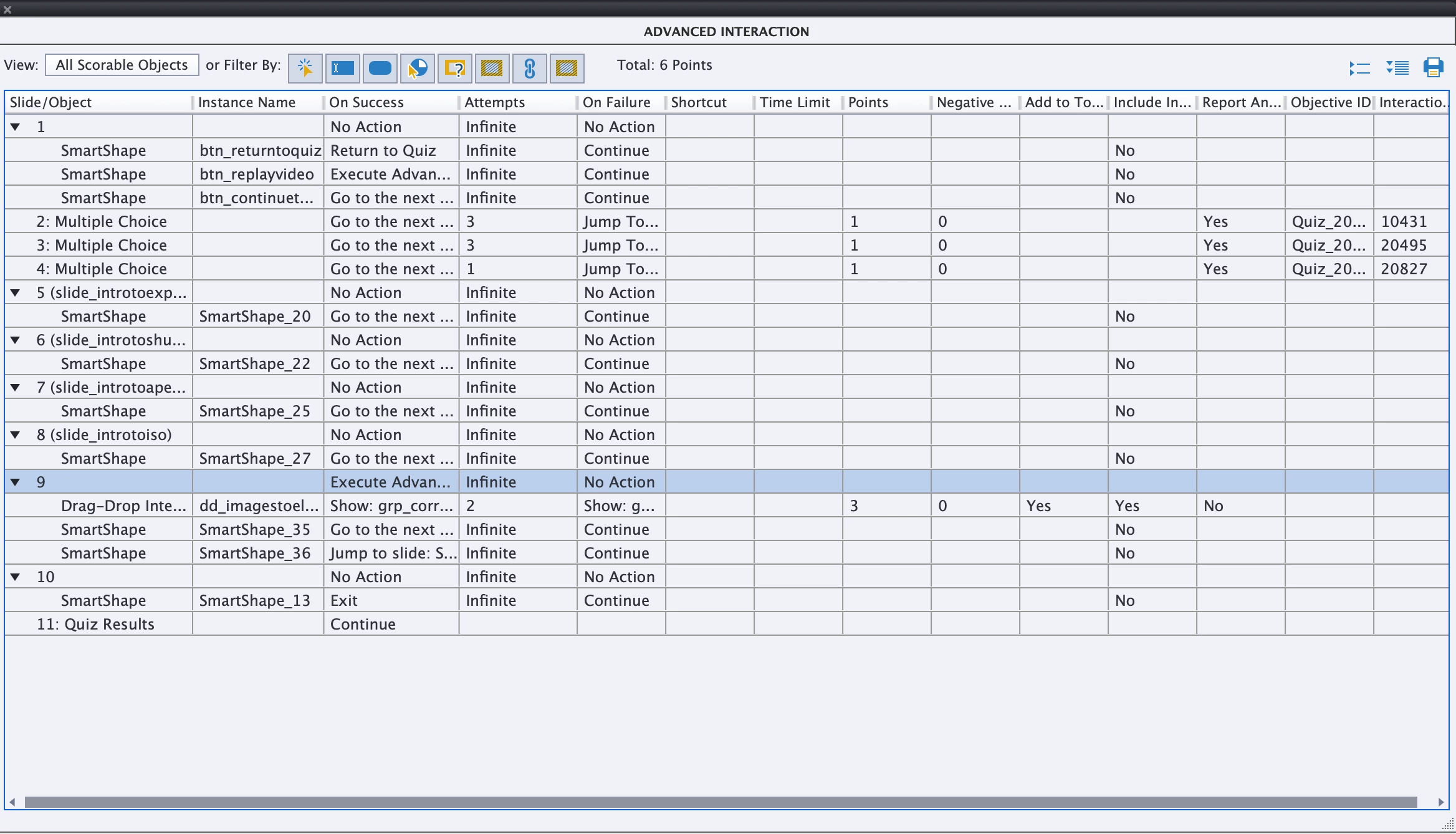
PS: I don't know if this will help at all but here is my advanced interaction panel for this small tester project. Anything before slide 5 is not relevant to this issue. The D&D is on slide 9 and the remediation begins on slide 5.
 AdChoices