


Known Participant
September 5, 2012
Question

Dropdown menu in quiz shows part of answer?

  • September 5, 2012
  • 1 reply
  • 1702 views

Hi

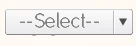
I have a drop down menu with 4 words to choose from for the answer. However, the correct answer is showing slightly underneath making it easy for the user to get the answer correct.

The word has two letter p's which you can see on the image are showing.

Any idea if there is a way to extend the height of the drop down area so they are covered?

Cheers
    This topic has been closed for replies.

    1 reply

    VikramGaur
    Adobe Employee
    Adobe Employee
    September 5, 2012

    Hello,

    Welcome to Adobe Forums,

    Which version of Adobe Captivate are you using ?

    Are you using Drop-Down Widget or referring to Matching Question Slide ?

    Thanks,

    Vikram

    jonisackoAuthor
    Known Participant
    September 5, 2012

    Captivate 5.5

    I believe it is "Fill in the blank"

    VikramGaur
    Adobe Employee
    Adobe Employee
    September 5, 2012

    Sorry, Vikram you are wrong there. FIB questions have both possibilities: either you have a blank field to fill in, or you can let the user choose from a dropdown list with possibilities. And from the first screenshot it was already clear that this was a FIB field with a dropdown list. Please, do not confuse users.

    Lieve


    Thank you Lilybiri, I missed that.

    Regards,

    Vikram