nate_davis1
Known Participant
May 27, 2015
Answered

Editing a Recorded Screen

  • May 27, 2015
  • 1 reply
  • 232 views

Hello,

I recorded a course via Captivate 7 and just noticed I need to cut two dead spaces out of the video and add in a section. Is there a way to cut out 2 portions of the video and add one section in? The audio and video is merged and the timeline has a red bar through the middle.
    This topic has been closed for replies.
    Correct answer Captiv8r

    Hi there

    Does the project offer a Film Strip that you see in much the same way as you see PowerPoint thumbnails over on the left side? I'm guessing it does.

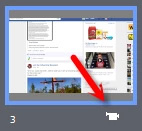
    Click the slide with the camera icon in the lower right corner.

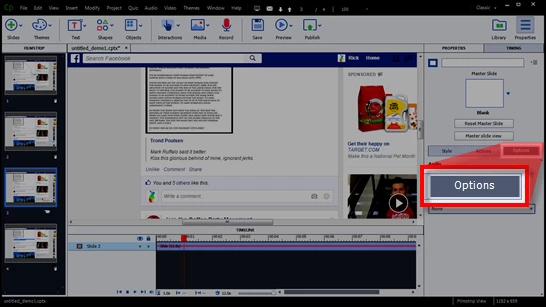
    Open the Timeline so you see the red stripe. Then click the Options button.

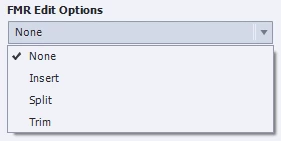
    From there, you should see FMR Edit Options that allow you to first position the playhead, then slice and dice and splice to your heart's content.

    Cheers... Rick

    1 reply

    Captiv8r
    Captiv8rCorrect answer
    Legend
    May 27, 2015

    Hi there

    Does the project offer a Film Strip that you see in much the same way as you see PowerPoint thumbnails over on the left side? I'm guessing it does.

    Click the slide with the camera icon in the lower right corner.

    Open the Timeline so you see the red stripe. Then click the Options button.

    From there, you should see FMR Edit Options that allow you to first position the playhead, then slice and dice and splice to your heart's content.

    Cheers... Rick

    nate_davis1
    Known Participant
    May 27, 2015

    Awesome Rick!! Unfortunately I am using Captivate 7 and don't have an options button like you show, I was able to click "Edit video Demo" in a similar location and got the same results!

    Thanks again!!