


Copy link to clipboard
Copied
Hi,
I have a few pdf documents that I'd like to embed (currently doing that via Advanced Actions) into my Captivate project. It works fine for me, but when I shared the project (as an .exe file) with a co-worker, he was unable to view the pdf; nothing happened when he clicked on the button to activate advanced action. What do I do on my end to make sure it works for all recipients of the elearning, not just on my computer?
Thanks for your input in advance.
Copy link to clipboard
Copied
You cannot embed a PDF inside a Captivate EXE. You might be able to create a link to the PDF, but you'd have to ship the PDF along with the EXE and maintain the relative relationship (e.g. place it in the same folder) for the link to work.
Copy link to clipboard
Copied
EXE format is the easiest to share with co-workers or SMEs but eventually we launch the courses through an LMS (Cornerstone). I tested through the LMS but it still didn't work.
Copy link to clipboard
Copied
That's probably a separate issue. Is the PDF loaded inside the SCORM package in the same folder as the SWF? Are you using the filename of the PDF as the relative path?
Copy link to clipboard
Copied
It's the 5.8, 5.9, 5.11, 5.15, 8.0, and Terms of Use pdf documents I am trying to incorporate.

Here is the contents of the published/zipped folder -

And here is the path -

This is my first time working with the pdf's so I appreciate you helping me with this.
Copy link to clipboard
Copied
Ahh...you're NOT running this from a web server over HTTP. This is a LAN server right?
Then you need to add the published folder location to your Flash Global Security settings as a trusted location. That's probably ONE reason why the links are not working.
Another couple of issues I can see in your screenshots are that you have spaces in some filenames, and lots of mixed case. Even if you DO get these links to work on your LAN, one day you may want to put this content on a web server over HTTP. At that time you might run into more issues. Always use lowercase filenames (and publish to lowercase names) with NO spaces or punctuation characters.
Copy link to clipboard
Copied
Yes, I was explaining this to a co-worker and he said that the same thing about the web server. I will get our IT guys to help me with this. Thank you for your help with this. I appreciate it A LOT!
Copy link to clipboard
Copied
Ummm...actually you may not be out of the woods yet.
Do you realise that if this issue with Flash Global Security turns out to be the issue, then EVERYONE that you want to view your content will need to set up this security to allow the publish folder as a trusted location? It's unlikely that your users will want to (or have the IT skills to) do this.
This kind of content should really be run from a web server over HTTP. Then Flash security is not an issue.
Copy link to clipboard
Copied
Makes perfect sense. I understand the issue now and know exactly who can help me fix it. Thank you once again.
Copy link to clipboard
Copied
Hi NehSha,
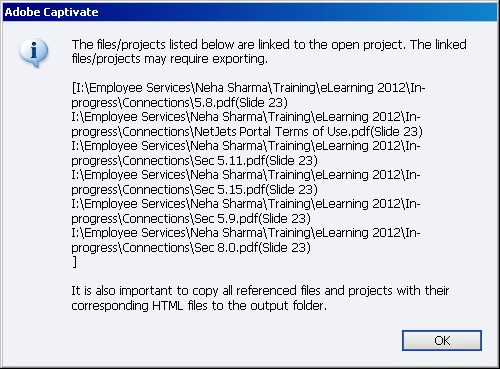
In your captivate project,when you import any file such as pdf,it takes the complete path like c:/nehsha/myproject.../pdfname.pdf or whatever,you need to delete the complete path listing and just leave the name of the pdf there for example pdfname.pdf and you have to maunally put the pdf in the published output folder.
Now if you are creating something for LMS,you get the zipped folder automatically,then you have to unzip that folder and put the pdf there and zip it again and upload to scorm.
Harpreet.
Copy link to clipboard
Copied
Thanks for responding.
So, I take the pdf documents from the first screenshot and put them in the second one?
Copy link to clipboard
Copied
Yes,i mean whatever zip folder you are sharing externally should have that pdf in it.
Get ready! An upgraded Adobe Community experience is coming in January.
Learn more