


Global Recordings
Known Participant
May 11, 2022
Answered

Have Title Slide be seen when open Captivate project

  • May 11, 2022
  • 3 replies
  • 1451 views

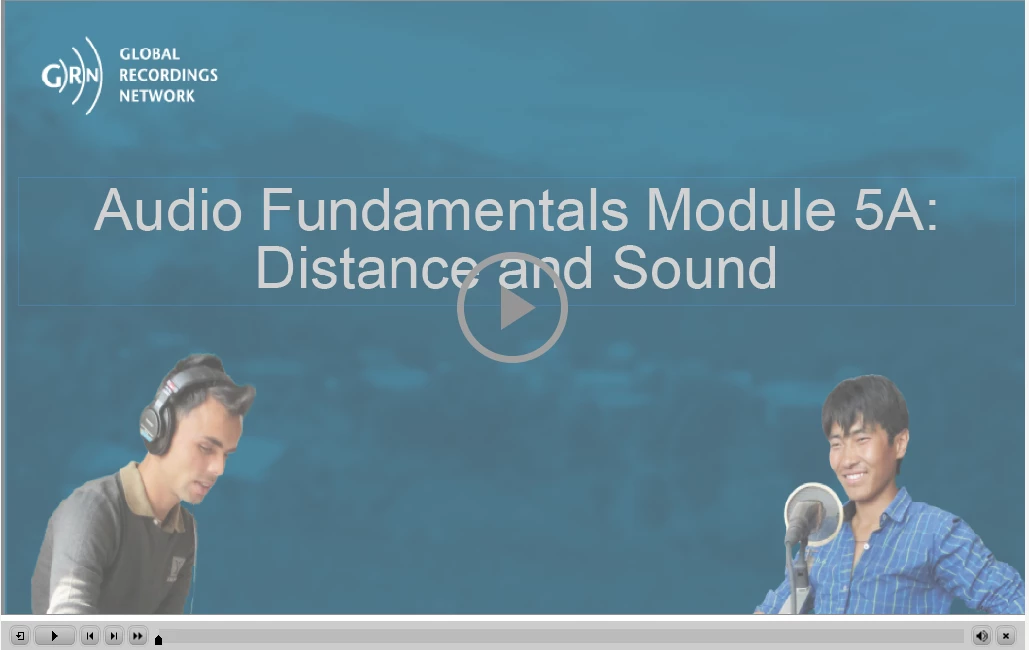
I was abe to add the title slide so that it showed at the beginning of the my project. But, for the life of me, I cannot figure out where I inserted the slide so it showed at the beginning of the project. I am enclosing a picture that has the first slide showing. Thanks for any assistance you can give me.


Diane Guiett
 

    This topic has been closed for replies.
    Correct answer Lilybiri

    You probably added an image of that title slide as poster image. Too bad, you still cannot choose just to add a slide directly as poster image, you need to create the image (an old request, never done). Read more about tweaking the lack of AutoPlay in this older post (including the poster image):

    http://blog.lilybiri.com/poster-image-autoplay


    3 replies

    Stagprime2687219
    Legend
    May 16, 2022

    I disagree that the play button is a result of browser functionality. The browser does not put that up - Adobe does.

    While it is true that web browsers will require interaction in order for autoplay of audio to commence, this particular screen is being forced by Adobe. 

    I, for one, would appreciate an easy opt-out so that my learners are not forced to click it.

    RodWard
    Community Expert
    Community Expert
    May 16, 2022

    Yes the browser does not put that button there, Captivate does.  But it has been the changes introduced by browser manufacturers to require users to interact with the screen before audio would work that forced Adobe into putting that button there on the initial screen.  What Adobe was doing was trying to avoid Captivate getting the blame for the sound not playing for end users if Auto Play was turned on. 


    Without the user clicking the screen somewhere the browser blocked audio playback by default.  Many users were totally unaware there was even sound available and e-learning developers would be getting complaints about their courseware not working as expected.


    It might have been a kludgy solutio by Adobe to add that button (perhaps a message on screen would have been better) but in any case I do understand their reasoning.

    Stagprime2687219
    Legend
    May 17, 2022

    The audio doesn't have to be on slide one for it to be blocked unless the user interacts with the screen.  The audio might not start until slide five or six but the result would be the same if the browser security won't allow the audio to work without user interaction.


    This whole issue started because web marketers abused their freedoms and started blatantly playing audio messages as soon as users opened web pages.  There was a severe backlash from the user community about THEIR freedoms being bypassed and having their eardrums blasted out because they were not warned the audio was about to come on.  The web browser vendors found themselves under pressure to react and the result was this change that forced users to interact with the screen before audio would work.


    The e-learning community found itself suffering "collateral damage" in the war for user rights.


    You are correct that the audio doesn't have to be on slide one.

    By the same token, a learning object doesn't have to have audio at all.

    Why should a learner be forced to interact then?

    Forcing the interaction assumes we, as developers, are not capable of building in that interaction ourselves.

    I am not the only developer who builds courses that are interactive.

    If you get to slide 5 or 6 and you have not interacted with the screen yet - I might suggest that is a great deal of passivity. Just make a video.

    I don't think it is too much to ask of Adobe to provide a way to turn that off - especially in situations where it isn't needed.

    Lilybiri
    LilybiriCorrect answer
    Legend
    May 11, 2022

    You probably added an image of that title slide as poster image. Too bad, you still cannot choose just to add a slide directly as poster image, you need to create the image (an old request, never done). Read more about tweaking the lack of AutoPlay in this older post (including the poster image):

    http://blog.lilybiri.com/poster-image-autoplay


    Global Recordings
    Known Participant
    May 13, 2022

    Once again you have come to my rescue. One of these days I want to take a class from you.

    Lilybiri
    Legend
    May 13, 2022

    You're welcome, would love a new trainee...

    RodWard
    Community Expert
    Community Expert
    May 11, 2022

    You are probably referring to the Auto Play option in Preferences > Project > Start and End options.  It no longer has any effect due to recent changes in web browser functionality.


    What you are seeing is the default way that all published Captivate projects begin now.  The user is required to interact with the content in order to have it start playing.  That's why there's a button in the middle of the screen.


    This has been the case for some years now and Adobe has explained the reasons here:

    https://helpx.adobe.com/captivate/kb/captivate-responsive-courses-not-autoplay-browsers.html