

Answered
Help! Big training to be launched very soon but random arrows are popping up with the text boxes
I do not understand why there are these black box arrows. They are just normal text boxes. What is going on? Please help!
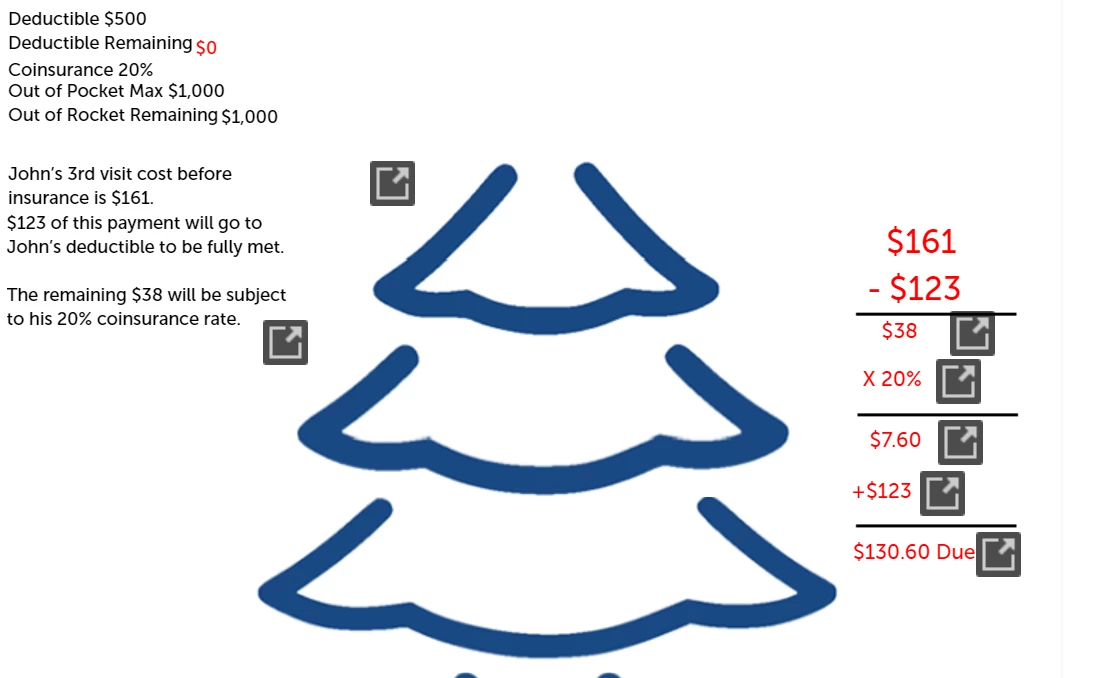

I do not understand why there are these black box arrows. They are just normal text boxes. What is going on? Please help!
Hi Cassie,
These aren't random. They appear when Adobe Captivate detects that there isn't enough space to display the text in these objects. The purpose of these icons is to let the learner know there might be more text to read. Clicking on these icons will display an overlay with all the text in a scrollable format. To avoid having this many of them try lowering your Minimum Font Size in your slide's Properties Inspector to a lower number. Another reason these sometimes appear is an unusual font selection (i.e. taller space for the character than the actual character height). Sometimes they appear when you copy your text from Microsoft Office. Microsoft Office software sometimes contains hidden characters used for formatting purposes and can affect this feature. I usually strip out any formating before copying and pasteing into responsive projects like this one.
Here is a video tutorial on the topic if you wish to learn more.
Already have an account? Login
Enter your E-mail address. We'll send you an e-mail with instructions to reset your password.
 AdChoices