


Inspiring
February 27, 2024
Answered

Hotspot issue

  • February 27, 2024
  • 2 replies
  • 1223 views

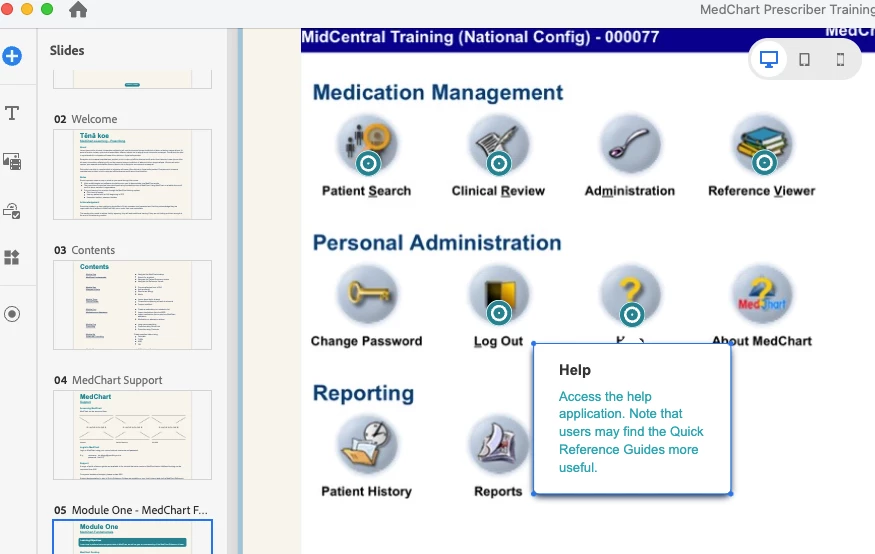
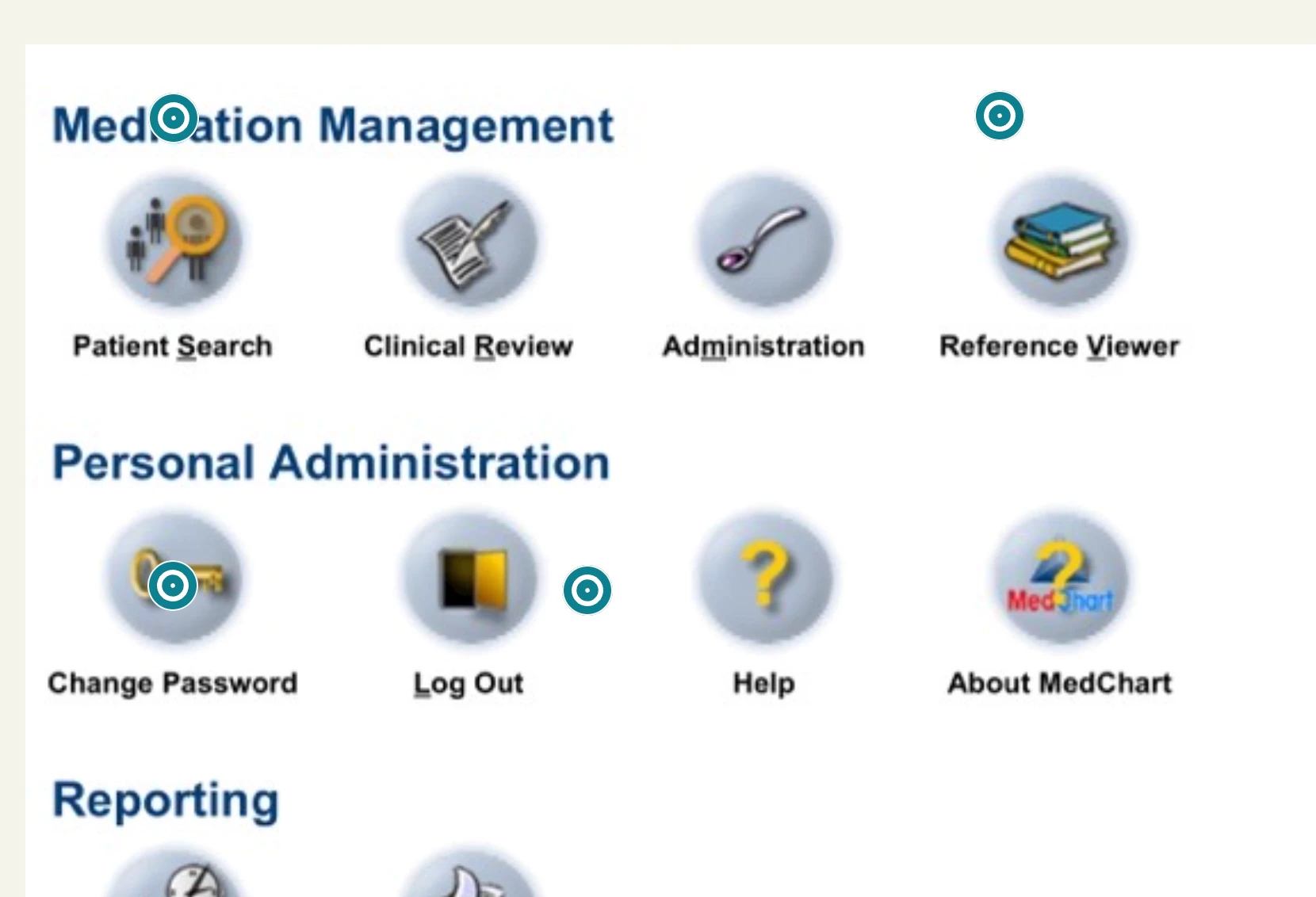
I'm having a problem with hotspot not rendering correctly in preview compared to in Captivate.


Essentially the hotspots are moving from where they are placed rendering them not in the correct place when testing.


Have tried in multiple browsers all the the same result.


Any suggestions would be appreciate as I'm really getting to my wits end with new Captivate and am so close to throwing in the towel on it.


In Captivate
 

In browser
    This topic has been closed for replies.
    Correct answer jonathanw70189446

    Are you sure it couldn't be interesting for other users to know how you solved this problem? I mean: edit your 'correct' answer, because this is not really helping people with similar problems.


    Sure thing.


    Issue was that the brower cache needed to be cleared and I was clearing the cache in Firefox (which I don't use for testing these modules) instead of in Safari (which is what I test them in).


    A real silly goose moment on my behalf!

    2 replies

    Adobe Employee
    March 1, 2024

    Could you please provide information regarding the operating system and screen resolution? We've noticed slight movement of 1 to 3 pixels when published; however, in the listed project, it seems to exceed this range.
    We suggest trying the following workaround: Save the project and reopen it. Then, rearrange the hotspot once more and proceed with publishing it. Please observe whether the hotspot still shifts by more than 1 or 2 pixels. 
    We would also request you to share the project with us so that we can address this issue in the coming release. Rest assured, the hotspot's position will remain stable, and v12.2 projects too will automatically correct themselves once opened and published in the new release. Your cooperation is immensely valued, and we sincerely appreciate your assistance in enhancing our product experience for all users.

    Inspiring
    March 4, 2024

    Your suggestions did not fix the issue. Had to entirely remove Captivate and reinstall to resolve the issue.

    Adobe Employee
    March 8, 2024

    Thank you for the update. I'm excited to hear that even though the provided solution didn't resolve the issue, you took the necessary steps to troubleshoot the problem. It's commendable that you proactively addressed the situation.

    Lilybiri
    Brainiac
    February 27, 2024

    You are on Mac, so I am not familiar with its UI. Am I correct that you are using version 12? Can you check the full version number under Captivate, About Captivate? It should be 12.2 at this moment.

    More users have mentioned this bug. Could you add your support to the requests on uservoice? You should be able to reach that platform directly from within Captivate (Help menu if it is the same as on Windows).

    Inspiring
    February 29, 2024

    Will add the request there. Thanks as always Lilybiri!

    Lilybiri
    Brainiac
    February 29, 2024

    You're welcome. For some weird reason I am always ashamed about the amount of bugs in this new version and the need for workarounds so early in its existence.