


Known Participant
February 7, 2020
Question

How to create a timer with start and stop buttons by using JavaScript?

  • February 7, 2020
  • 1 reply
  • 1910 views

Hi,


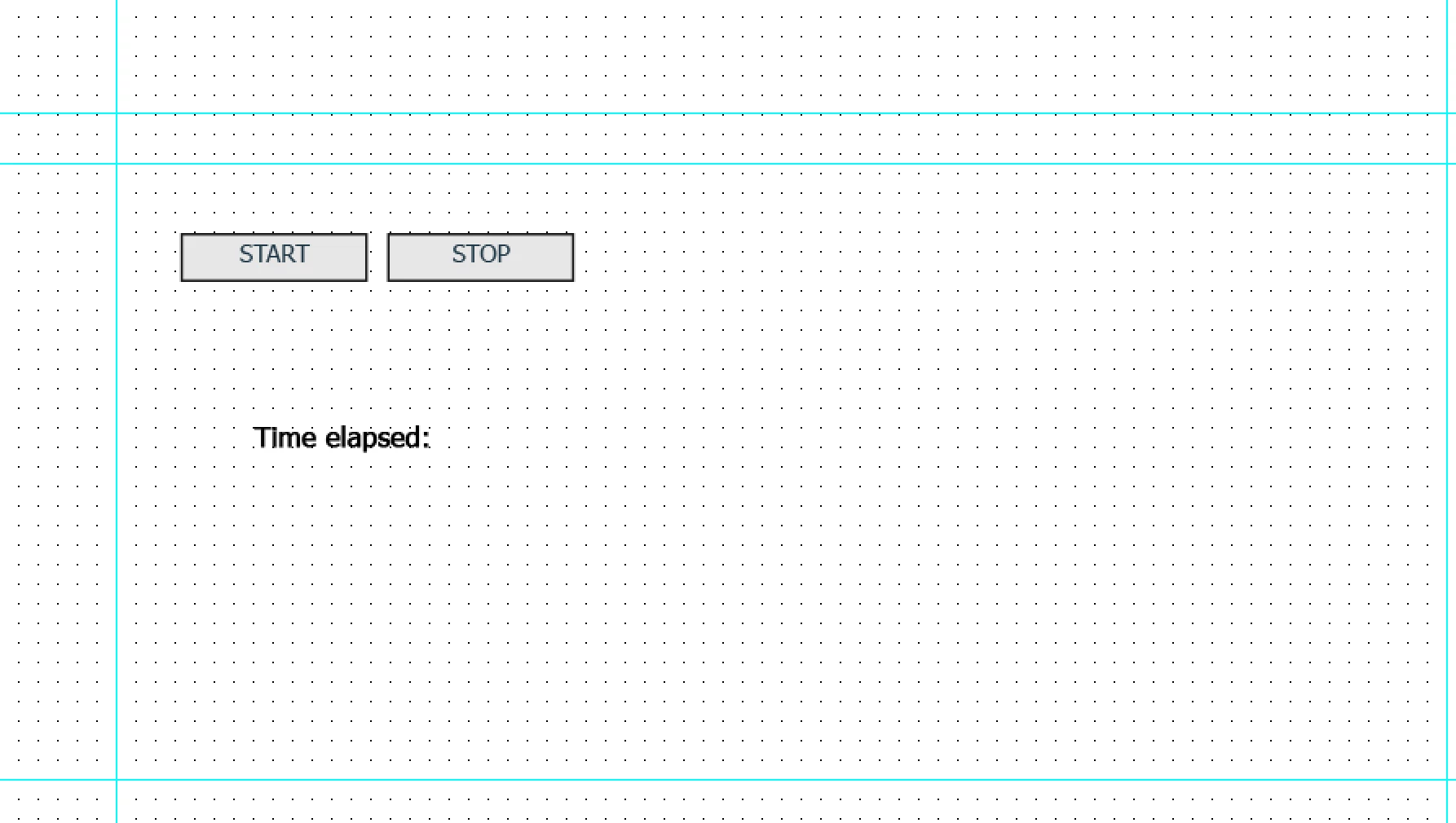
I want my users to click on a start button before doing something. after they completed the task/, they will click on the stop button to stop the counter. I want my user to be able to see the elapsed time on that slide.

By the way, I want this for only one slide and it is not a question slide. Of course, when user come and visit the slide again. I want to reset it again. Here is the screenshot of my current setup. Do you have any example and instructions for me to realize this action:
 

This topic has been closed for replies.

1 reply

Known Participant
February 7, 2020

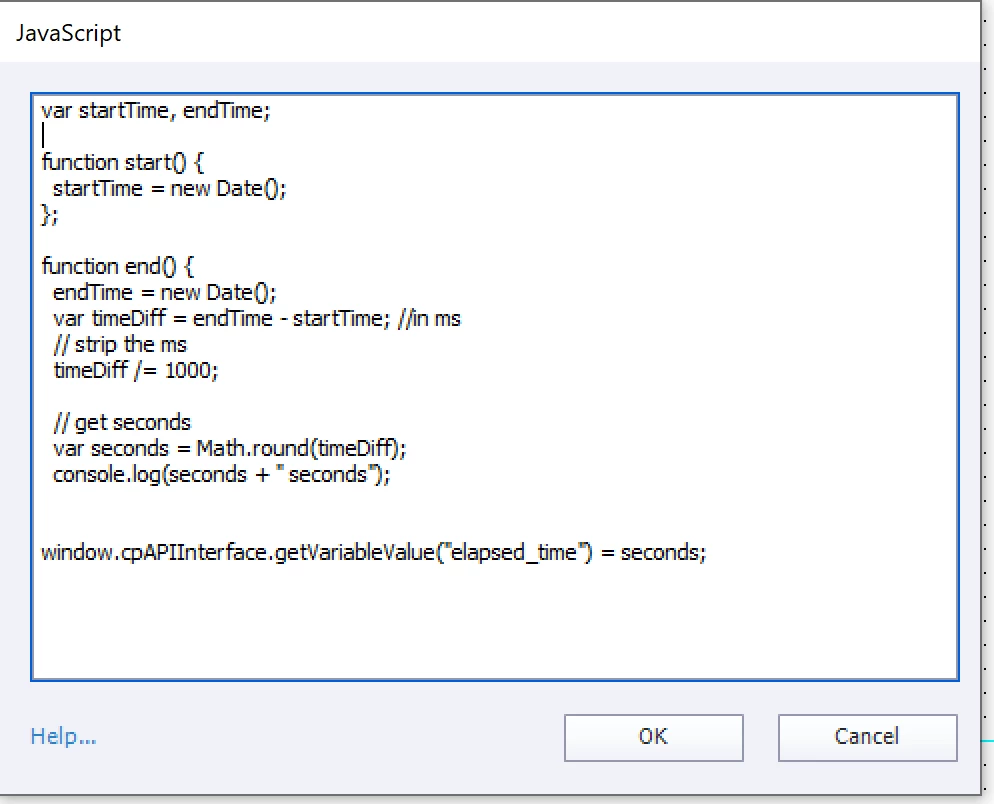
As you can below, I added the javascript code into the On Enter event of the slide.I gave my buttons IDs. But, still not working

var startTime, endTime;

function start() {
  startTime = new Date();
};

function end() {
  endTime = new Date();
  var timeDiff = endTime - startTime; //in ms
  // strip the ms
  timeDiff /= 1000;

  // get seconds 
  var seconds = Math.round(timeDiff);
  console.log(seconds + " seconds");


document.getElementById(“start_timer”).addEventListener(“click”, start());
document.getElementById(“stop_timer”).addEventListener(“click”, end());


window.cpAPIInterface.getVariableValue("elapsed_time") = seconds;


Lilybiri
Legend
February 7, 2020

I always use advanced actions for this type of rather simple requests. But since you insist on JS, wait for the JS experts. Why make it simple when....

Known Participant
February 7, 2020

Hi Lilybiri, If there is a way to do it with Advanced Actions, which probably there is, could you please share some your demo blog posts or advice? Do I need to acesss timeline/slide duration? 


Thanks for your help!