Phoenix_Leo
Known Participant
November 13, 2022
Answered

How to display next button when all buttons are clicked

  • November 13, 2022
  • 1 reply
  • 1524 views

In a captivate file there a 4 buttons 01,02,03,04 and after clicking button 01 a popup will open. The popup will have a close button which will close the popup 01 when clicked on the close button.

Same is the working for other buttons also. How to write a advanced action for this kind scenario?
    This topic has been closed for replies.
    Correct answer Lilybiri

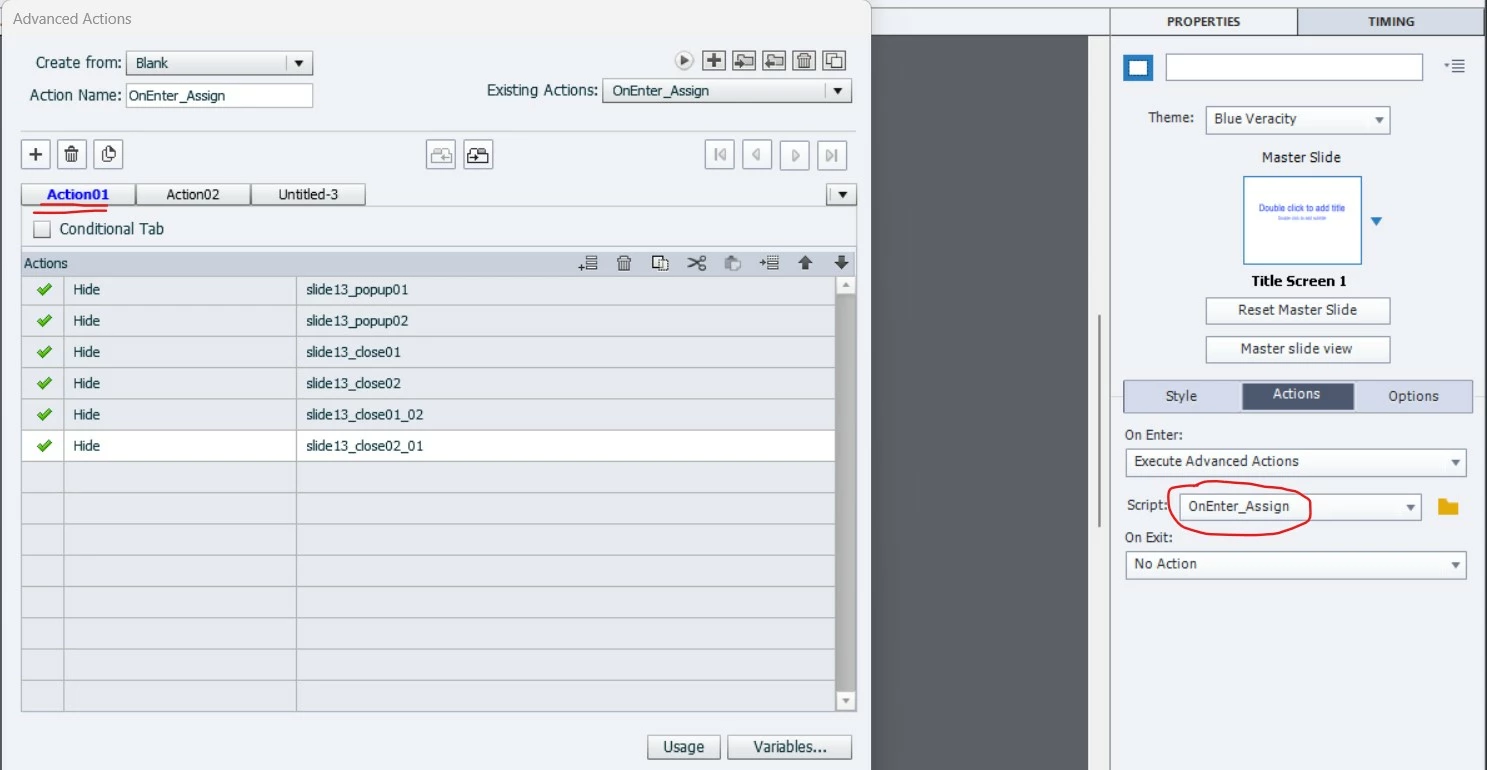
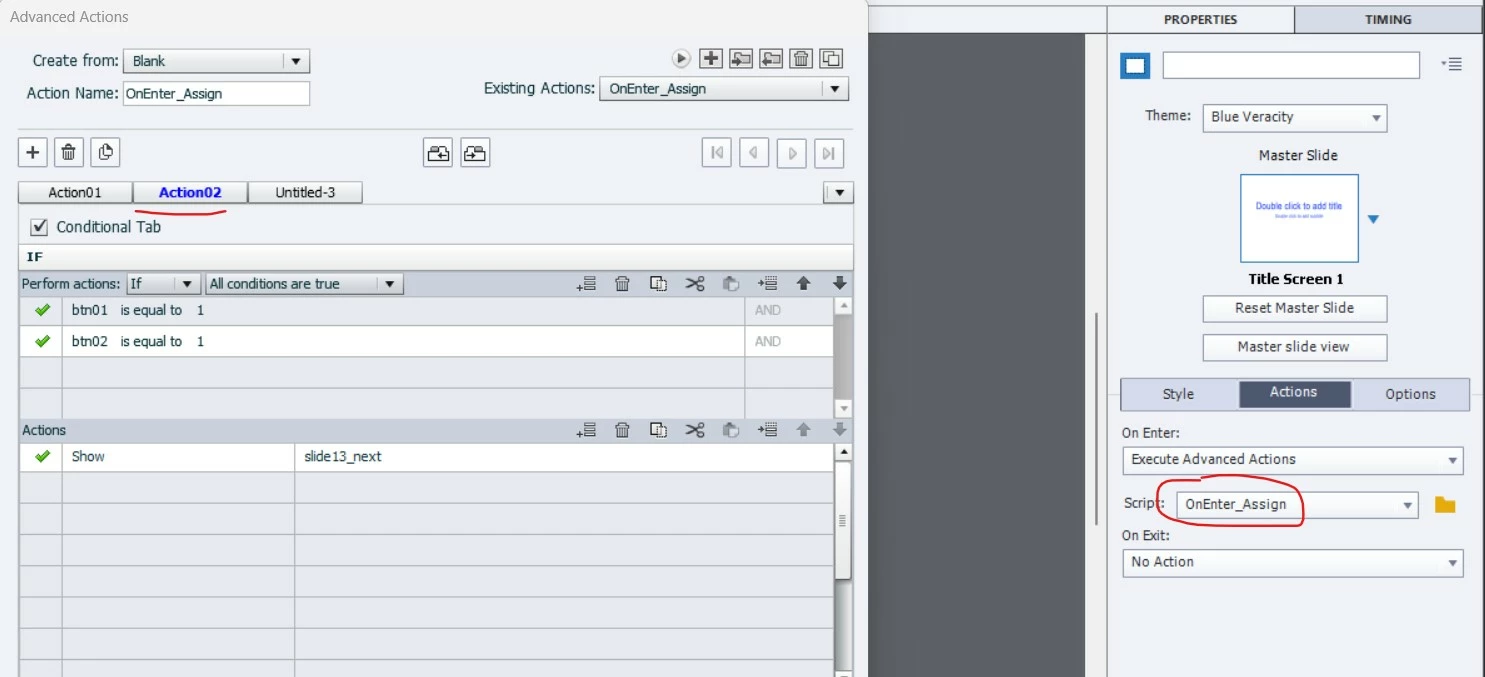
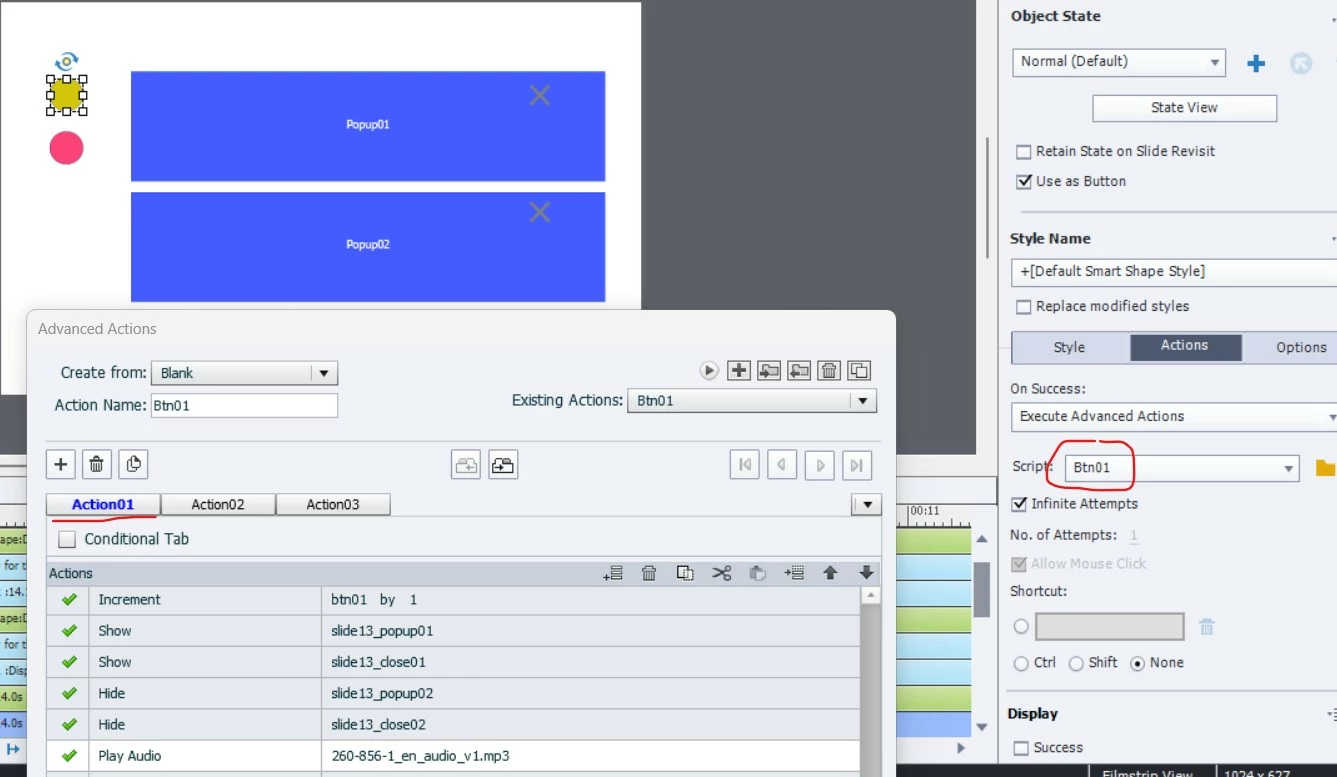
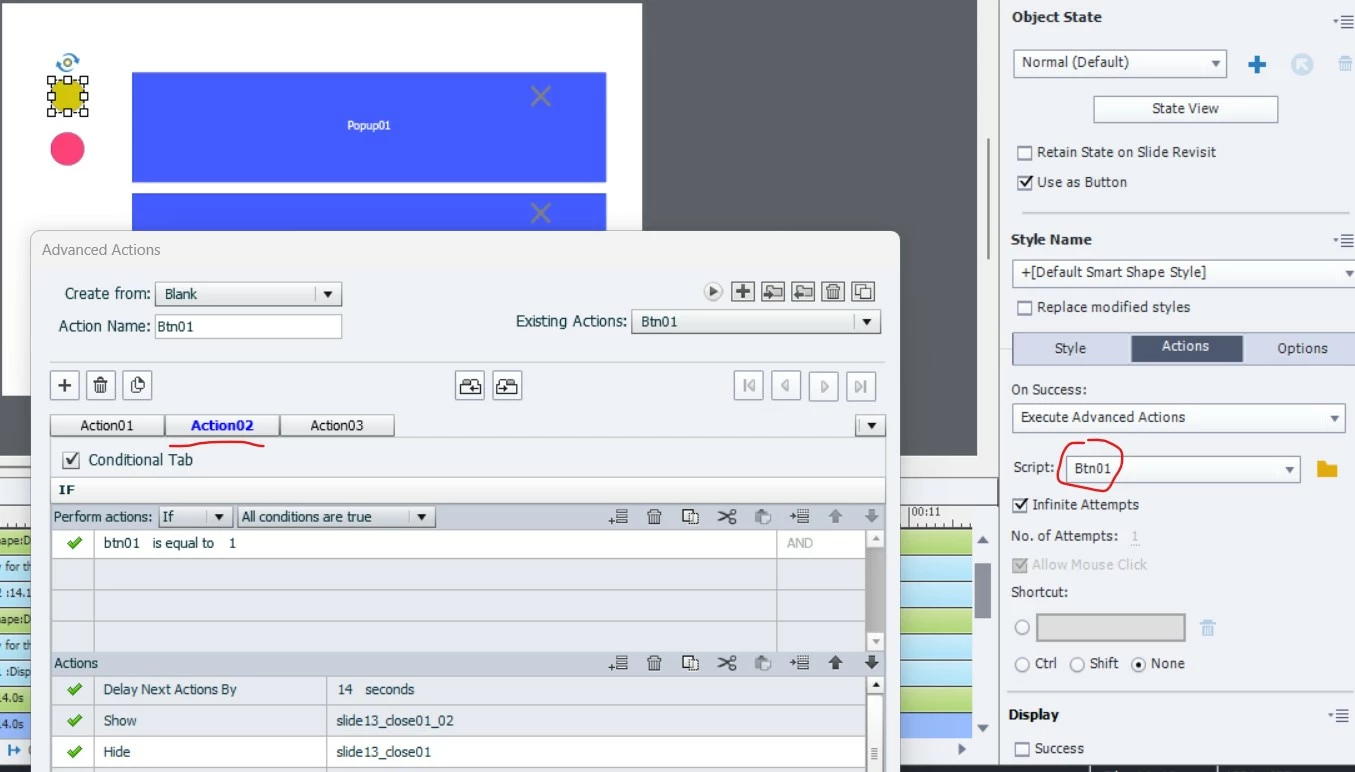
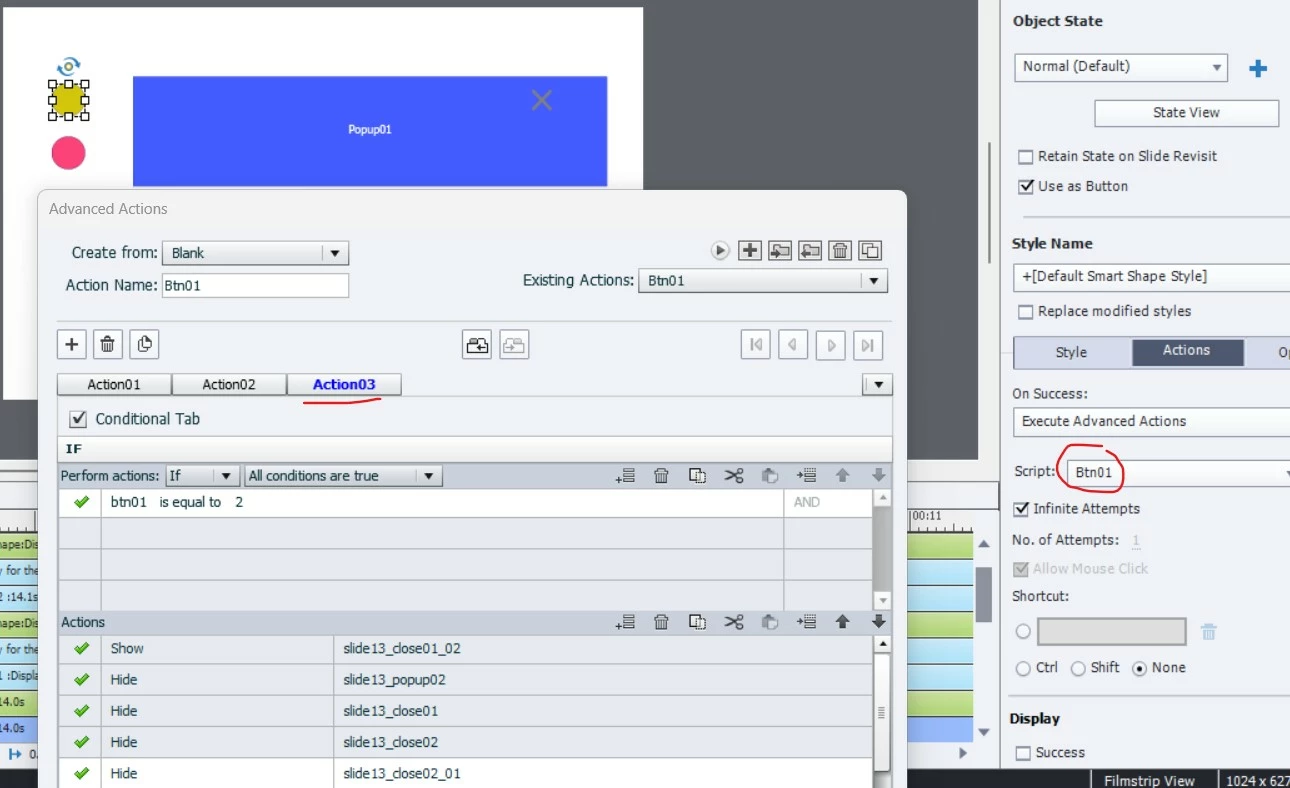
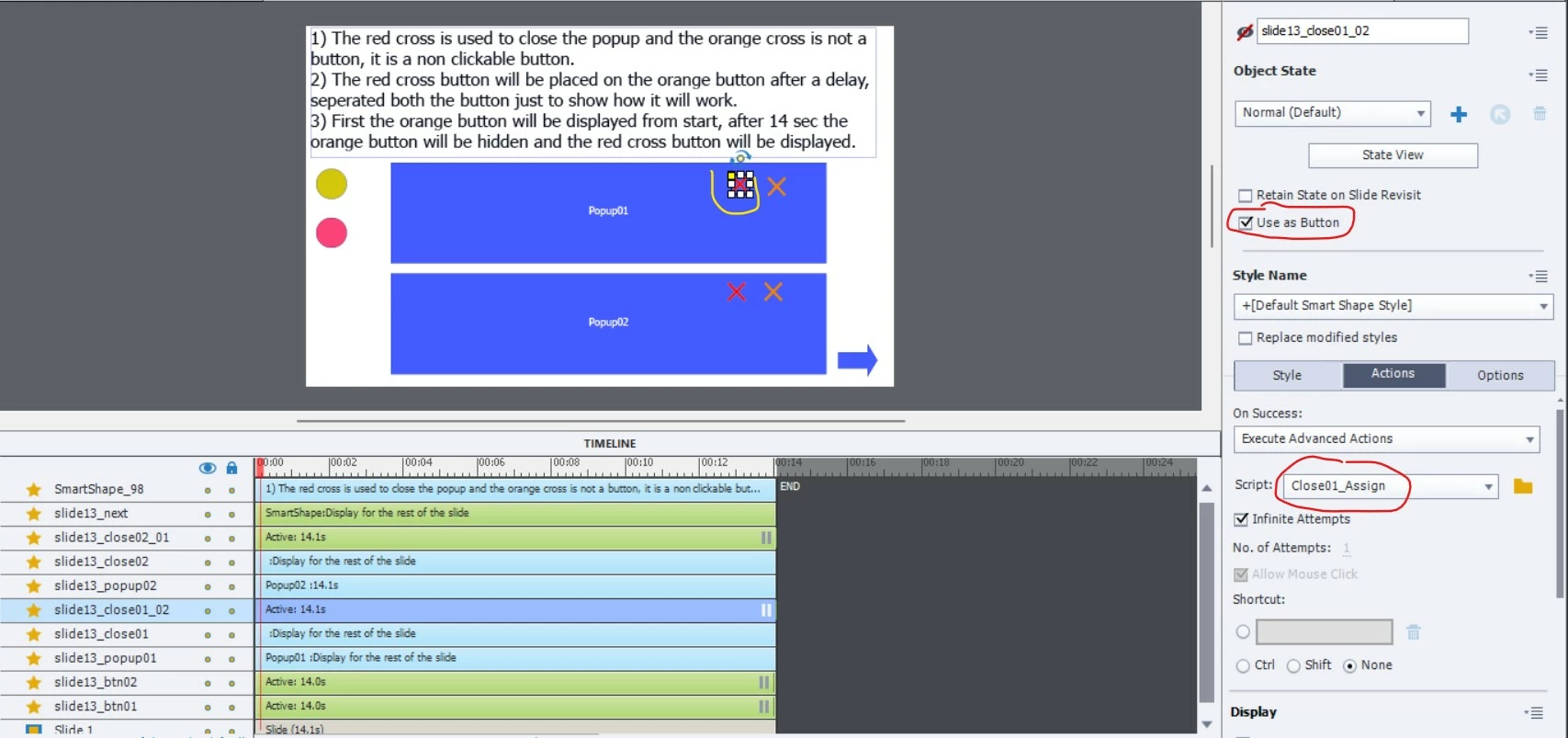
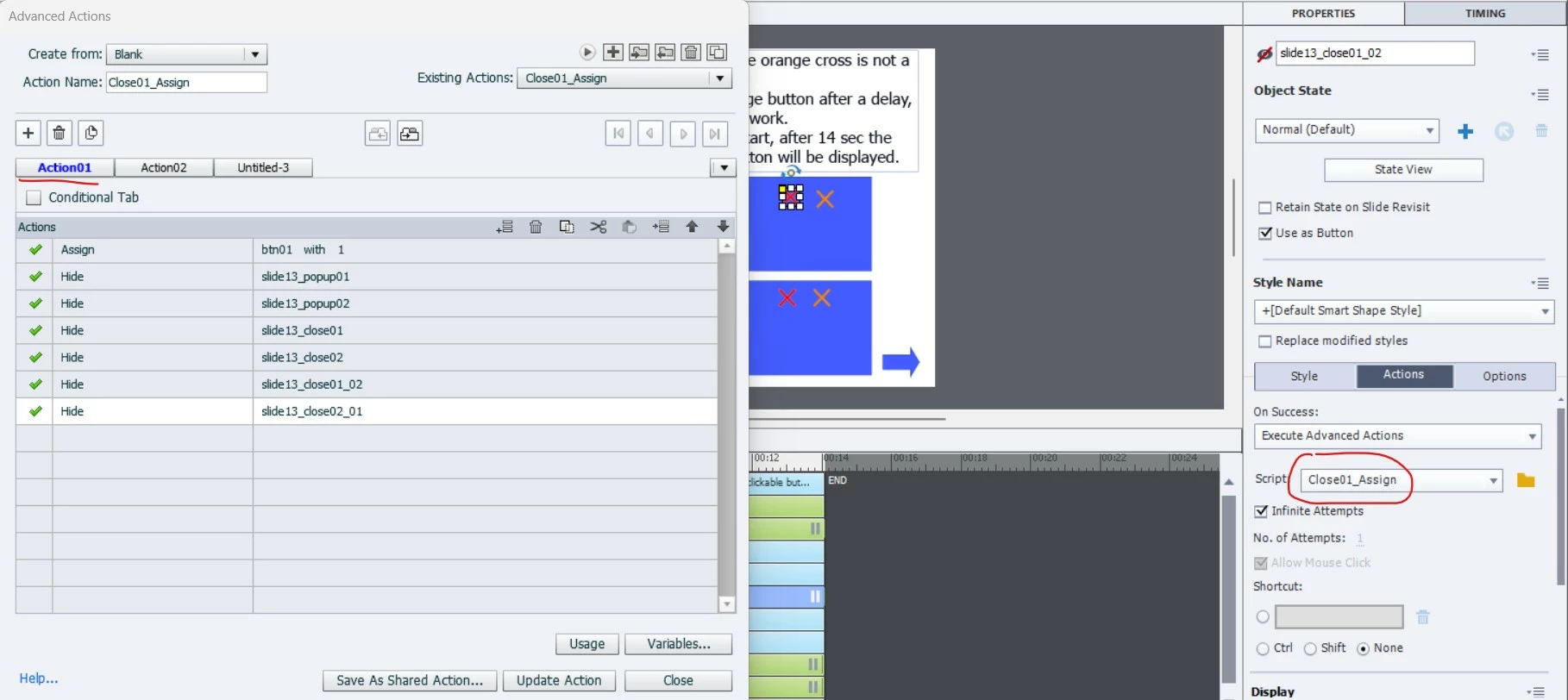
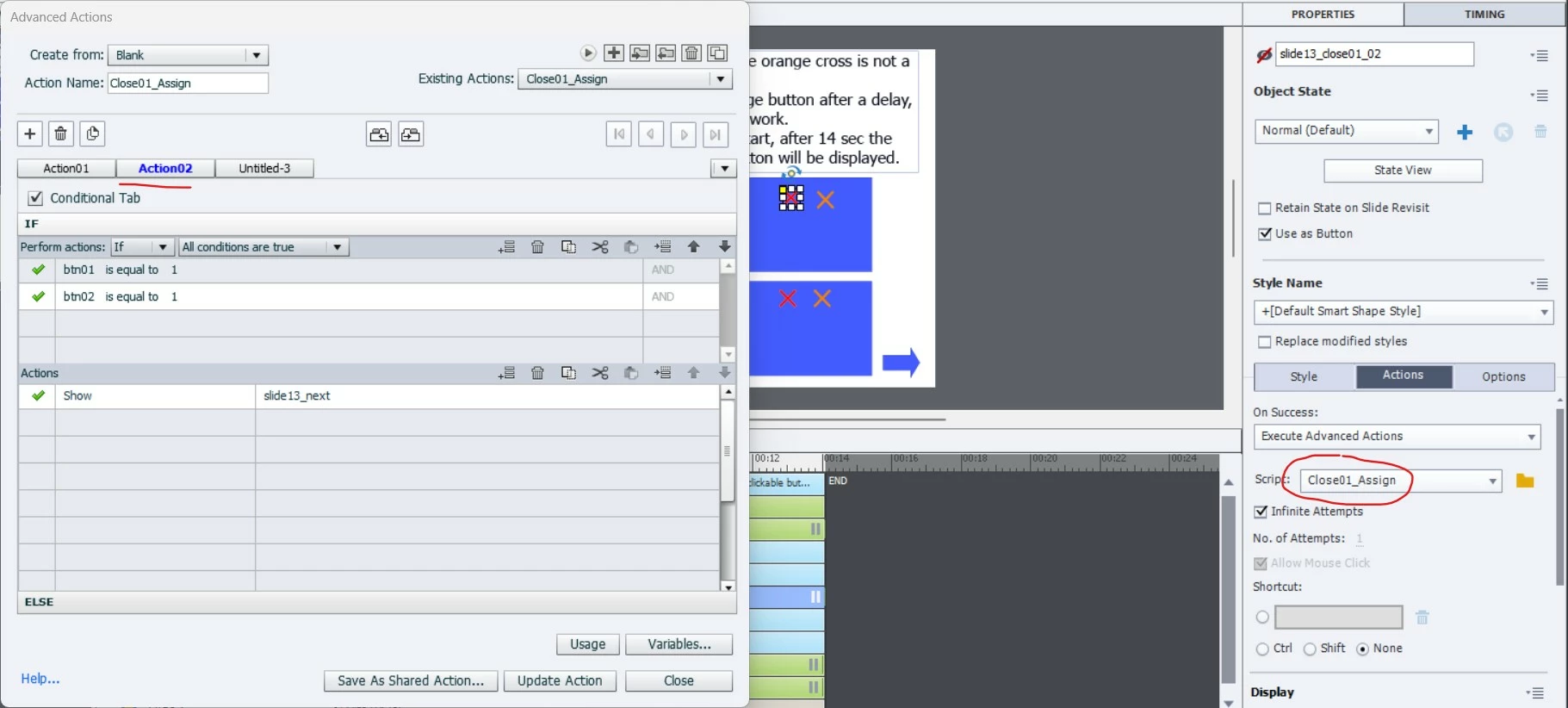
    Yes, this question was posted for a different scenario where the popups didn't have a close button. Now the scenario is different with the popups having the closing button. The Action 03 on the btn 01 is just to show the red cross visible while on revisit so that learner doesnt have to wait for the audio to complete and then the orange arrow will turn in to red to close the popup. Can find it in the screenshot 05 below.

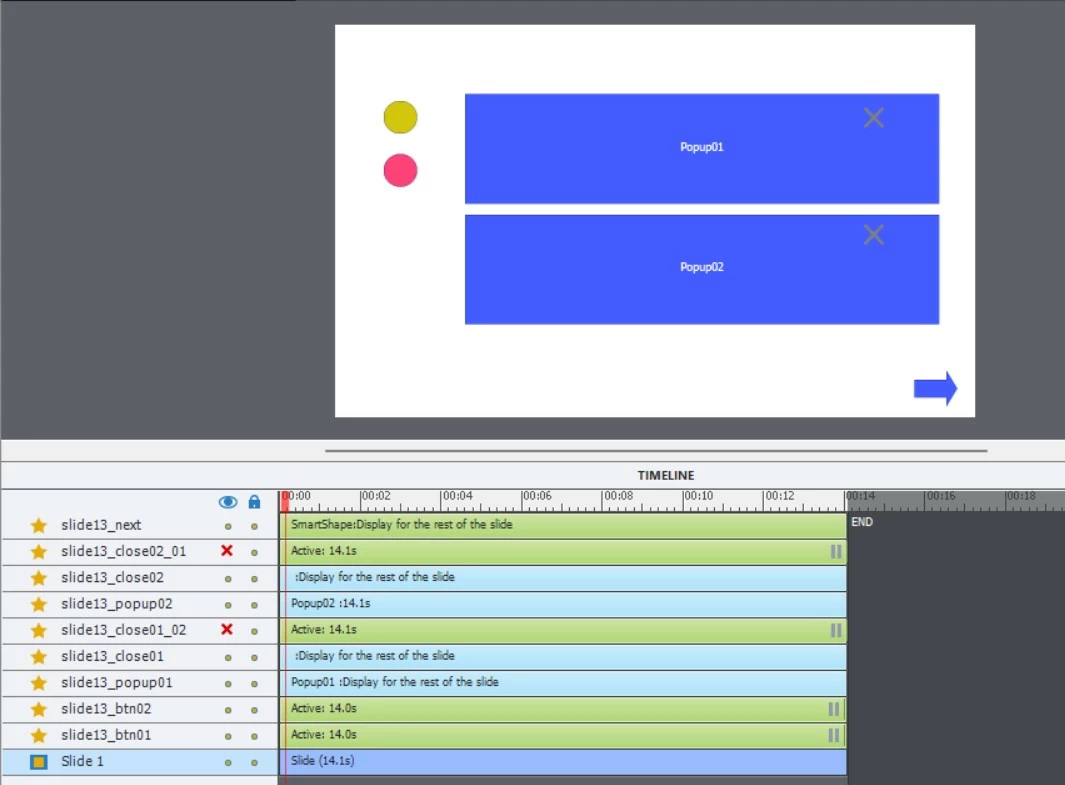
    Timeline screenshot 

    Please find the screenshot and mp4 explanation below.

    Screenshot 01:

    Screenshot 02:

    Screenshot 03:

    Screenshot 04:

    Screenshot 05:

    Screenshot 06:

    Screenshot 07:

    Screenshot 08:


    You make it difficult to understand. Couple of tips to start with:

    • Never push the pausing point of a button to the end of the slide, you may get problems.  Leave a short duration after the pausing point. But they all need to be at the same time, except maybe for the Next button where the pausing point can be later.
    • Why is that slide duration increased beyond 3 seconds?  I suspect because you have also slide audio on that slide but the Timeline panel was not complete.  If that is indeed the case, you may have overlapping audio when the button is pressed before the slide audio has ended.
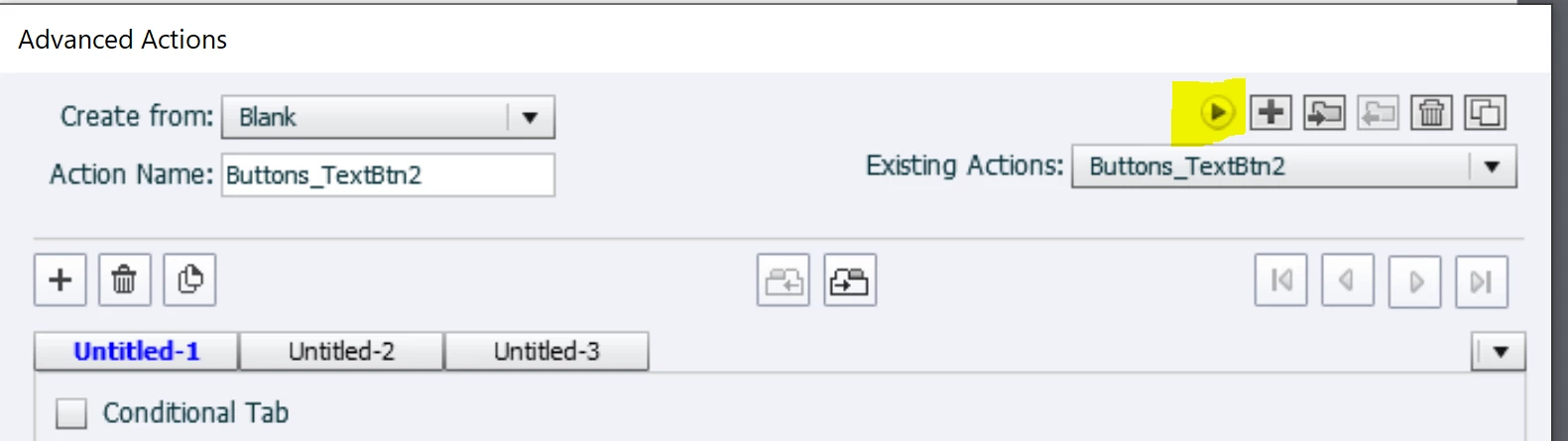
    • Please read this blog post and use the Preview window to take screenshots, much easier to understand the complete advanced action if you have multiple decisions. And to show which actions are triggered by which event, use the Advanced Interaction panel for a screenshot. It will take you much less work to provide all those screenshots. I think I have some understanding now, but that took quite a while.
      https://blog.lilybiri.com/advanced-actions-dialog-box-in-captivate-2017
    • You use Show/Hide instead of state changes, but would save lot of time if you also use grouping of the objects you need to hide/show.
    • I suppose that the 14 seconds are the duration of the audio clip triggered by 'Play Audio'?
    •  

    1 reply

    Phoenix_Leo
    Known Participant
    November 14, 2022

    In a captivate file there are 4 buttons 01,02,03,04 and after clicking button 01 a popup will open. The popup will have audio and a close button to close the popup. Popup 01 should only be closed when the audio on popup 01 is done.

    The same is the working for other buttons also, all the popups will have a close button to close the popup and also will have audio. How to write a advanced action for this kind scenario?. The next button should only appear when all the audios from the popups are done.

    Lilybiri
    Legend
    November 14, 2022

    Didn't you post this question already before? It sounds familiar to me...


    Can you show me the shared (or duplicate advanced) action you are using at this moment for the buttons? I want to see if you used grouping (for popup + close button), and also if the audio is object audio linked to the popup or started with the command 'Play Audio'.

    Do you have any other interaction on that slide? Can you post a screenshot of the timeline? I need to know if the buttons are pausing the slide. 

    Anyway you'll need 4 user variables. How will you prevent the learner to use the close button in the popup before the audio is finished?


    Phoenix_Leo
    Known Participant
    November 16, 2022

    Did you use the Properties panel to pause slide audio when a button is clicked?

    Please move the pausing points, do not leave them at the last frame of the slide.

    What exactly is not functioning as expected? I proposed some improvements (grouping, multistate objects, shared actions).


    Yes did all the improvements as u suggested. Only thing is that is there any advanced action to stop the delay action from counting?