Inspiring
July 10, 2018
Answered

How to? Mouse-over-layer transparent in quiz

  • July 10, 2018
  • 1 reply
  • 449 views

Is there a way to make the mouse-over-layer transparent in quiz questions?

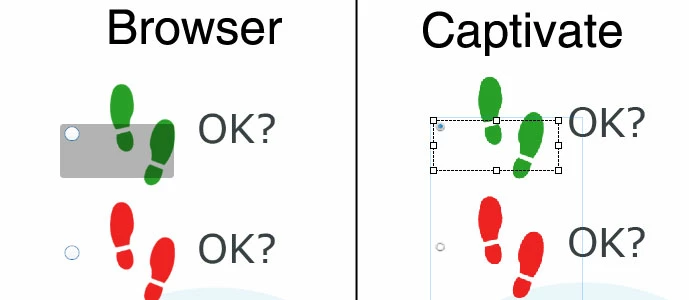
Because it is not possible to bring the text of the active-area of an answer middle next to the checkbox (or radiobutton) instead of the upper left and I have to include some graphic I decidet to put things in captivate the way you see it on the right of the picture. The "OK?"s are two text-fields outside the block for the answers (marked in captivate with the blue line).

Exported in HTML5 there is an mouse-over-effect you see on the left. Searched a very long time how to make the mouse-over-layer transparent (or even change his color), which would be the easiest if not the only solution to make this look OK. Gave up now and ask the community. Help ig you can. Thanks!

At least now using Captivate 2017 - no more 8 ...

This topic has been closed for replies.
Correct answer RodWard

The CpExtra HTML5 widget has a function that allows you to change the colour of the rollover highlight.

http://www.infosemantics.com.au/adobe-captivate-widgets/cpextra/help/preference-variables/quiz-behavior

1 reply

RodWard
Community Expert
RodWardCommunity ExpertCorrect answer
Community Expert
July 10, 2018

The CpExtra HTML5 widget has a function that allows you to change the colour of the rollover highlight.

http://www.infosemantics.com.au/adobe-captivate-widgets/cpextra/help/preference-variables/quiz-behavior

Inspiring
July 11, 2018

Thank you very much!

We bought a licence, tried and it works fine.

Perhaps one hint for other users: "0" as value for xprefMultichoiceRolloverOpacity seems not to work (Overlay was 100% and black as I tried), but with "1" it is also (nearly) completely transparent as it should be in our case!