


New Participant
September 29, 2009
Question

Importing translated XML files into Captivate

  • September 29, 2009
  • 1 reply
  • 5746 views

I am having trouble importing translated XML files back into Captivate.  In fact I am unable to import an XML file that was just exported from Captivate.  I am using the Demo version: Captivate 4 Build 1596.

I've exported XML files for all of my project files directly from Captivate.

I've made the translations within the <source> and <g> tags of the XML file.

I've selected "import XML" from the file menu and I get the error message:

"Import was not fully correct.  For information about errors please check log file:"
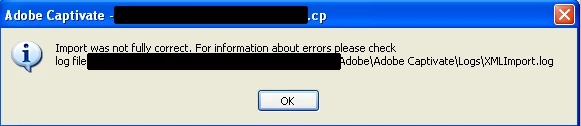
When I open the XMLImport.log as specified it reads "Caption item RTF was not read" anywhere from 6 to 20 times depending on the file.

What is the problem?

Is this a limitation of the trial version?

Is there a formatting issue?  If so why can't I import the XML that was just exported from the software either with or without making changes to it?

Before I ran into this problem with my final translated XML files, I had been somewhat successful with a test run of this exact procedure.  I had to make minor tweaks to the XML, such as deleting blank spaces inside the text strings but I eventually got the import to work.  This was even with Asian languages.

THANK YOU

This topic has been closed for replies.

1 reply

Captiv8r
Brainiac
September 29, 2009

Hi there

As described at the very beginning of the Frequently Encountered Issues topic, the trial is not crippled in any way whatsoever, so you can rule this out as a possibility.

I suppose the question I might have here is to ask what you used to make the edits to the XML? I just exported a Captivate to XML and edited the XML using Windows Notepad. Things sailed right back into Captivate with no issues. I thought perhaps I'd see a difference in the different encodings one may save as:

I tried saving as each different encoding and nothing prevented things from round tripping back into Captivate without issue.

Cheers... Rick

Helpful and Handy Links

Captivate Wish Form/Bug Reporting Form

Adobe Certified Captivate Training

SorcerStone Blog

Captivate eBooks

Mateo227Author
New Participant
September 29, 2009

I am using Notepad++

I have saved the file as UTF 8 with and without BOM, also as UCS-2 Little Endian which is the encoding I get upon export

I am also unable to import an XML that was just exported from Captivate without opening the file at all.

I will try using Windows notepad.

Mateo227Author
New Participant
September 30, 2009

Notepad was not the issue.

This problem has been resolved by installing the trial version of Captivate on a separate computer.  A reinstall did not solve the problem on the affected computer.