


Answered
Missing Buttons on Audio Recro
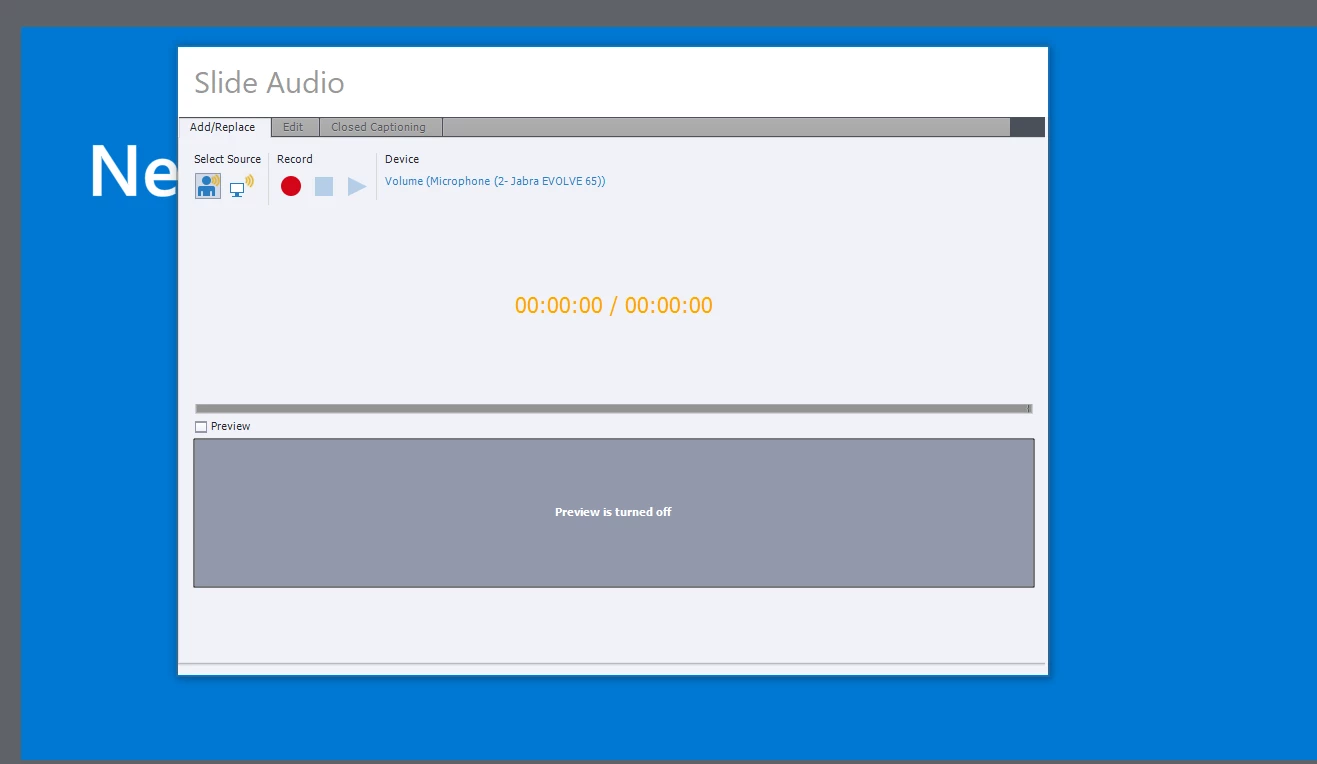
I just updated to Captivate 2019. Now when I click on record for a slide, the "Slide Audio" dialog box opens up, but I can no longer see the buttons at the bottom of the screen. Adjusting the window actually makes it worse. I tried tabbing through to the buttons, but I can't see what is highlighted, and it appears that they aren't listed in tab order. Since I've never needed it previously, I don't know what the keyboard shortcuts are for the buttons.
Any idea what is causing the buttons to disappear? Is that a bug?
And any suggestions on keyboard shortcuts would be greatly appreciated so I can continue working while the bug/issue is addressed by Adobe.
Thanks!
 AdChoices