replace the present quiz buttons by image buttons (those have three images associated with names ending on _up, _over, _down) |
I did already so as shown in your screenshot (or on the masters). The problem is that they seem to have only one state. Thought that image-buttons in Captivate 8 have only one.
The big problem with those is that you'll need a trio of images for each quiz button because there is no way to change the button label it has to be in the image. |
To make a trio of graphics including the label for the states is not the/my problem. My problem is where the images for "over" and "up" (with the endings you tell above) have to be stored or defined. I see only one state, even in your Screenshot.
This counts for Captivate 8, will look at Captivate 9 on my other job tomorrow ...
Here in Flanders I would say "Ongelovige Thomas"
Of course you don't know me but believe me when I say that I never post an answer that I have not double-checked. Most regular visitors of this forum or my blog are aware of that.
Those old image buttons have very strict rules concerning names. Look in the Gallery, and you'll see that each of those buttons always has 3 images:
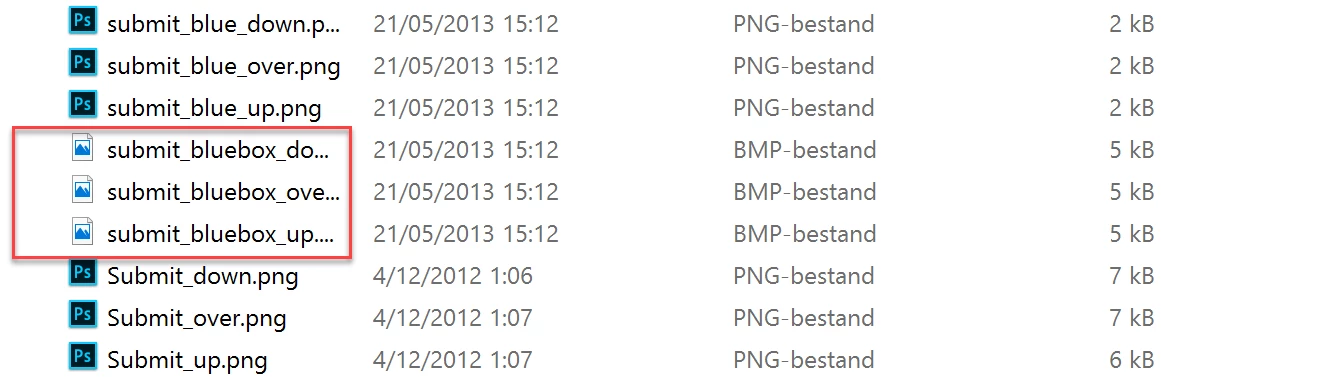
In the dropdown list, where you choose another button (OSM or on the slide) you'll see only one of the images. When you have selected that one, Captivate is intelligent enough to find the other states - which are images - of that button. I have examples on my blog of custom image buttons as well. Here is one example:
Playtime with Audio and Widgets - Captivate blog
Since shape buttons appeared I rarely use those image buttons, too cumbersome to create them (Using Photoshop and assets export, they have to be bitmap).



 AdChoices