


Known Participant
December 11, 2020
Question

Problem with click box and image in hint

  • December 11, 2020
  • 1 reply
  • 2359 views

Hi!

I use the click box to show some hints in mouseover areas. And it works fine up to a problem where I can't find a solution.


Here you see my example. When you go with the mouse over ths small little bottle, the popup on the right side cames up. And you see, there is a little photo in the description.
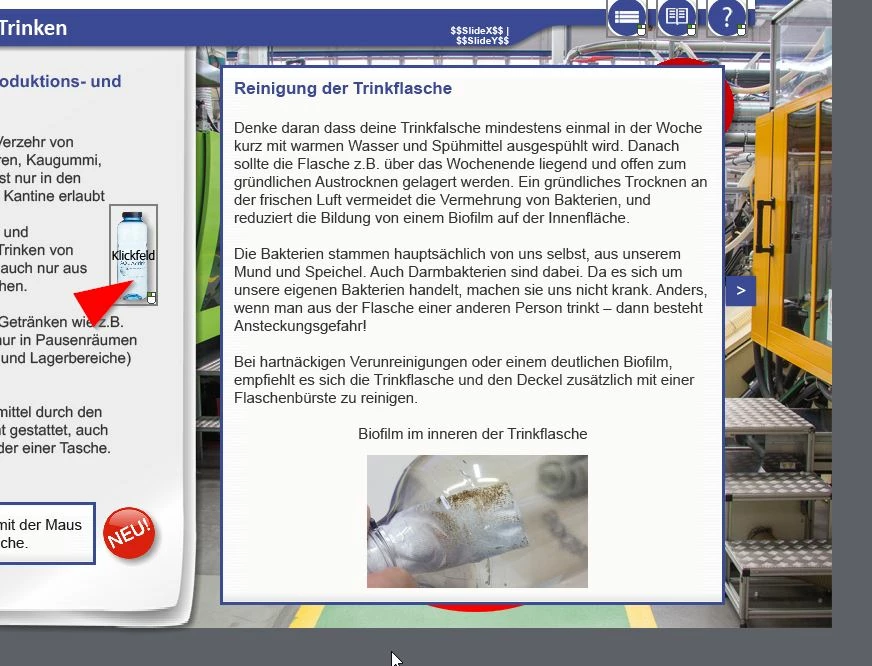
 

Here is the view in the status from this click box. You see, the image is in this description of the status from this click box.
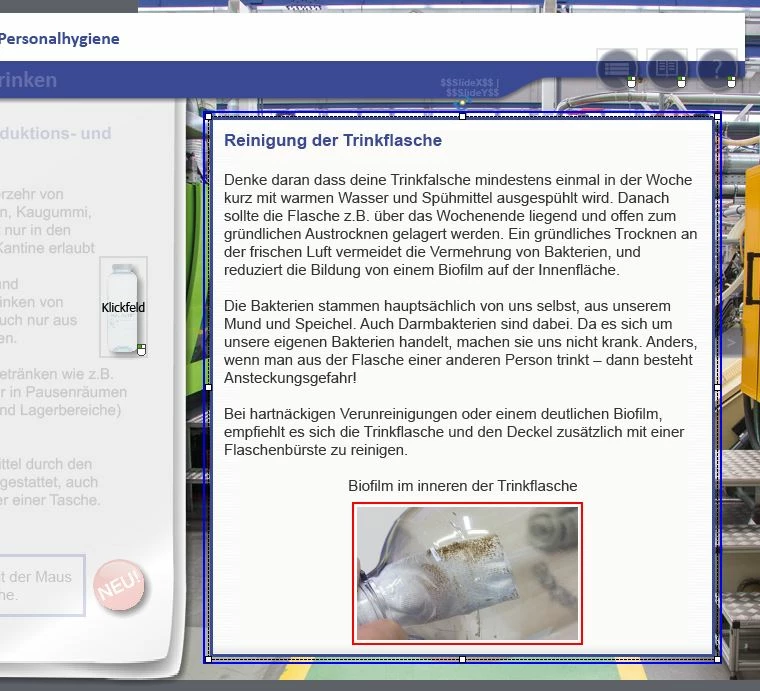
But when i do a preview with this page, it looks like thi, there is no photo in the description.
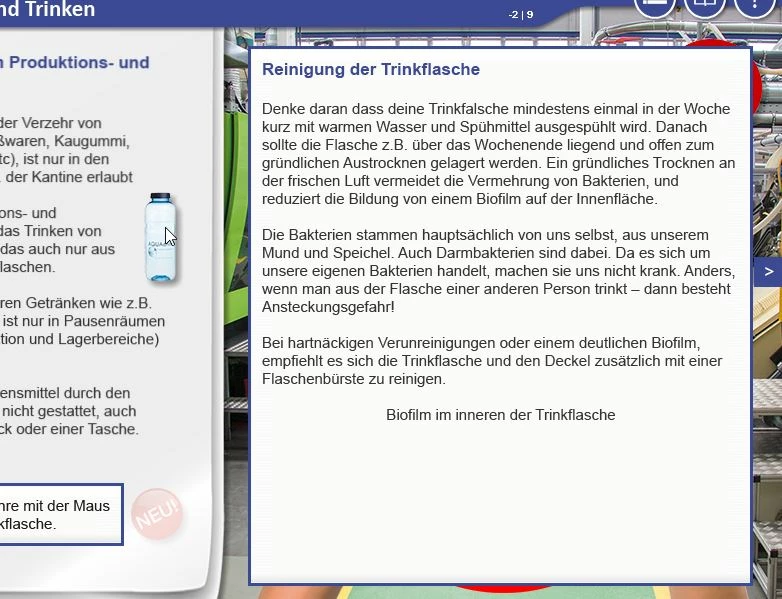
After some tests, isee that the picture is behind the textbox. For one test, i moved the photo tot eh half out of the text box.
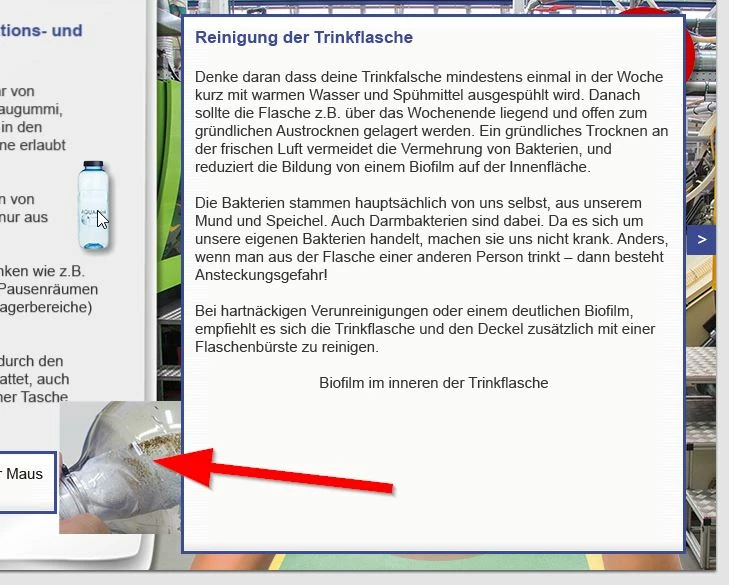
So my first idea was, there must be a problem with the order of the item. I set the order for the photo to the front:
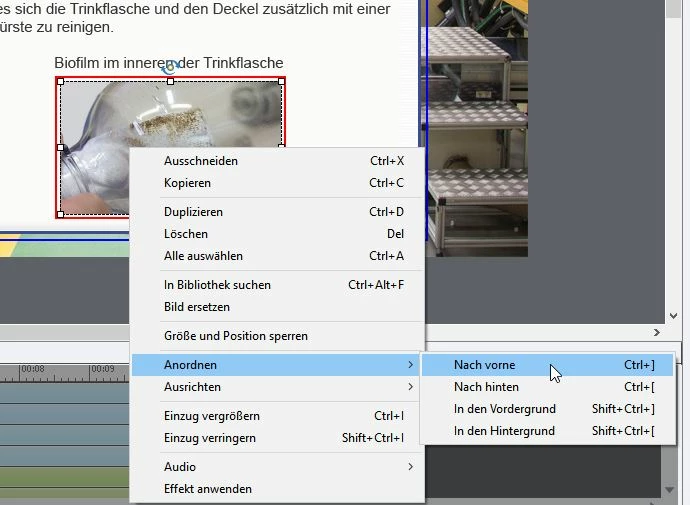
But it doesn't change the problem, it stays the same.


Can someone please help me why the photo is otherwise in the foreground in Captivate but not shown in the foreground in Preview?


Thanks for any help, and sorry: My captivate is in german. 

    This topic has been closed for replies.

    1 reply

    Lilybiri
    Legend
    December 11, 2020

    Guten Mittag... I understand German, no problem, but don't dare to write in German (you can write in your language if it is easier). Ich bin Flamen.

    I am a bit confused... and too bad the Timeline didn't show the click box. Why do you need a click box? Are you on an older version of Captivate? If you are on 11.5 you can use the bottle directly as button, no need for an extra object. 

    Next question: did you insert both the Text and the Image to appear on rollover (only supported for desktop/laptop) in a Rollover state of what? Not of the click box, because by definition it is invisible and has no InBuilt states. Where is the 'mouseover' state? I must miss something, have read your question over and over again.

    From what I can read of '..mit der Maus... Drinkflasche' it looks like you want the text+image to appear when hovering over that image. If you are on 11.5 you can add both to the rollover state of the bottle defined as bottle. If you are on an older version, use a shape which you fill with the bottle as button. Just double-checked with bottle as button:

    Dane V.Author
    Known Participant
    December 11, 2020

    Hi!


    Thanks for the fast answer. I try to write in english, i think its a good training. 🙂 But its good when you understand german, so you can unterstand my screenshots from captivate. 


    I dont use the rollover function becaus its a flash function. So i use the workaround with this funktion:

    I don know how the name is in the english version of captivate. Click filed oder click box i think. And this is HTML5 compatible. The rollover function not. That was the cause why i go this way. 


    And with this function, you can popup a text box by clicking the activation area, or like i use it, by hover by mouse. 


    I Use Captivate 11.5.0.476

    Dane V.Author
    Known Participant
    December 29, 2020

    Everything you ask for can be done, but you add always extra requirements which make trying to give you an answer that is as simple as possible,  very difficult.

    For that knife: Add a state to the knife and when clicking that button you need an advanced action with two Change State commands. One command to change the state of the knife and the other to go to the specific state of the text multistate object. Now that means also that you have to reset the Knife to its Normal state when another button is clicked, which means that all the buttons need two commands, since the Knife can have been clicked at any moment.

    I don't really understand why you need to be able to clear a text an any moment as was the case for the first solution because you had a toggle button. That is also possible but would complicate your actions more, you would need a tracking user variable (Boolean) for each of the objects. That variable would have the value 0 if there is no text showing up, when you click the first time it would be set to 1 (extra command). Then you need a second decision in the advanced action, which checks the value of that variable. If it is =0, you need to show the Text state (and for the knife what I told before). If not, you need to swtich the Text Multistate object (and the Knife) back to the Normal state.


    Next time I will ask questions until I am sure to know exactly what you want. That would spare us both much time.


    Thank you for your time. This is my mistake, which I have not described in more detail. Sorry. But i think my other problem is my experience is to few. This in combination with my captivate in german language and to find a connection with your english words/explanation, is really difficult for me. I dont know how can i create a "advanced action with two Change State commands." And I am not even sure what a mutli state object is.


    You see that I already fail at the simple beginnings. I should probably first deal with more basics, and then come back to your explanations. I do not want to waste your time further.

    Thank you!