


nmeigs
Known Participant
July 24, 2017
Question

Questions tiles, are they customizable? (try 2)

  • July 24, 2017
  • 2 replies
  • 302 views

This is what the quiz slide lloks like: (I understand there are different themes....I want to make this custom, not as of any of the existing tiles)
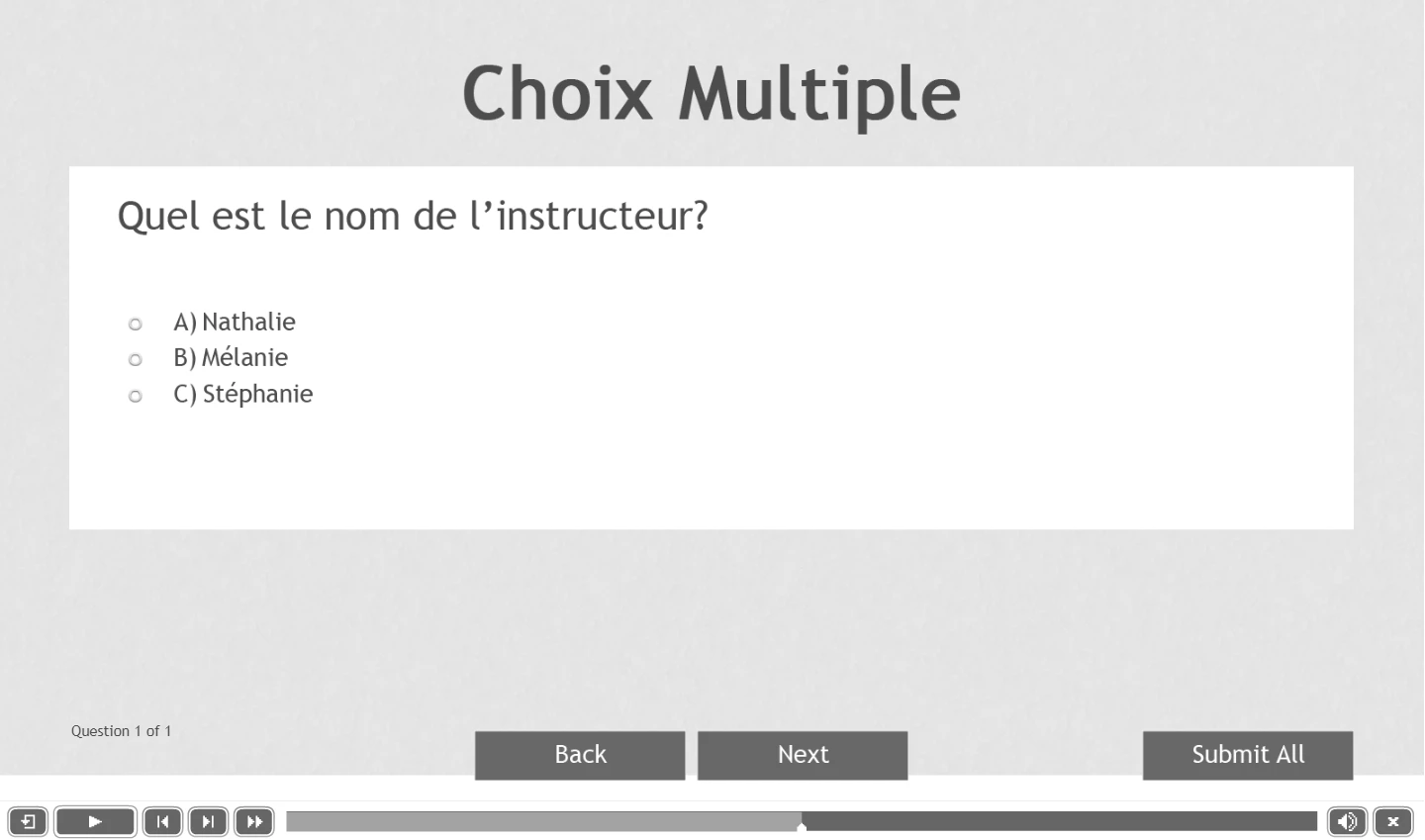
This is what I would like it to look like:

where we would see the question and possible answer, and when the participant answer is wrong we see it on screen and possibility to try again. With different colors if the answer is good. This is just an example for people to understand what I need to do.

Is there a way to accomplish this in Captivate?

If so, how do we do this, if so, is there any tutorials about it?


Thank you for understanding I am totally new to Captivate, and I am French.
Regards

    This topic has been closed for replies.

    2 replies

    Lilybiri
    Legend
    July 24, 2017

    Master slides and object styles are part of the theme (look at What's in a Theme - a Template? - Captivate blog ) . You can customize both, but need to keep all embedded objects (objects which have no individual timeline) in the quizzing master slides. You have to understand the two-step Submit process which has tI did bloo be respected and know how it can be tweaked. I blogged a lot about quiz slides.

    I don't understand why you want to replace the radiobuttons of the quiz slides by check boxes, because that is against all assumed default rules. Check boxes are used when multiple selections are possible, radiobuttons when only one selection is allowed.

    Alternative for total control is to create custom question slides, using standard objects, learning interactions, advanced/shared actions and variables. Lot about those custom quiz slides can be found on my blog as well.

    You better provide some more information. Which version do you use (exact version number please)? Are you using a LMS? Do you want to enable Review/Retake?

    nmeigs
    nmeigsAuthor
    Known Participant
    July 25, 2017

    to answer this: "I don't understand why you want to replace the radiobuttons of the quiz slides by check boxes, because that is against all assumed default rules."


    I did a quick fake pic of somewhat how I want the quiz to appear, it can be radio button I don't mind, it's just a drawing to explain how different is what I need compare to what is available.

    Yes I use a LMS

    Yes I will enable review and retake

    I am still not capable of changing anything in those slides, shape, color, look of it, reaction to turn red when the answer is wrong for example, etc...I guess nobody can really help unless I pay for courses, it's not possible for me, so thanks for the help, I will work with it until I find what I need.

    My version is captivate 9.0.2.437
    I am just trying to change shapes and it seems complicated in captivate. This program is certainly not friendly user, and captivate should think of providing free beginner online training, as they do in camtasia and other programs...it's a suggestion

    PS keep in mind that my first language is French and I may not use the exact appropriate terminology when I explain things in captivate

    Best regards

    Lilybiri
    Legend
    July 25, 2017

    Ce que vous voulez faire n'est pas considéré comme quelque chose qu'on ferait comme débutant dans l'application. Il faut d'abord bien comprendre la conception de Thèmes, des diapositives de Quiz etc.   Camtasia est une application tellement plus simple, qui n'a qu'un seul but: créer des enregistrements d'écran en format vidéo. Il y a plein de blogues et de vidéos sur le web concernant Captivate, une application qui a tellement d'aspects qu'il est bien compréhensible que Adobe ne fournit pas des tutoriels pour chaque aspect.

    Voici un peu de lecture (en Anglais, je m'excuse, il n'y a pas tellement d'utilisateurs en Français):

    Challenges for Starters - Captivate blog

    What's in a Theme - a Template? - Captivate blog

    Theme Colors - Captivate blog

    Question Question Slides in Captivate - Captivate blog

    Using Quizzing System Variables - Captivate blog

    Tips for 'Fluid' Quiz Slides - Captivate blog

    Participating Frequently
    July 24, 2017

    Hello again.  That's definitely possible by editing the master slides.

    It's shockingly difficult to find a recent, free, and good tutorial video that explains how it all works.

    Lynda does have one.  It's not free, but you can probably use a free trial.  If you're going to be working with Captivate often, I'd go through the whole thing:

    Adobe Captivate 2017 Essential Training