



Quiz questions set to Not Report - Can't change
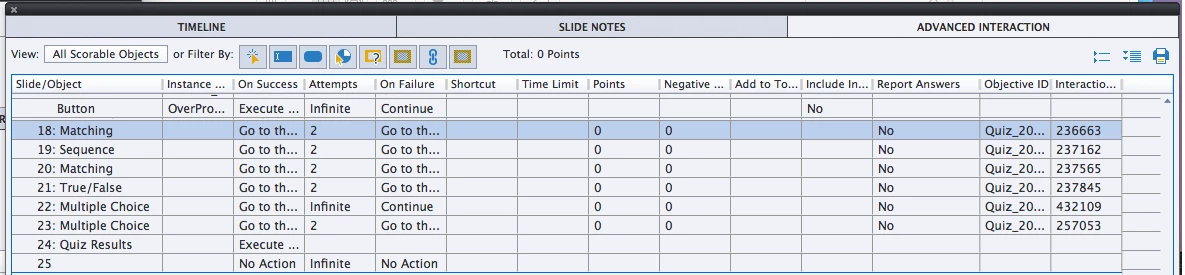
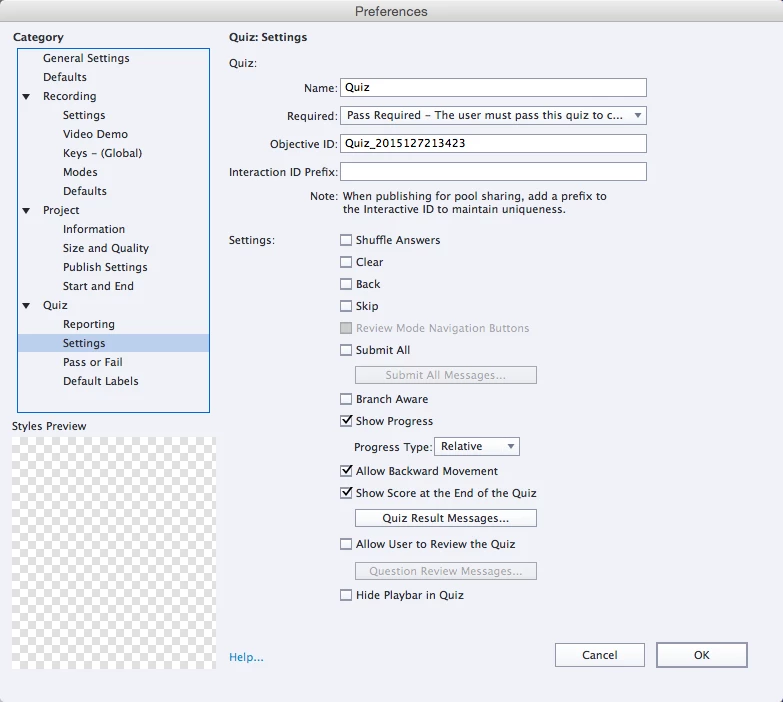
I've built a quiz using only CP quiz slides - nothing custom. I have reviewed all of my quiz settings and from what I can see it should be reporting, but my scores are always 0. When I look at the Advanced Interaction tab, every question is set to 0 points and the Report Answers column has NO for every question. I cannot find how to fix these settings and am stumped. I've built enough quizzes to know that there's probably one checkbox buried somewhere I failed to check.
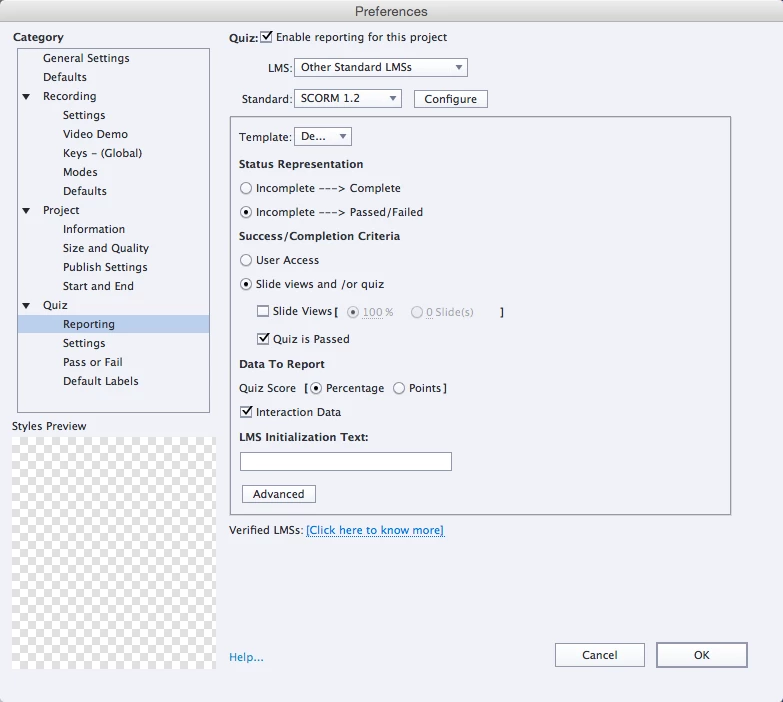
I have LMS selected, but that is not my issue. I can't even get the score to display during testing.
I do have a couple questions about the quiz settings though. Why wouldn't quiz questions default to at least 1 point per question? Why doesn't the "Enable reporting for this project" trigger the "Report Answers" setting that I'm trying to find?
I included a couple image examples. The first one has been truncated.
 AdChoices