Participating Frequently
January 12, 2017
Question

Scores not passing correctly to LMS in HTML5

  • January 12, 2017
  • 2 replies
  • 328 views

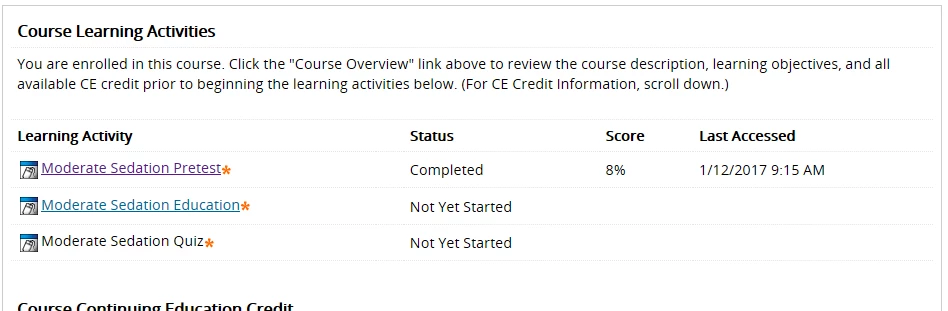
I have been having an issue with using HTML5 for exams. Within the captivate module I can score a 100% but the reported score is 8%. This only happens when publishing to HTML5. Flash publishing works fine. With the big push to move away from Flash this has recently become a big issue. Thanks! Scot
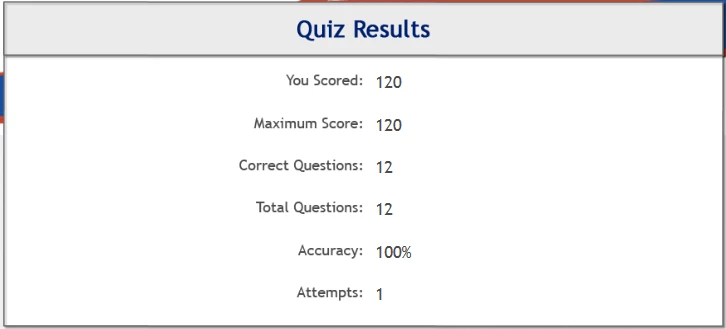
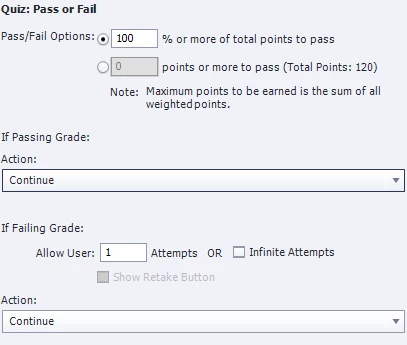
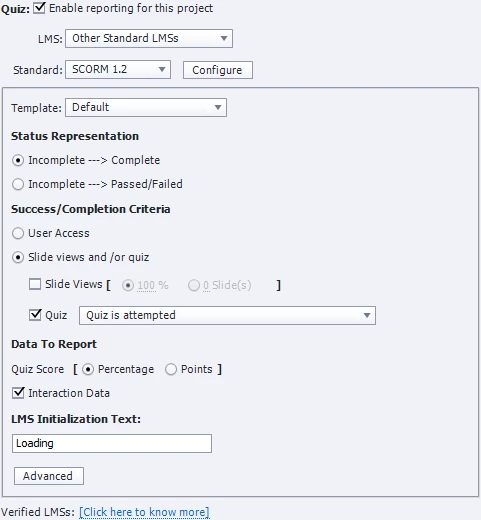
Here are my quiz settings.
This topic has been closed for replies.

2 replies

Lilybiri
Legend
January 12, 2017

Some LMS's have issues with scores above 100 points, although you ask to report a score in %.

Could you try to change the scores to get the maximum score below 100? Use the Advanced Interaction panel (F9) which is linked automatically to the Properties panel of the scored object or question slide you select in that panel.


Did you try to upload the HTML version to SCORM Cloud for testing?

Participating Frequently
January 12, 2017

Unfortunately that did not seem to do the trick. I tried changing the point total to equal 100 exactly and then again so it reported less than 100 points. Neither seemed to have an effect.

The funny thing is that the score that reports seems to be the equivalent of one question regardless of the actual score achieved in the module. I completed the exam twice and received a 100% and 40%. When I had 12 questions it was consistently scoring 8% (1 of 12).Once I removed 2 questions the score kept returning 10%

Scorm cloud seemed to check out the best I can tell.

Here is a screenshot from the advanced interaction window.

Thanks again,

Scot

Lilybiri
Legend
January 12, 2017

Sorry, did you check it on SCORM Cloud?

Participating Frequently
January 12, 2017

One quick add - I am on version 9.0.2.437