


Known Participant
April 8, 2022
Question

Slides Continue on Failure - How to fix?

  • April 8, 2022
  • 1 reply
  • 564 views

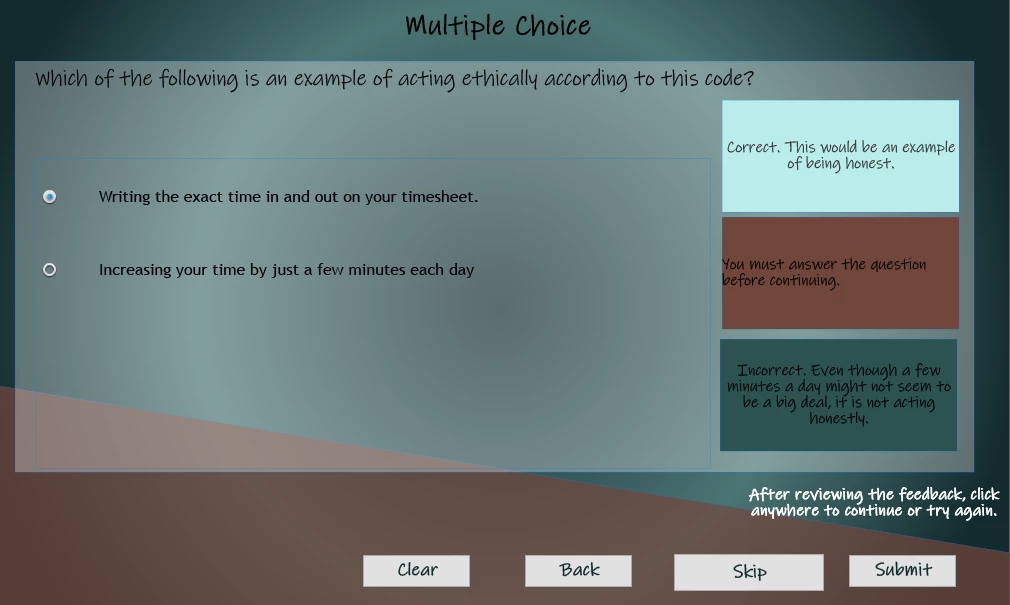
Newbie to Captivate here. I'm using quiz questions. I want the user to have to try again until they get the correct answer, but when I test it, the slide always advances to the next question after one failure. I'm using customized feedback, and my questions were imported via CSV.


SLIDE:
 

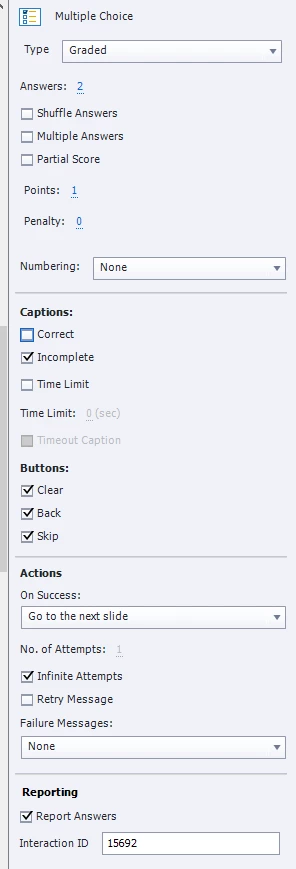
QUIZ PANEL:
 QUIZ Preferences:
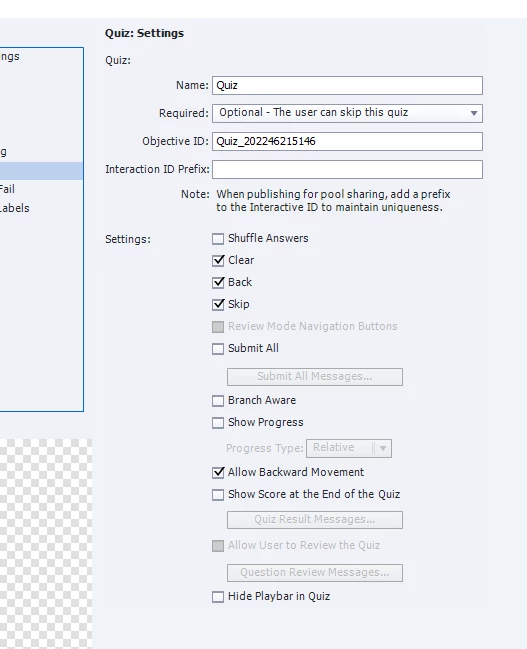
What do I have wrong? Thanks for any help anyone can provide!


    This topic has been closed for replies.

    1 reply

    Known Participant
    April 8, 2022

    P.S. I've tried both "infinite attempts" and setting a number of attempts such as 4 (e.g, a more than adequate number). Same thing happens.

    Lilybiri
    Brainiac
    April 8, 2022

    Not sure but there is some contradiction between the Quiz Properties for this slide and what I see on the slide. You do have 3 feedback messages on the slide (cannot read the Failure message nor the Retry message because of lack of contrast between text and background), but in  Quiz Properties you didn't check the Retry message and set the Failure message to None. Why? 

    Known Participant
    April 8, 2022

    Thank you for your help, Lilybiri! 


    My three feedback messages are individual feedback messages for each response and the standard "You must answer the question before continuing". The reason that I unckecked Retry and set it to no failure messages was because I wanted it to display the individualized messages specific to the question instead of the standard messages included on the Master slide. I just reinabled them both, and it doesn't seem to change anything.


    In response to another question, you mentioned that removing or changing things on the Master slide could cause problems. I was experimenting with everything, so it's quite possible I did something wrong on the Master. Is there a way to reset the Master slide for just that one type of question?


    Thanks again!