However, when going from slide to slide, I notice the svg button disappears and reappears very quickly...
Hi Keelym
Yes I ran into the same issue. And even more:
- SVGs in Captivate, used as buttons, showed on Rollover and down wrong motives from some other SVGs which happened to be in my Library
- In Captivate SVG's are often displayed just black or not at all
- SVGs slow Captivate down - since I removed a lot of SVGs and exchanged them with mostly SmartShapes with PNG image filling, Captivate is now much faster
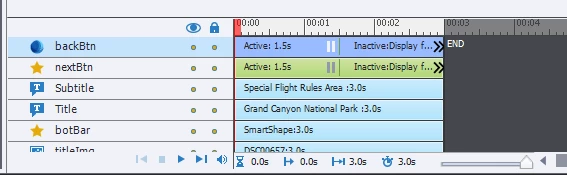
- I too have in my projects a backBtn and nextBtn, like you do, and after making the mentioned exchange, the flashes disappeared.
About the flashes in particular: i noticed in my browser's dev toools/JS Console, that everytime a slide enters or you roll the mouse over an interactive SVG-button, the console indicates a Custom CSS Injection on customcss.js. I'd have to look deeper into some manuals, to know what exactly that means. But I have a general idea. Custom CSS can be injected into the CSS setup at runtime and the web display changes accordingly. So for example you could force a certain font size on a page.
Seemingly the HTML5 output of Captivate uses this approach to manage the dynamic display of SVGs on load, rollover and down events. I guess this makes it flash each time such an injection happens.
My advice: Avoid SVGs in Captivate, especially avoid them as interactive objects.
Klaus



 AdChoices