


BarbCF
Participating Frequently
September 6, 2018
Question

Trouble opening and saving in Captivate 2017

  • September 6, 2018
  • 2 replies
  • 240 views

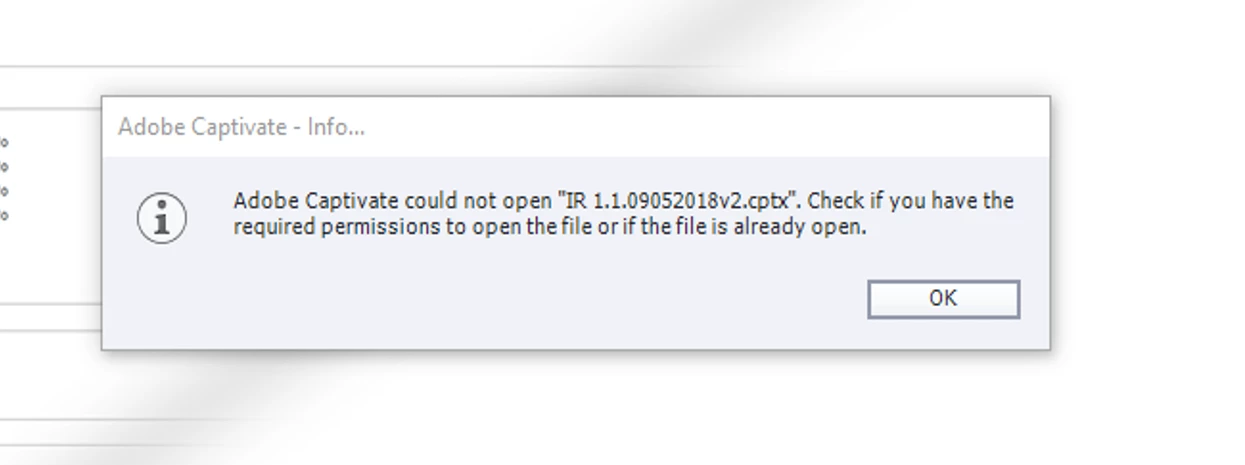
Windows 10, Captivate 2017. When I try to open or save a project, I consistently get an error the first try, but my second attempt succeeds. I save projects local, have cleared cache several times and renamed files. I am copying the error I get.

Thanks in advance for any help you can give me!
    This topic has been closed for replies.

    2 replies

    VickieM
    Participating Frequently
    September 8, 2018

    Hi Barb,

    Suggestion:

    Refer to an article I posted titled “Adobe Captivate 2019 vs. Windows 10: The Battle Continues”. This article might be helpful.

    Note: If you do not have administrator privileges on the PC, Laptop, or Mac you are using, contact your technology department for assistance.


    Thanks

    BarbCF
    BarbCFAuthor
    Participating Frequently
    September 6, 2018

    i should also mention that the error happens even if I close captivate and reboot. task manager does'nt show the app open.

    RodWard
    Community Expert
    September 6, 2018

    Are you launching Captivate with Run As Administrator privileges?

    BarbCF
    BarbCFAuthor
    Participating Frequently
    September 8, 2018

    No, I don't have those priveledges. Could that be why I have a lot of glitchy issues, including this one with Captivate?