


Participant
August 1, 2023
Answered

Unable to Open CPTX Files. Captivate 2023

  • August 1, 2023
  • 2 replies
  • 13370 views

Hi All,


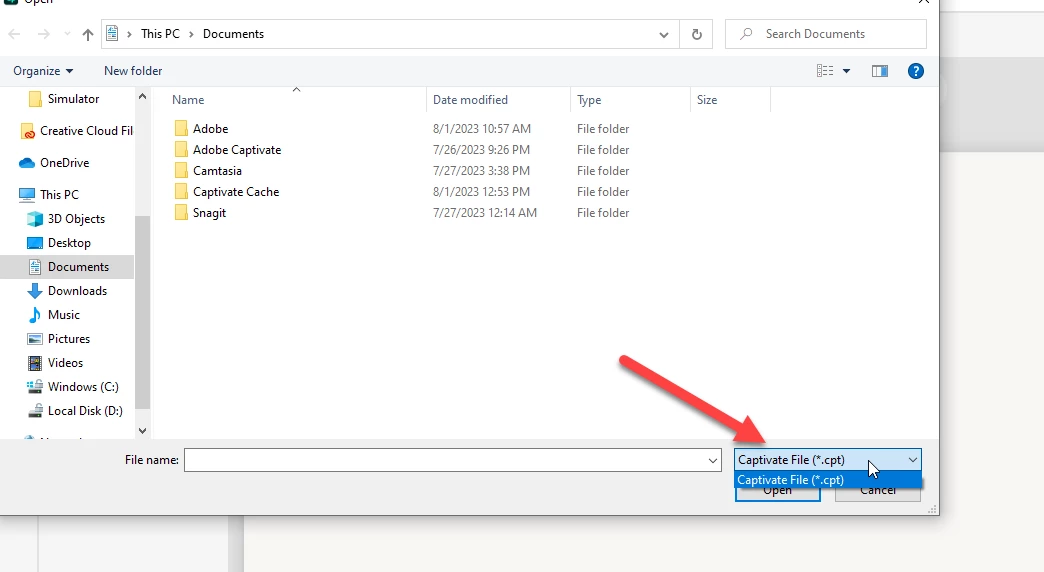
I previously used Adobe Captivate 2019 and all of my saved projects are CPTX Files. Currently I had to change my laptop and the newly downloaded Captivate is the latest version. With this 2023's version when I open any CPTX files it doesn't open the project and also when I try to open any files through Captivate it shows that it only allows CPT Files(You will find the screenshot attached).


Please HELP!!!.
Correct answer Lilybiri

You will never be able to open a cptx-project in the new version for multiple reasons. That is why Adobe decided to keep both version 11.8.2 and version 12 online within the same license. Please update version 11 to 11.8.2 and it will be renamed to Captivate Classic. Then install the new version. You can only create responsive projects with the new version, and since all workflows have changed compared with previous versions there is no compatiblity between projects created in both versions. I just wished that were more clearly announced.

2 replies

Known Participant
April 4, 2024

They conveniently didn't make this a very "public" statement.  I had no idea the new version wouldn't open legacy files.  It makes it a little more difficult to "sell" the new version. so far, in testing the new version with a short software simulation recording, the program has crashed and stopped responding about 3 or 4 times.  and during the recording, it just stopped recording in the middle of my workflow.  not impressed so far.

Lilybiri
Legend
April 4, 2024

Indeed, I already mentioned this lack of 'communication' a lot of times, feel very sad about it. Result is that I am banned almost anywhere by the marketing people. I am too honest, and hate people who hide the truth.  Omitting to give complete information is very close to lies.

Participating Frequently
October 1, 2025

Lilybiri, you have helped me so much on a few different problems in this messed up software disaster! Thank you!

Lilybiri
LilybiriCorrect answer
Legend
August 1, 2023

You will never be able to open a cptx-project in the new version for multiple reasons. That is why Adobe decided to keep both version 11.8.2 and version 12 online within the same license. Please update version 11 to 11.8.2 and it will be renamed to Captivate Classic. Then install the new version. You can only create responsive projects with the new version, and since all workflows have changed compared with previous versions there is no compatiblity between projects created in both versions. I just wished that were more clearly announced.

HabdanAuthor
Participant
August 1, 2023

Thanks a lot. I was stuck with the situation for like 3 working days. As they have updated the logo as well, I got confused that it could be just another Adobe Software similar to Captivate. For the logo upgrade it was quite imposible to guess that classic is the older version. And Yes they must have clearly announced it. Now that I have downloaded the Classic one, it's working fine. 

Lilybiri
Legend
August 1, 2023

Great, glad that I could help and sorry for my ranting about lack of clear official explanations.

I promised myself not to help with the new version, but too bad, broke my promise too soon.