


Participant
December 4, 2018
Question

Unable to open projects from Captivate 2019

  • December 4, 2018
  • 2 replies
  • 4357 views

A few of my coworkers just installed Captivate 2019.  I'm using Captivate 2017.  Unfortunately, I'm unable to open any of their projects to collaborate or review.  I get the attached error message on every project I've tried to open from three different people using Captivate 2019.  Is there something that they need to do to make their projects compatible with Captivate 2017?  Or is there something I should do to open those projects?  To clarify, they can each open the projects without any issues. Only I am unable to open the project files.
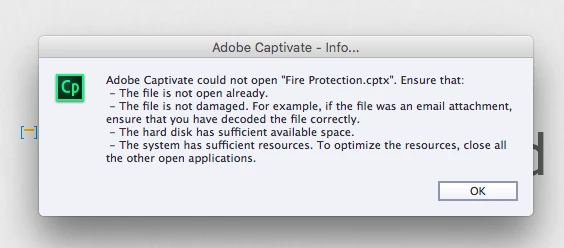
The file is not open elsewhere.  It works fine for users of CP2019, so I assume it isn't damaged (it wasn't sent as an attachment).  My hard disk has approximately 60GB of free space.  Resources are not an issue, I have 16GB RAM and I'm running Outlook and PowerPoint in addition to Captivate.

Only difference, other than Captivate version, is that I'm using a Mac and the other users are using Windoze.  Could that be the issue?  I don't have that problem with files from people using CP2017.  Those open fine, and those were created on Windows computers.

TIA!

This topic has been closed for replies.

2 replies

Known Participant
March 19, 2019

We have the same problem. One of our team worker have updated to 2019 and we cant open her proyects, because we can't open it. ¡Great work Adobe!

RodWard
Community Expert
Community Expert
March 19, 2019

Lilybiri is correct.  This is the way Captivate has been since it first came out.  It would appear that you must not have had much previous experience with Captivate if you did not know this fact.

If you everyone on your team to be able to open the same CPTX files and work on them at some point then you all need to be on the same version of Captivate and before anyone updates to a newer version you need to make sure everyone else can do the same.  Then you won't be caught out by this issue.

marcelv69708557
Participant
September 9, 2020

Hi, I am reading this post with interest. For me it is the other way around: I am using Captivate 2019 latest version, but for some reason I cannot open a file that I made in Captivate 2017. Captivate manages to load the file for aboout 80% and then the program closes down.
Using Cpt 2017 I have no problems opening it. 

What could be the explanation and more important: how can I fix this?
Thanks in advance! 

Marcel van den Oever

John T Smith
Community Expert
Community Expert
December 4, 2018

Every time Adobe releases a new version, with new program features, that means that an older program may not open files created by the newer program

Due to those new features, new programs generally do not have a "save as" function to create a file that is compatible with an older program

Participant
December 4, 2018

I was afraid of that... half my team uses 2017 and half now have 2019.  This is going to be a problem.

Lilybiri
Legend
December 5, 2018

Indeed that is a problem. CP2019 users will be able to review CP2017 files, but not the reverse. There is no way to save to an older version.