Participant
November 10, 2021
Question

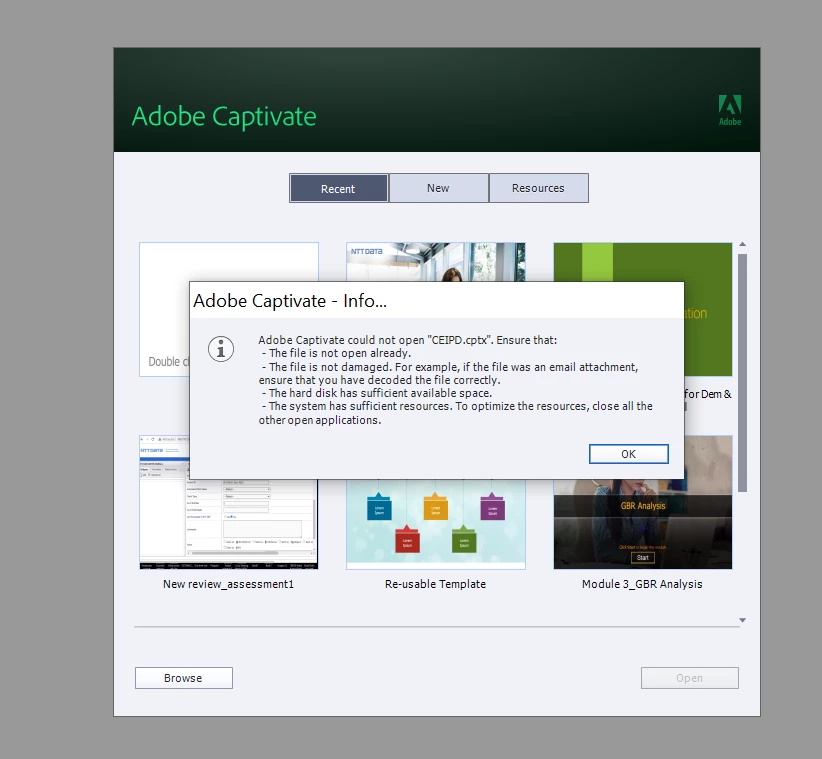
Unable to open source file

  • November 10, 2021
  • 1 reply
  • 961 views

Hi Team,

I am using 2019 version.

I am unable to open the source file and it says the file is damaged. 

I tried the options mentioned in the pop-up, but nothing has worked.

Please help me in resolving the issue.


    This topic has been closed for replies.

    1 reply

    Lilybiri
    Legend
    November 10, 2021

    That is a very general error message, it can even appear when the project is just corrupted. Couple of questions:

    Are you use to open the project with the same or a later version? CP2019 had at least 5 releases, and the most recent one (11.5.5) can open older releases, but you cannot open such a project in an older version like 11.0. You can find the version number under Help, About Captivate.

    Normally you should have a backup file, can you check? Backup feature is check by default.

    Try to clear the Cache (Preferences, General settings) and clean the Preferences (if Captivate itself has corruption).


    Participant
    November 18, 2021

    Hi Team,


    The issue is not yet resolved.


    We are using The Adobe Captivate Version - 11.5.1.499 and we don't have any back-up file.


    Is there any other way to open this source file? If yes, please guide us.


    Regards,

    Sravani TJ 

    Participant
    November 29, 2021

    You mention that you have downloaded a file from the LMS.   What format is that file?  Is it a ZIP file or a CPTX file?

    A Captivate's CPTX file is really the source file that generates the HTML5 content uploaded to the LMS as a ZIP file.  

    So if you have downloaded the ZIP file from the LMS, this cannot be opened by Captivate to give you back the original CPTX file used to create it.

    If all you have is the HTML5 output that was uploaded to the LMS, look inside the ZIP file for a file called project.txt.  This file can be opened in a plain text editor and the second like or so of text inside it will tell you the version of Captivate that was being uset to publish the HTML5 output.


    Hi Team, 


    We have download the source files from SharePoint, not from the LMS. Sorry for the inconvenience.


    The file type is CPTX not ZIP.


    We are also able to identify the issue files' ZIP files from our local drive . In that, the project note pad is showing the version as 11.5.1. 


    Note : Currently, we have the Adobe Captivate's 11.5.5.553 version. which is advanced version. 


    Please guide us, what we have to do now. 


    Regards,

    Sravani TJ