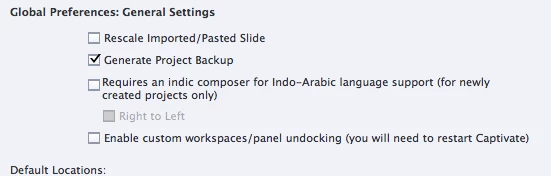
Backup should be checked by default but it is not. It will create a backup file in the same folder as specified in the Default Location, 'Publish at' field. They have to be on your system.
A backup file gets an extra extension: for the file aaa.cptx, the backup file will be aaa.cptx.bak. The Library is something totally different, it is in the project and you'll see all the assets there.
Enable custom workspaces will switch you from newbie UI to the so-called Expert UI. That interface is closer to the one used in most Adobe applications (and also in Captivate up till version 7). You are able to move panels, to make them floating or dock them in other locations, to save and reuse workspaces which keep the layout of panels. In the newbie UI you have only the Classic workspace and Captivate decides for you which panel should be opened, you don't have any control over them.
I have typical workspaces for Quizzing, for Presentation, for Design, for Responsive projects etc... I never use the Classical workspace but have a general MyWorkspace where I have all much used panels available: Filmstrip and Object States in left docking station, Master Slide, Timeline, Slide Notes in the bottom docking station, Properties, Timing Properties, Library and Drag&Drop in the right docking station. The Advanced Actions panel is floating and minimized to its title bar.



 AdChoices